A business owner often notices Wi-Fi only when someone asks for the password. A client sits in the lobby. A patient checks in on a tablet. A visiting accountant opens a laptop before a meeting. The network name appears, they click it, and the moment feels routine.
It isn't routine.
That visible Wi-Fi name is part of a larger security decision. It can expose the business name, location, network structure, and whether guest access is separated from internal systems. For a company trying to run a secure business, details that look small at the device level often carry real consequences for operations, compliance, and risk.
Table of Contents
- Why Your Wi-Fi Name Matters for Business Security
- Decoding Your Wi-Fi Network Name and Address
- SSID vs BSSID A Technical and Practical Comparison
- Security and Compliance Implications for Your Business
- How to Find Your Network SSID and BSSID
- Proactive Wi-Fi Management with an Expert Partner
Why Your Wi-Fi Name Matters for Business Security
A guest walks into a medical office, law firm, or construction company conference room and asks for Wi-Fi. Staff points to a small sign at reception. The guest connects in seconds. Most businesses see that as convenience. Attackers can see it as reconnaissance.
A simple connection can reveal too much
An SSID is the Wi-Fi name people recognize on their phones and laptops. When that name includes the company name, suite number, floor, or a clue like “Corporate” or “Admin,” it tells outsiders more than most owners realize. It can show who operates in the building, which network might be for staff, and where someone should focus if they want to imitate a legitimate connection.
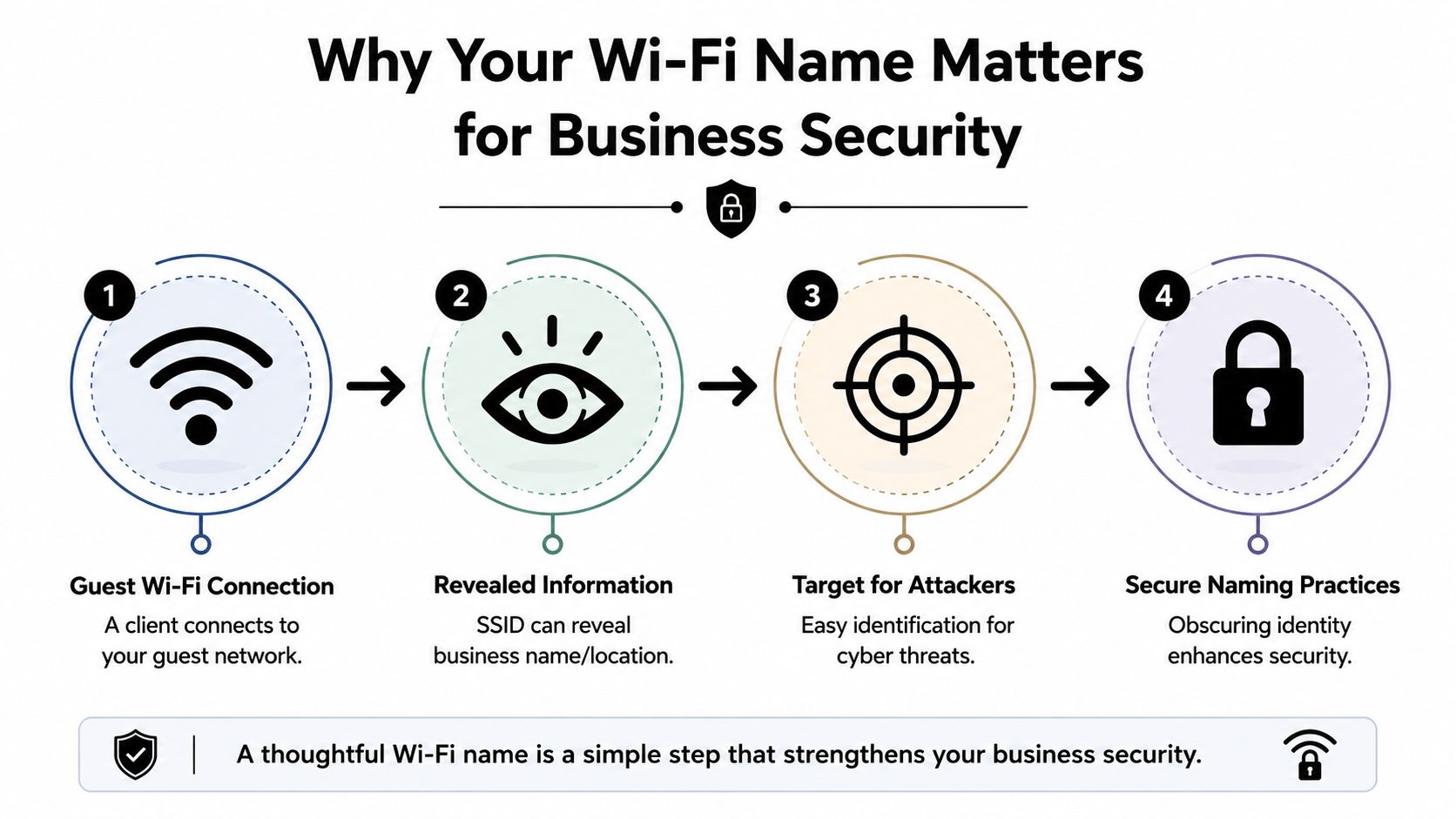
The business impact is bigger than the naming issue itself. Wi-Fi is where guests, employees, contractors, phones, tablets, printers, cameras, and building devices all meet. If that environment is loosely designed, an attacker doesn't need a complicated path in. They only need an opening that staff overlook because it feels ordinary.
A 2026 industry compilation of small-business cybersecurity statistics found that 43% of all cyberattacks target small businesses, and 60% of small businesses that suffer a cyberattack shut down within six months, according to small-business cybersecurity statistics compiled by B. D. Emerson. That's why Wi-Fi design belongs in business continuity planning, not just IT cleanup.
A weak wireless setup rarely fails all at once. It usually fails through small decisions that looked harmless at the time.
What a business owner should take from this
A secure business doesn't need a complicated wireless environment. It needs one that's intentional. That means naming networks with care, separating guest traffic from internal traffic, and making sure staff know which network is legitimate.
For many small and mid-sized firms, practical policy matters more than technical theory. A simple guest network, a separate staff network, and clear security rules often do more than adding complexity for its own sake. Businesses that want a stronger baseline can start with these cybersecurity best practices for small businesses, then apply them directly to wireless access.
Decoding Your Wi-Fi Network Name and Address
Most non-technical users only ever see one part of a wireless network. They see the name on the screen, click it, and move on. The network itself works with two different identifiers, and understanding both helps explain why Wi-Fi can be easy to use but still difficult to manage securely.
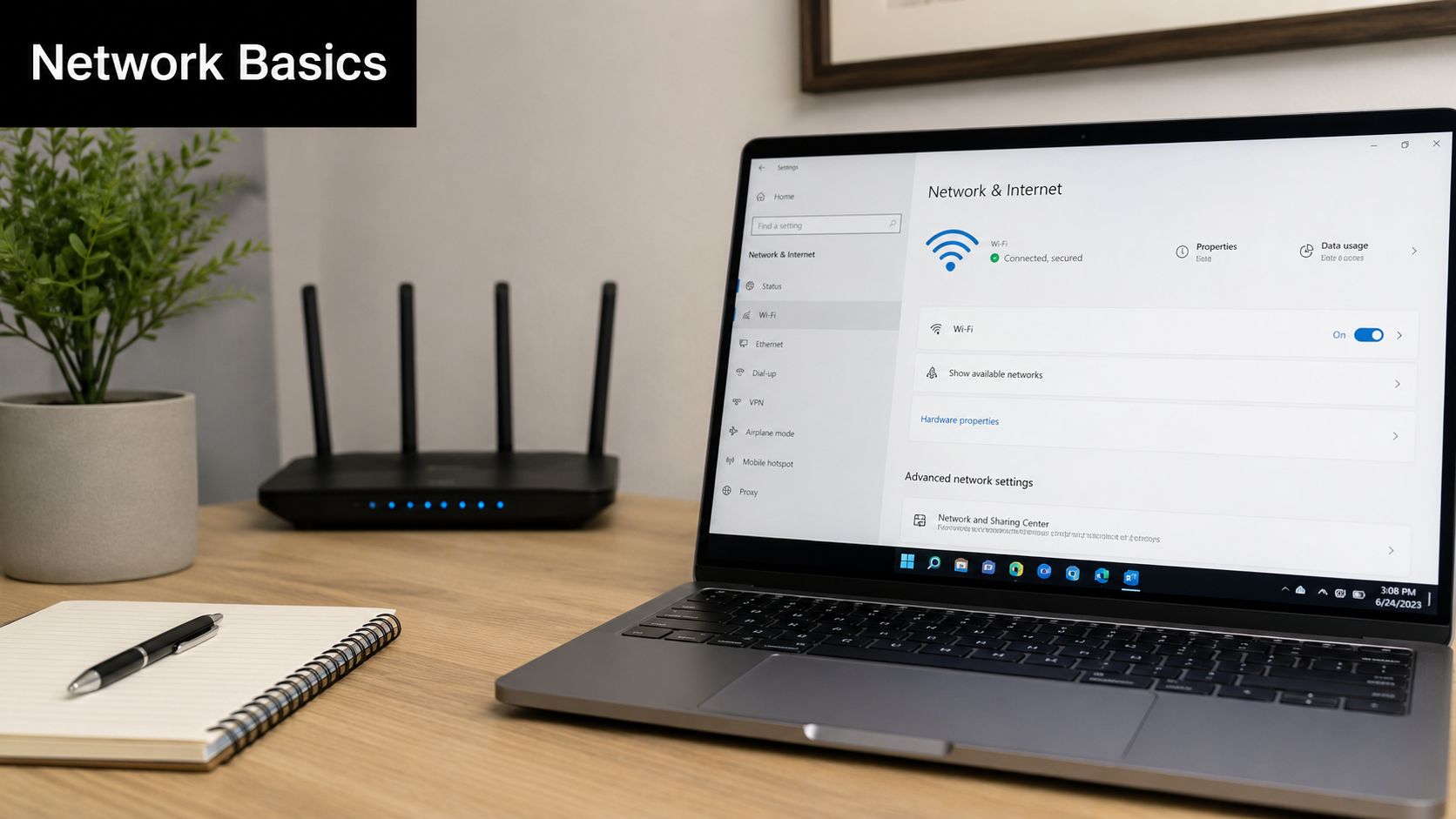
SSID is the public-facing label
SSID stands for Service Set Identifier. In plain terms, it's the network name users choose from the available list. If a business has a wireless network named “Guest WiFi” or “Office Secure,” that visible label is the SSID.
A useful analogy is a storefront sign. People on the sidewalk look for the sign, not the internal records behind it. The SSID helps users recognize the network they're supposed to join. It's meant for humans.
That's also why SSID choices matter. A name can be clear without being revealing. “Guest” is usually enough. “Smith Family Law 12th Floor Guest” gives away more than the business needs to share.
BSSID is the specific device identity
BSSID stands for Basic Service Set Identifier. It identifies the specific wireless access point a device is connected to. If the SSID is the storefront sign, the BSSID is the exact street address of one location.
In an office with several access points, employees may see one SSID across the whole space. That creates a smooth experience as people move around. Behind the scenes, each access point has its own BSSID, and devices connect to one of those specific radios at a time.
That distinction matters for support and security:
- Troubleshooting poor coverage: Two conference rooms may show the same Wi-Fi name while connecting to different hardware.
- Verifying legitimacy: A fake network can copy the SSID, but it won't share the same device identity as the authorized access point.
- Understanding roaming: Laptops and phones shift between BSSIDs while staying on the same visible network name.
Operational insight: Staff members choose an SSID. Devices attach to a BSSID.
For a business owner, the practical takeaway is simple. The name on the screen is only part of the story. The actual connection happens to a specific piece of wireless hardware, and that's where reliability, policy enforcement, and many security controls live.
When wireless support issues keep recurring, this is often the missing layer. Businesses think they have “one Wi-Fi problem,” but the underlying issue is one access point, one placement problem, or one weak segment in the environment. That's why ongoing network support and maintenance usually starts by identifying which devices are broadcasting which networks, and where.
SSID vs BSSID A Technical and Practical Comparison
The terms sound similar, which is why they're often treated as interchangeable. They aren't. One helps people find the network. The other helps the network identify exactly which hardware is handling the connection.
SSID vs BSSID Key Differences
| Attribute | SSID (Network Name) | BSSID (Hardware Address) |
|---|---|---|
| Purpose | Human-readable name for selecting a wireless network | Unique identifier for a specific access point radio |
| Uniqueness | One SSID can be shared across multiple access points | Each BSSID is tied to one broadcasting device |
| Format | Text string chosen by the network administrator | Hardware-based address format used by the network |
| Primary use case | User connection and recognition | Troubleshooting, roaming, validation, and device-level analysis |
You choose an SSID to connect, but your device forms a direct link with a specific BSSID.
That single distinction explains a lot of business Wi-Fi behavior. A user may think, “I'm connected to the office network.” The network sees something more precise. It sees that laptop attached to one access point in the back office, on one band, under one set of local radio conditions.
Why the distinction matters in the real world
This becomes practical fast in a business setting.
A law office may have one SSID for attorneys and staff, but a weak signal in one conference room could trace back to a single failing access point. A clinic may use one guest SSID across the lobby and exam areas, but patients in the waiting room could be connecting to a different BSSID than front-desk tablets. A warehouse may appear to have stable Wi-Fi while scanners roam between BSSIDs and lose session quality at key handoff points.
That's why broad labels can mislead non-technical teams. “The Wi-Fi is down” often means one of several things:
- One access point is overloaded
- A device is clinging to the wrong radio
- A rogue signal is copying the network name
- Coverage and identity policies aren't aligned
The business value in understanding this is decision quality. Owners don't need to memorize wireless terminology. They need enough clarity to ask better questions when service is unstable, audits are approaching, or staff complain that “the network is flaky.”
A mature wireless environment usually treats SSID design as a policy issue and BSSID visibility as an operational issue. The visible network structure should be simple for users. The backend should be precise enough to support monitoring, segmentation, and troubleshooting. That's one reason many organizations move toward cloud-based networks, where wireless identity, access policy, and device oversight can be managed consistently across locations.
Security and Compliance Implications for Your Business
Most security failures don't begin with a dramatic technical breakthrough. They begin when a business leaves ordinary things ungoverned. Wireless naming, guest access, shared passwords, and device segmentation all fall into that category.
Where small configuration choices become real risk
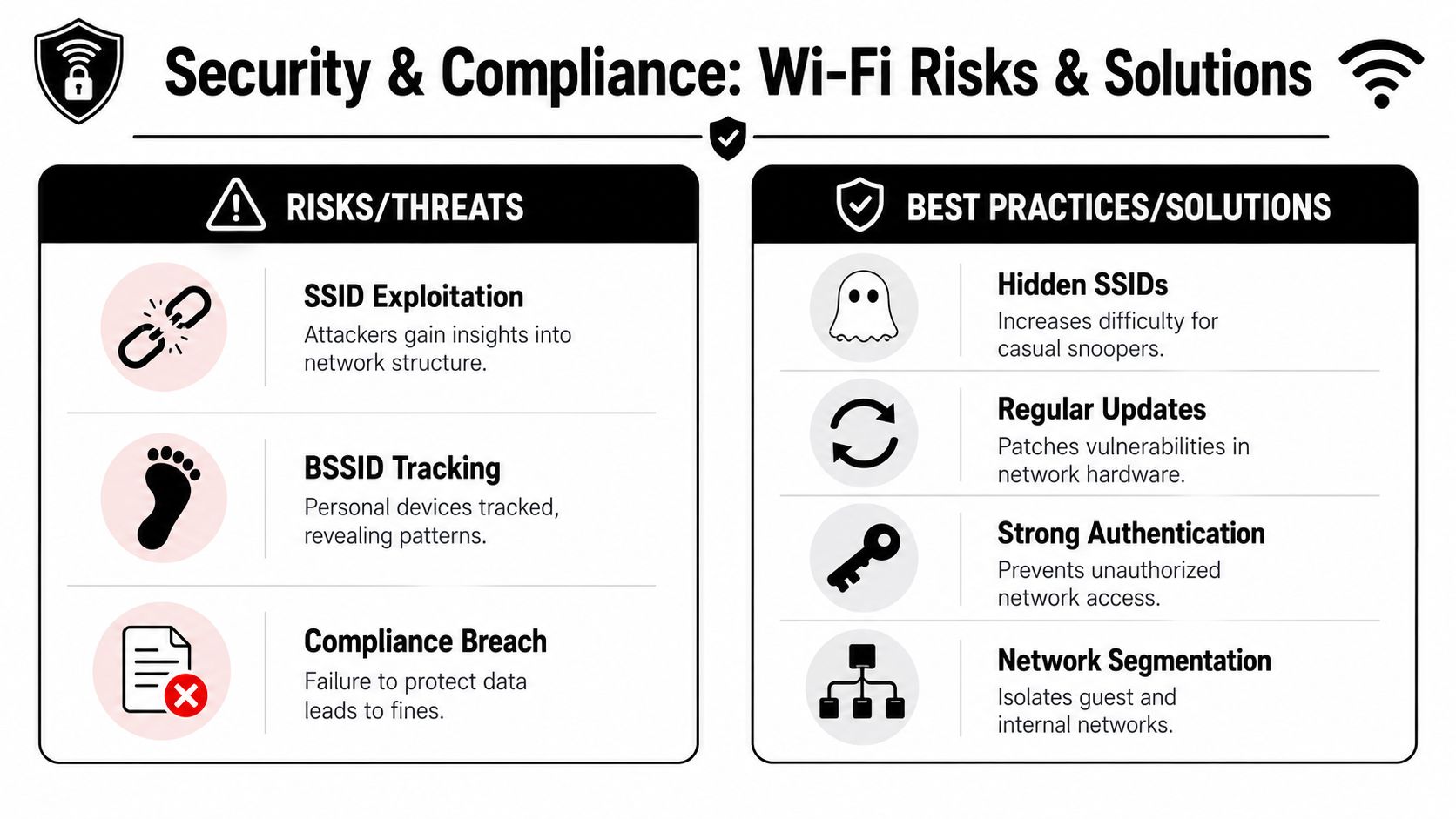
An attacker can create a fake access point that broadcasts a familiar-looking SSID. Staff or guests see a name they recognize and connect without checking further. From the user's perspective, everything looks normal. From the attacker's perspective, the goal is to intercept traffic, capture credentials, or route a user into a controlled environment.
That kind of setup works because people trust the visible name. They don't verify the underlying device identity. As a result, SSID and BSSID stop being technical trivia and become a security control issue.
Another practical issue is prioritization. Most small and mid-sized firms don't have unlimited budgets or in-house specialists. According to guidance on protecting business operations from common security gaps, most secure business advice stays too generic, while real attackers often exploit basics like stolen credentials and phishing. The same source notes that the average cost of a data breach reached USD 4.88 million globally in IBM's 2024 report. For a business owner, that means spending should focus first on controls that close the most likely gaps.
Priority rule: A secure business gets more value from separating critical traffic and tightening access than from adding complexity nobody maintains.
How segmentation supports compliance and continuity
For regulated organizations, wireless design also affects compliance posture. Guest devices, employee laptops, printers, cameras, and operational equipment shouldn't all live in the same trust zone. Separate SSIDs can support that separation, but only when the underlying policies enforce true segmentation and access control.
A practical structure often looks like this:
- Guest wireless: Internet access only, isolated from internal systems.
- Staff wireless: Controlled access to business applications and approved devices.
- Device or IoT wireless: Printers, scanners, cameras, and other equipment placed under restricted rules.
- Temporary vendor access: Time-bound access for contractors or service providers.
This matters in healthcare, legal, finance, and property operations where confidentiality, record handling, and access control are under scrutiny. Teams working through broader requirements may find value in this overview of security compliance for property managers, because it connects security controls to day-to-day operational accountability rather than treating compliance as paperwork.
The same principle applies across industries. Compliance doesn't usually fail because a business lacked jargon. It fails because systems weren't segmented, access wasn't limited, and nobody documented who could connect to what. Businesses that need those controls formalized usually start with data security and compliance planning that includes wireless architecture, not just endpoint checklists.
How to Find Your Network SSID and BSSID
Knowing how to find this information gives a business owner or office manager a simple verification tool. It helps confirm that a device is on the expected network and, when support is involved, it gives the technician more than “the Wi-Fi seems off.”
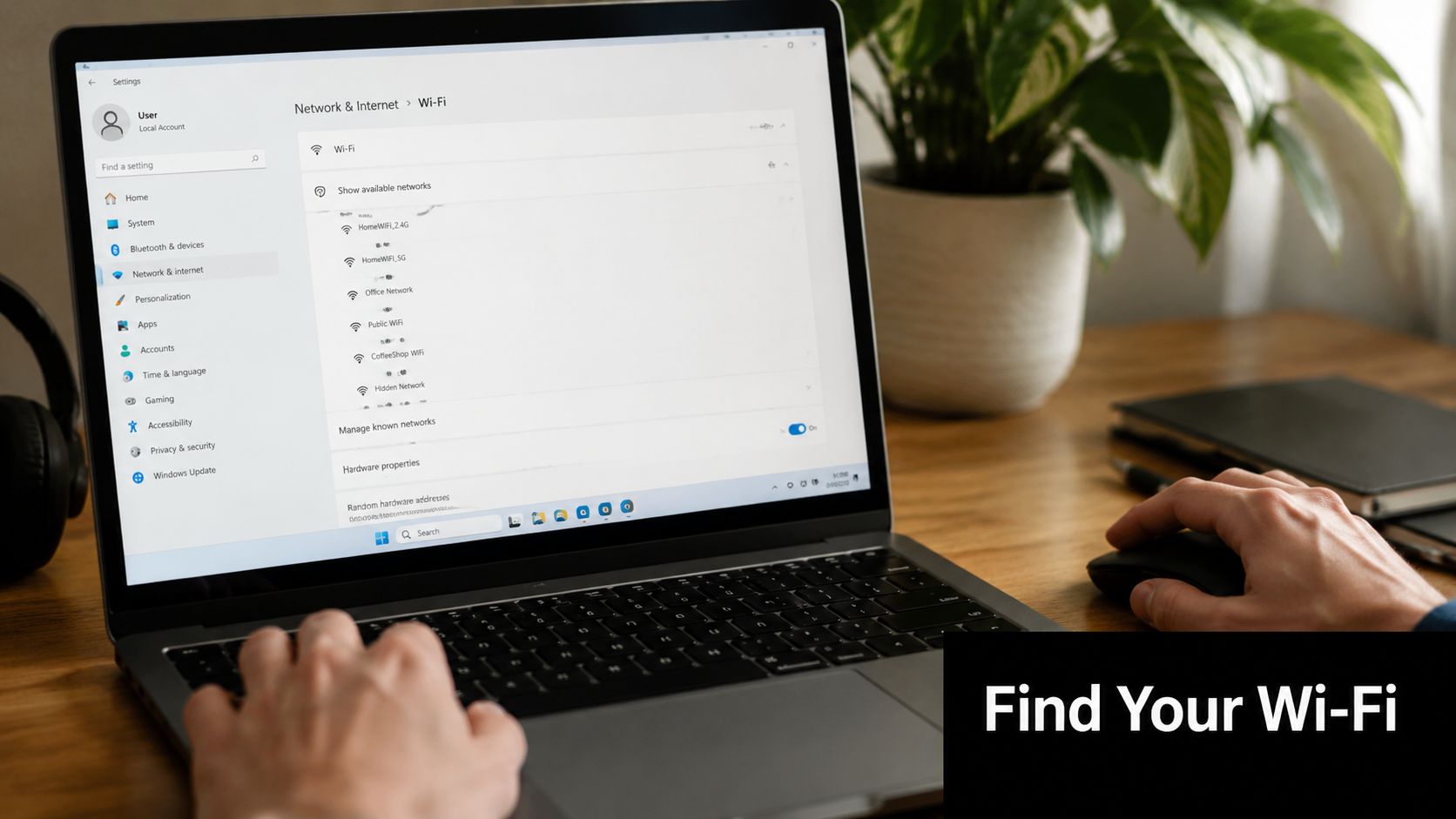
On Windows
On a Windows computer, the easiest method is the command line.
- Open the Start menu.
- Search for Command Prompt and open it.
- Type
netsh wlan show interfaces - Press Enter.
Windows will display wireless connection details. Look for:
- SSID. This is the network name currently in use.
- BSSID. This identifies the specific access point the computer is connected to.
- Signal. This helps explain whether a problem is likely coverage-related.
- Radio type or channel information. Useful when diagnosing interference or roaming issues.
If an employee says they connected to the office Wi-Fi but support sees an unexpected BSSID, that can signal a nearby rogue access point, a misconfigured extender, or a connection to the wrong broadcast source.
On macOS
On a Mac, the process is simpler and more visual.
- Hold the Option key.
- Click the Wi-Fi icon in the menu bar.
- Review the connection details shown in the expanded panel.
macOS will display both the SSID and the BSSID for the current connection, along with other technical details about signal and channel. This is useful when someone is moving around an office and wants to see whether the device has shifted to a different access point while staying on the same network name.
If the SSID looks right but the connection behaves strangely, checking the BSSID can tell support whether the device is really talking to the expected hardware.
This matters most when businesses are trying to answer practical questions. Is a user attached to the correct office access point? Is the conference room connecting through a weak edge device? Is the visible network name being copied by something nearby? A two-minute check can narrow the issue quickly and reduce guesswork.
Proactive Wi-Fi Management with an Expert Partner
Wireless security isn't a one-time setup task. Staff changes, device counts grow, floor plans shift, guest access expands, and compliance expectations tighten. A network that felt acceptable a year ago may now carry more risk than the business realizes.
What proactive management actually looks like
Proactive Wi-Fi management usually includes a few repeatable disciplines rather than one dramatic upgrade.
- Centralized oversight: The business can see which access points are active, what they're broadcasting, and whether policy is consistent across locations.
- Rogue access point detection: Unauthorized or suspicious broadcasts are investigated instead of ignored.
- Periodic security review: Guest isolation, internal segmentation, authentication settings, and device placement are checked against actual business use.
- Documented network intent: Staff know which SSIDs are valid, which are for guests, and which devices belong on restricted segments.
Many companies now treat outsourced security support as normal operating practice, not a sign that internal teams failed. The managed security services market is projected to reach USD 74.2 billion by 2032, according to physical and managed security market projections. That trend reflects a basic business reality. Continuous monitoring and defense often require more time and specialization than smaller organizations can spare.
A useful outside perspective can also help business owners understand broader approaches to network protection and security solutions in operational settings where uptime, access control, and layered defenses have to work together.
When outside support makes sense
External support becomes especially practical when wireless issues are recurring, regulated data is involved, or the business has outgrown ad hoc administration. A partner can map SSIDs to business purpose, validate segmentation, review access point behavior, and create a standard for how wireless changes are approved.
For organizations in North Texas, Technovation LLC provides managed IT, cybersecurity, compliance support, and network oversight for businesses that need a more structured wireless environment without building that capability entirely in-house. That's relevant when the goal is more than “better Wi-Fi,” but a more secure business with fewer avoidable gaps between daily operations and security policy.
The trade-off is time and consistency. A business can keep reacting to wireless issues one complaint at a time, or it can treat Wi-Fi as part of its security and compliance system. The second approach usually leads to fewer surprises, cleaner audits, and less confusion when incidents occur.
If wireless naming, guest access, or network segmentation feels unclear, Technovation LLC offers free security audits and IT health checks for DFW-area businesses that want a clearer path to a secure business. It's a practical way to identify weak spots, confirm whether SSID and BSSID management align with policy, and decide what to fix first.