Who inside a business can open the digital equivalent of every locked office, filing cabinet, and records room, and would ownership know it for certain?
That question exposes the gap in how many small and mid-sized businesses think about security. Plenty of owners in Dallas-Fort Worth have alarms on the doors, cameras in the lobby, and policies for physical keys. Yet their accounting files, client documents, patient data, contract folders, and cloud apps often grow under looser rules than the front door.
That's where access control policies stop being IT paperwork and start becoming business discipline. They define who gets access, what they can reach, and under what conditions. For a clinic, that might mean separating billing access from clinical records. For a law firm, it might mean limiting case files by matter team. For a construction company, it might mean granting temporary project access that ends when the subcontractor's work does.
Table of Contents
- Is Your Business Data Truly Secure
- Understanding Access Control Policies
- Choosing the Right Access Control Model
- Meeting Compliance Demands like HIPAA and SOC 2
- A Practical Implementation Plan
- Common Policy Pitfalls and How to Avoid Them
- How Technovation Simplifies Access Control
Is Your Business Data Truly Secure
A locked office doesn't mean a locked business. Sensitive information now lives in email, cloud storage, line-of-business software, mobile devices, remote sessions, and shared folders. If access rules grew informally over time, ownership may have no clean answer to basic questions like who can view payroll, who can export client records, or which former contractor accounts still exist.
That uncertainty matters because the market is moving in one direction. The global market for access control systems was valued at USD 11.62 billion in 2025 and is projected to reach USD 26.22 billion by 2034, while North America holds 36.95% of the market according to Fortune Business Insights research on the access control market. Businesses aren't investing in this area because it sounds advanced. They're doing it because uncontrolled access creates operational, legal, and reputational risk.
In a DFW business, that risk often hides in ordinary routines.
- Shared logins for convenience: Staff members use one account for a front-desk system or a shared mailbox, which removes accountability.
- Old permissions that never got cleaned up: A promoted employee keeps access from two previous roles.
- Remote access exceptions: A vendor or temporary worker gets broad access because a deadline is tight.
Secure businesses don't rely on memory or trust alone. They rely on rules that hold up when staff change, projects shift, and someone makes a mistake.
One useful way to test reality is to simulate what an internal attacker or compromised account could do after getting in. That's why many organizations review simulated internal cyberattack services as part of a broader security assessment. The goal isn't drama. It's clarity. If one standard user account can move too far, see too much, or bypass basic controls, the policy gap is already visible.
For SMBs in healthcare, legal, finance, and other regulated sectors, that gap isn't abstract. It affects continuity. One wrong permission can expose client trust, slow an audit, or trigger a scramble that pulls leadership away from running the business.
Understanding Access Control Policies
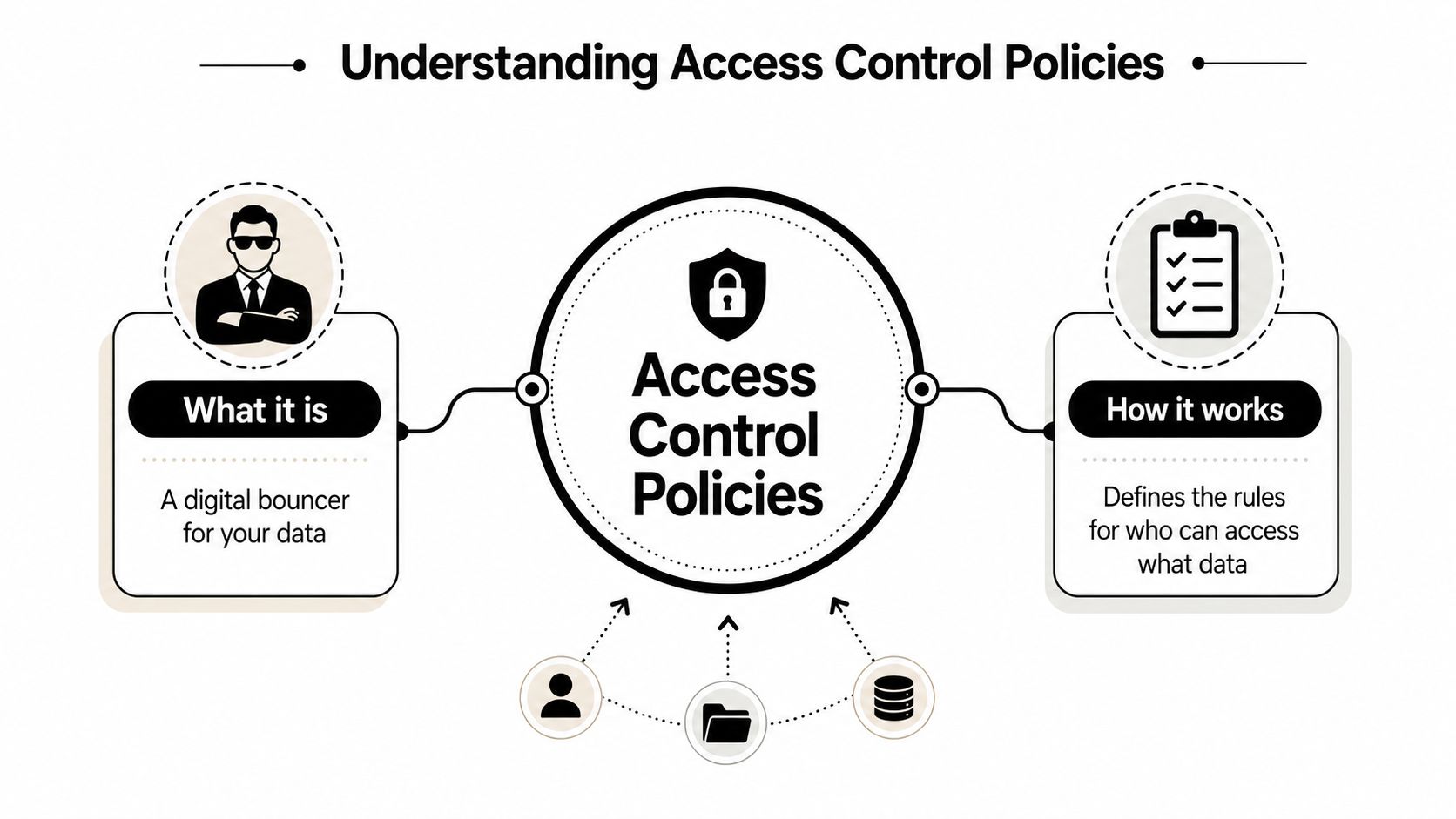
An access control policy is the rulebook behind digital access. If a business thinks of its data like rooms inside a building, the policy decides who gets a key, which doors that key opens, and whether access works all the time or only under approved conditions.
The technology enforces the decision, but the policy is what gives the decision structure. Without the policy, businesses tend to hand out access case by case. That feels practical in the moment and creates confusion later.
Why the policy matters more than the tool
A strong policy answers a short list of business questions clearly:
- Who is this user: Employee, contractor, vendor, intern, or system account.
- What do they need: Read access, editing rights, approval authority, export ability, or no access at all.
- Where can they connect from: Internal network, approved remote session, or specific managed device.
- When should access end: End of role, end of project, leave of absence, or contract completion.
That structure applies well beyond servers and business apps. It also shows up in places owners often overlook, such as shared printers, conference room systems, and visitor connectivity. Businesses tightening office network access often benefit from reviewing how authentication and authorization work in practice, especially when securing guest Wi-Fi networks is part of the environment.
A policy also works best when paired with data grouping. If a business hasn't defined which information is public, internal, confidential, or restricted, access decisions become inconsistent. A practical starting point is a documented data classification policy so staff and administrators aren't making judgment calls from memory.
Least privilege in plain language
The central idea behind good access control is least privilege. That means each person gets the minimum access needed to do the job, not the maximum access that might be useful someday.
A receptionist doesn't need the same rights as the controller. A paralegal doesn't need access to every matter in the firm. A project coordinator doesn't need unrestricted finance exports just because they work across departments.
Practical rule: If removing one user's unnecessary access would not stop them from doing their actual job, that access shouldn't have been there.
Many SMBs achieve rapid improvement here. They stop designing access around convenience and start designing it around roles, tasks, and accountability. The result is simpler onboarding, cleaner offboarding, and fewer surprises when an audit, investigation, or incident review happens.
Choosing the Right Access Control Model
Not every access model fits every business. The right choice depends on how stable roles are, how often teams change, and how much exception handling the business needs. A two-office law firm with well-defined job titles usually needs something different from a construction company where outside collaborators come and go by project.
A practical comparison
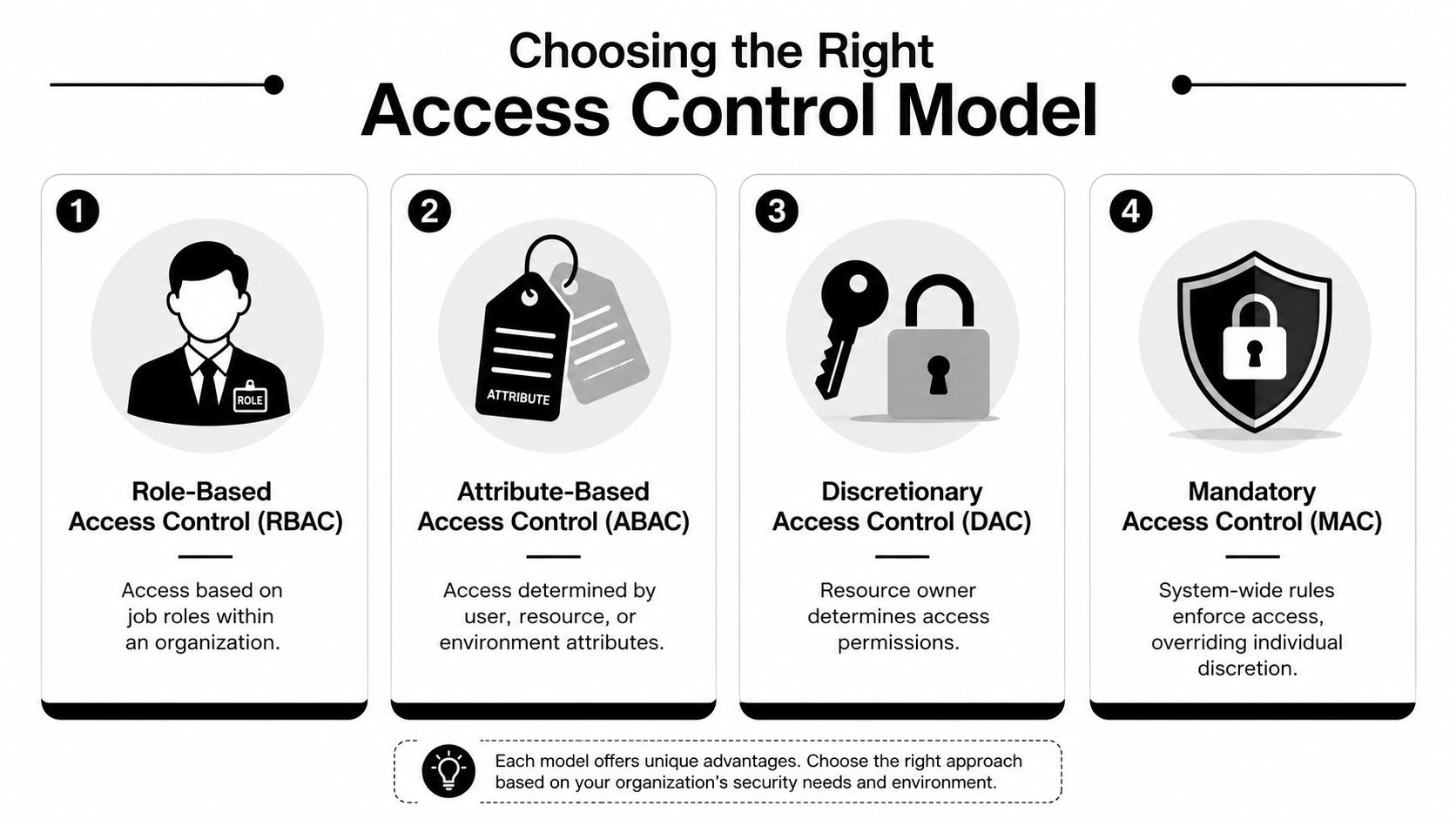
| Model | How it works | Where it fits | Main trade-off |
|---|---|---|---|
| RBAC | Access is tied to a job role | Stable teams with clear responsibilities | Can become rigid if too many exceptions appear |
| ABAC | Access is based on attributes such as user type, resource, or environment | Dynamic teams, remote work, project-based access | Requires more careful policy design |
| DAC | The owner of a file or resource decides who gets access | Small collaborative environments | Can become inconsistent quickly |
| MAC | Central rules override individual choice | Highly controlled environments | Strong control, less flexibility |
For many SMBs, RBAC is the natural starting point because it mirrors how the business already thinks. Front desk, billing, attorney, partner, case manager, controller, estimator, and project manager are recognizable categories. That makes onboarding faster and reduces ad hoc permission grants.
Expert-grade access control policies also rely on strict least privilege with RBAC, where privileges are linked to roles rather than individuals, which reduces the blast radius of a compromised account according to NordLayer's guidance on access control policy and template design. That matters because an attacker who compromises one account should not inherit broad access solely because someone “needed it once.”
What tends to fit each business type
RBAC works well when titles map cleanly to responsibilities. A medical practice often has predictable separations between providers, billing staff, office administration, and outsourced support. A legal office may separate litigation support, intake, attorneys, and finance. If the work is steady and the org chart is clear, RBAC is efficient.
ABAC becomes more attractive when access should depend on context, not just title.
- Construction and engineering firms: A project engineer may need access to one project folder but not another.
- Consulting and advisory firms: Staff may need client-specific access for a limited engagement period.
- Hybrid work environments: Access might be allowed only from approved devices or approved remote channels.
DAC often appears by accident. Someone creates a folder, becomes its owner, and starts granting access manually. That can help a small team move fast, but it usually creates inconsistency across departments. One owner is careful. Another gives broad access to avoid tickets.
MAC is rarely the first choice for a typical SMB, but parts of its mindset are useful. Central authority, documented rules, and little room for individual override can make sense around the most sensitive records.
The best model isn't the most advanced one. It's the one the business can apply consistently without turning every access request into a custom exception.
A practical design often combines models. RBAC handles the baseline. ABAC adds context for sensitive resources, remote access, or temporary conditions. That hybrid approach gives SMBs more control without forcing enterprise-level complexity.
Meeting Compliance Demands like HIPAA and SOC 2
For regulated businesses, access control policies aren't optional housekeeping. They are part of how the business demonstrates discipline to auditors, clients, insurers, and partners. A policy shows that access decisions are intentional, documented, and tied to business need.
Access control policies are a foundational requirement for compliance mandates including GDPR, HIPAA, and ISO/IEC 27001, all of which require organizations to limit unauthorized logical access to sensitive data, as noted in Centraleyes' overview of access control policy requirements. That's the compliance reason. The business reason is just as important. Good policy reduces the chance that one over-permissioned account creates a problem no one saw coming.
What auditors are really looking for
Most compliance reviews come back to a familiar set of questions:
- Is access limited by role or business need
- Can the business show who approved access
- Are former employees and third parties removed promptly
- Are sensitive systems separated from general access
- Is there evidence that access is reviewed and updated
That's why access control often becomes one of the first weak spots exposed during readiness work. A company may have written policies somewhere, but if actual permissions don't line up, the paperwork doesn't carry much weight.
For healthcare organizations, this issue gets especially practical. Staff need enough access to deliver care and keep operations moving, but not broad rights that exceed their function. Businesses working through that tension often need a clearer compliance roadmap, especially around HIPAA compliance for healthcare.
How policy decisions reduce business friction
A well-built policy doesn't just help during audits. It makes ordinary management easier.
If access decisions are documented before an audit starts, leadership spends less time reconstructing why someone had permissions six months ago.
It also improves contract confidence. Clients increasingly ask how data is restricted internally, how remote users are controlled, and how exceptions are handled. A business that can answer those questions clearly looks more mature than one relying on “only a few people can get in” without proof.
For DFW firms serving hospitals, insurers, financial clients, or government-related contracts, that maturity can support growth. Security controls stop looking like overhead and start looking like qualification for better business.
A Practical Implementation Plan
Many SMB owners assume access control needs a major platform rollout before anything improves. It doesn't. The biggest gains often come from doing the basic work in the right order and keeping the scope manageable.
Start with what needs protection
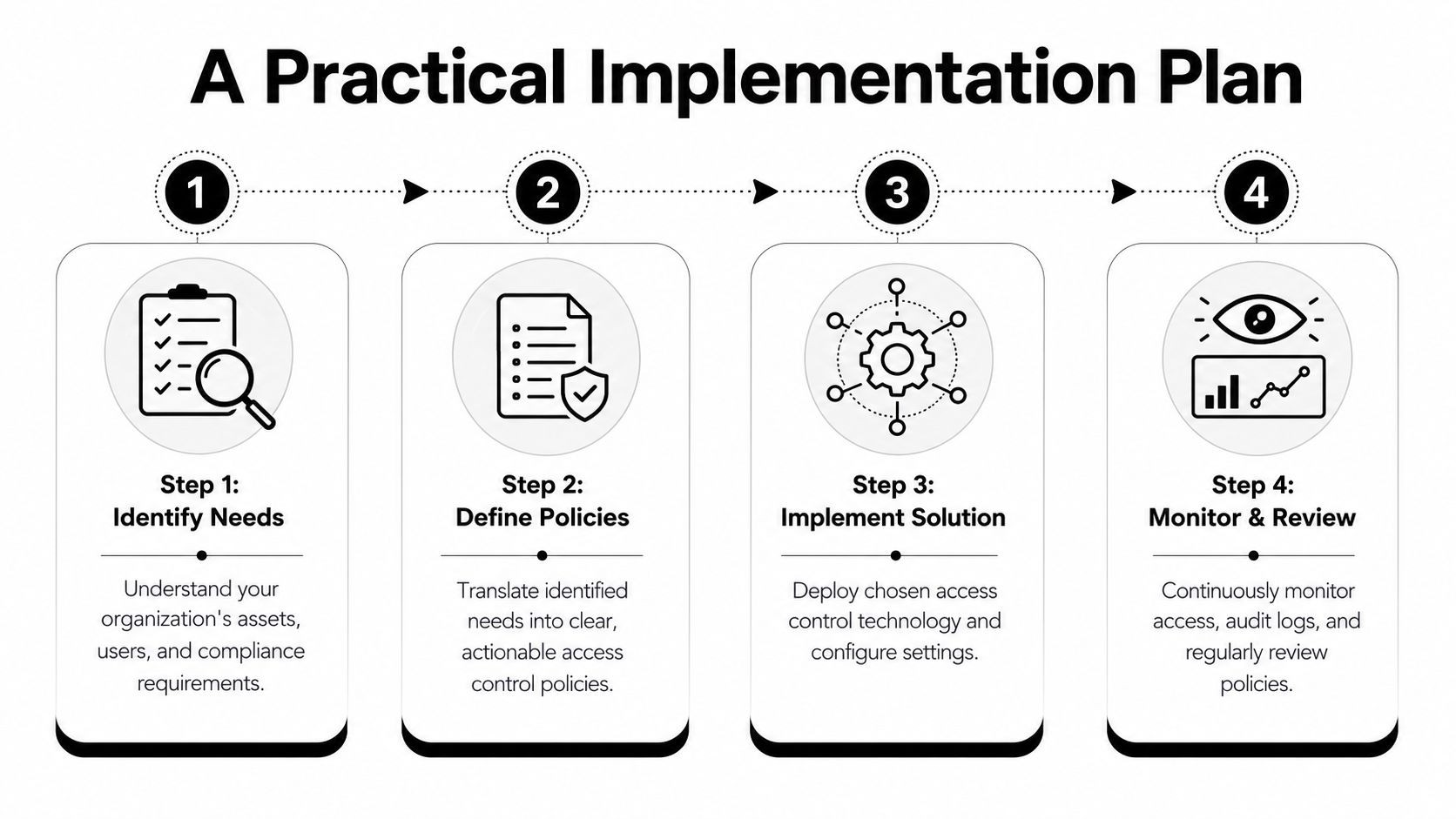
Begin with the assets that would hurt the business most if the wrong person accessed them. That usually includes client records, patient information, payroll, banking details, contract repositories, HR files, and administrative accounts.
A simple sequence works well:
- List sensitive systems and data sets. Don't try to map every file on day one. Start with the systems that matter most.
- Identify who uses each one. Separate employees, outside vendors, temporary staff, and leadership.
- Mark where access is excessive. If someone has rights because “they might need it,” flag it for review.
Network design matters here too. If the business keeps sensitive systems isolated instead of flat and wide open, policy enforcement becomes easier. That's one reason many firms strengthening access rules also revisit what network segmentation means in practice.
Build rules that staff can actually follow
After the inventory, define access by role and common exceptions. Keep the first draft simple enough that managers can approve requests without guessing.
- Create baseline roles: Build core profiles such as finance, operations, legal support, provider, project manager, and executive access.
- Document temporary access: Every exception should have an owner, business reason, and expiration point.
- Set offboarding triggers: Access removal should start with HR or management notice, not with someone remembering later.
- Use approved remote paths: If remote access is allowed, define the approved method and don't rely on informal workarounds.
The formal policy should also describe how requests are approved, who reviews them, and how often access is checked. This isn't about writing a long document. It's about writing one that operations can use.
Operational check: If a department manager can't explain who should have access to a system and why, the policy isn't finished yet.
Training comes last, not first. Staff need to understand why access gets tighter and how to request legitimate changes. Otherwise they'll work around the controls. A short, role-based explanation is usually more effective than a long annual lecture.
The final step is review. Businesses change. New vendors arrive. Projects open and close. Promotions happen. A policy that isn't revisited becomes outdated even if it started strong.
Common Policy Pitfalls and How to Avoid Them
The most common access problem in SMBs isn't usually a lack of effort. It's drift. Permissions accumulate one exception at a time until nobody can explain the full picture.
A major culprit is RBAC sprawl. Rigid role definitions often fail to match how small businesses really work, and 60% of security breaches involve excessive permissions according to TrustCloud's discussion of smart access control policies for businesses. In practice, that means staff inherit rights from old jobs, special projects, emergency requests, and one-off approvals that never got cleaned up.
Why small teams get tangled in permissions
SMBs move fast. A clinic cross-trains employees. A law office shifts staff during trial prep. A finance team gives temporary access during month-end close. A construction firm brings in outside help for one deadline. Every one of those decisions may be reasonable.
The problem starts when temporary access becomes normal access.
- Promotions stack privileges: New duties are added, old rights remain.
- Former users linger: Departed staff, interns, or vendors stay active longer than they should.
- Emergency access gets no follow-up: A break-glass decision solves today's problem and becomes tomorrow's backdoor.
Simple controls that prevent drift
Most of these issues are preventable with process, not heroics.
Review access when roles change, not just when people leave. Promotions often create more risk than departures because legacy permissions stay invisible.
A few practical habits make a large difference:
- Use expiration dates for temporary access: If an exception is real, it should also be time-bound.
- Review denied and unusual activity: Logs often reveal policy confusion, workarounds, or reconnaissance attempts.
- Assign ownership: Every sensitive system should have a business owner who can approve or reject access based on actual need.
- Audit on a calendar: Even a modest recurring review is better than waiting for an audit or incident.
Access control is never “done.” It's a living management process. Businesses that accept that early usually build cleaner, more workable systems.
How Technovation Simplifies Access Control
Many SMBs know they need tighter access control but stall on execution. They're busy. Their systems grew over time. Their compliance pressure is real, but they don't have an internal team dedicated to identity governance, policy review, and continuous monitoring.
That's where local, hands-on support changes the outcome.
Where outside support changes the outcome
Technovation works with DFW businesses that need policy discipline without enterprise overhead. Instead of treating access control as a one-time settings change, the firm approaches it as an operational system tied to risk, compliance, and day-to-day usability.
That includes identity design, role cleanup, remote access review, approval workflows, and ongoing oversight. For organizations that need stronger governance around user provisioning and permissions, identity management services are often the missing layer between policy on paper and policy in practice.
Technovation also utilizes Access Control Policy Insights capabilities that analyze network traffic and policy configurations to identify optimization opportunities and suggest specific modifications by examining traffic patterns against current settings, based on Check Point's description of Policy Insights. That matters because many SMBs don't need more policy language. They need clearer evidence of what their current rules are doing.
A better fit for regulated SMBs in DFW
Healthcare practices, law firms, financial offices, nonprofits, and project-based businesses all face the same practical constraint. Security controls have to work within budget, staffing limits, and client expectations. Overbuilt systems frustrate staff. Underbuilt systems create blind spots.
Technovation's value is in closing that gap with local support, compliance awareness, and implementation that fits how SMBs operate. That's especially useful when leadership wants answers to specific questions:
- Which accounts have too much access
- Which systems need tighter separation
- Which exceptions should expire
- Which controls will help at audit time without disrupting the business
A good access control policy should make the business easier to manage, not harder. When the rules are clear, access requests move faster, offboarding improves, accountability gets stronger, and leadership spends less time reacting.
Technovation LLC helps DFW businesses turn access control from a loose set of permissions into a documented, manageable security program. For organizations that need clearer role definitions, better compliance alignment, and a practical path forward, Technovation LLC offers local expertise, ongoing support, and free security audits that can uncover where access is too broad, too informal, or overdue for review.