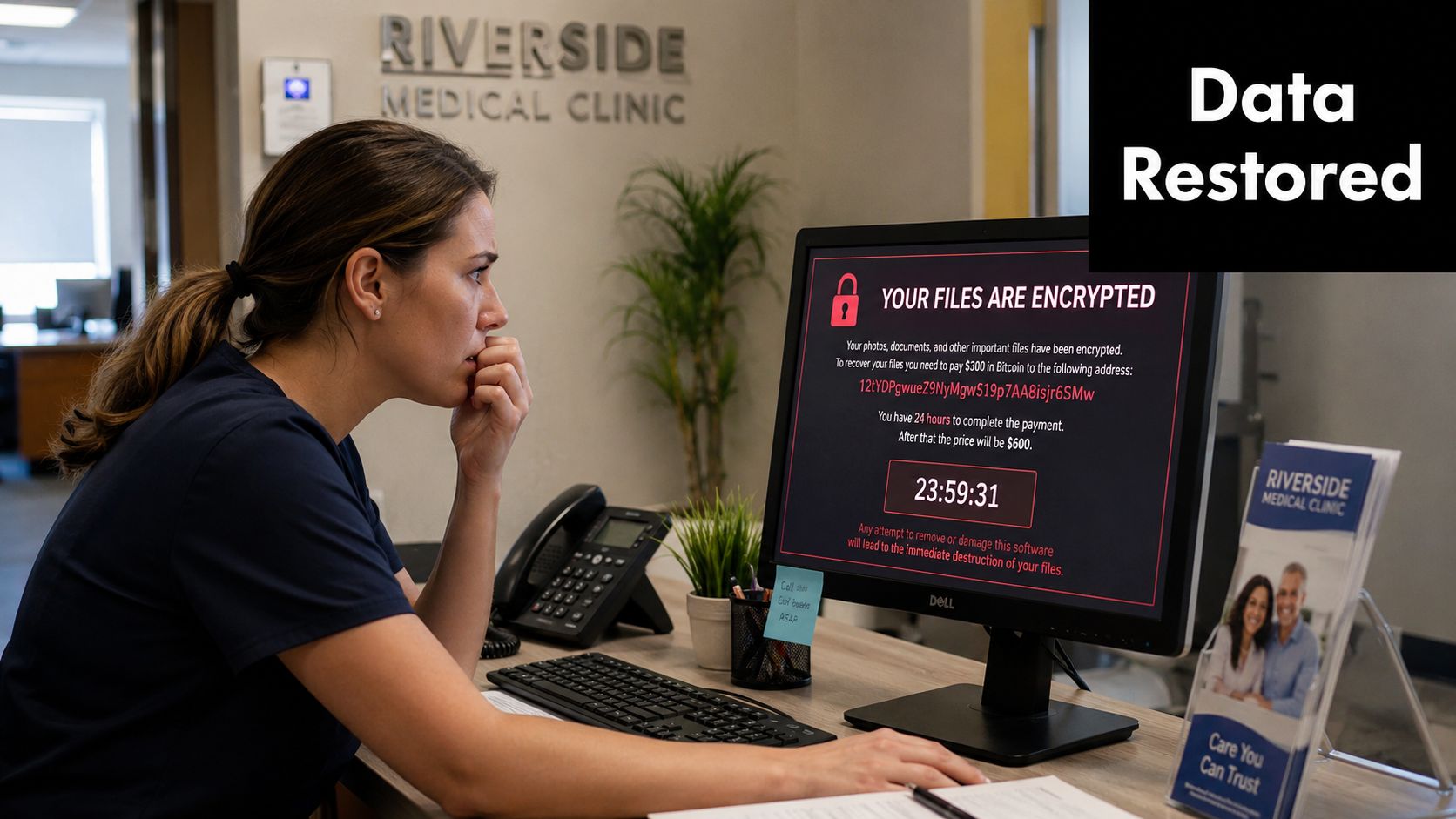
A Dallas clinic opens on Monday, the front desk is ready, and then the server is locked by ransomware. A law firm has the same kind of morning after a hardware failure, only this time the case files are gone and the partners are asking how long clients will wait. That is the cloud backup conversation in North Texas. Not whether data lives somewhere else, but whether the business can get back on its feet without improvising under pressure.
The strongest cloud backup benefits are practical. They reduce the damage from a bad day, make restores less dependent on local hardware, and give owners a backup plan that can survive more than one kind of incident. For a useful guide on the broader backup options, ARPHost backup guide for IT pros is worth a look before making a decision.
Table of Contents
- What Cloud Backup Really Solves for Small Businesses
- How Cloud Backup Actually Works
- The Benefits That Actually Show Up on a P and L
- Where Cloud Backup Fails and How to Prevent It
- Industry-Specific Outcomes for DFW Businesses
- Common Objections and Why Managed Backup Wins
- A Practical Next Step for SMBs and Regulated Firms
What Cloud Backup Really Solves for Small Businesses
A Monday morning ransomware call changes how owners talk about backup fast. The question stops being, “Do we have backup?” and turns into, “Can we reopen, keep working, and prove we're not exposing clients or patients while we do it?” That's the standard cloud backup has to meet.
Cloud backup is an off-site, automated, recoverable copy of critical data that does not depend on the local server room staying healthy. That matters because small businesses rarely lose data in neat, textbook ways. They lose it to encryption, bad updates, failed disks, accidental deletes, storm outages, and staff who need access while the office is closed.
A decent backup strategy is not an IT decoration. It is a business continuity decision. The average business owner does not need another storage bucket. They need a recovery path that works when the local environment is unavailable, and they need that path to be predictable enough that the staff can act without guessing. A cloud copy helps because it sits outside the blast radius of the local incident, which is exactly why it gets so much attention after a breach or outage.
Practical rule: if the backup still depends on the same room, the same server, or the same admin account, it is not as independent as it looks.
There is a reason many SMB guides focus on broad backup advice, while the better ones drill into off-site resilience and restore design. ARPHost's backup guidance for small business is useful because it frames backup as a planning problem, not just a product choice. For DFW firms that need a stronger recovery posture, Technovation's disaster recovery services fit directly into that same conversation.
The payoff is simple. Cloud backup is not about hoarding copies. It is about making sure the business can still function when the original environment can't.
How Cloud Backup Actually Works
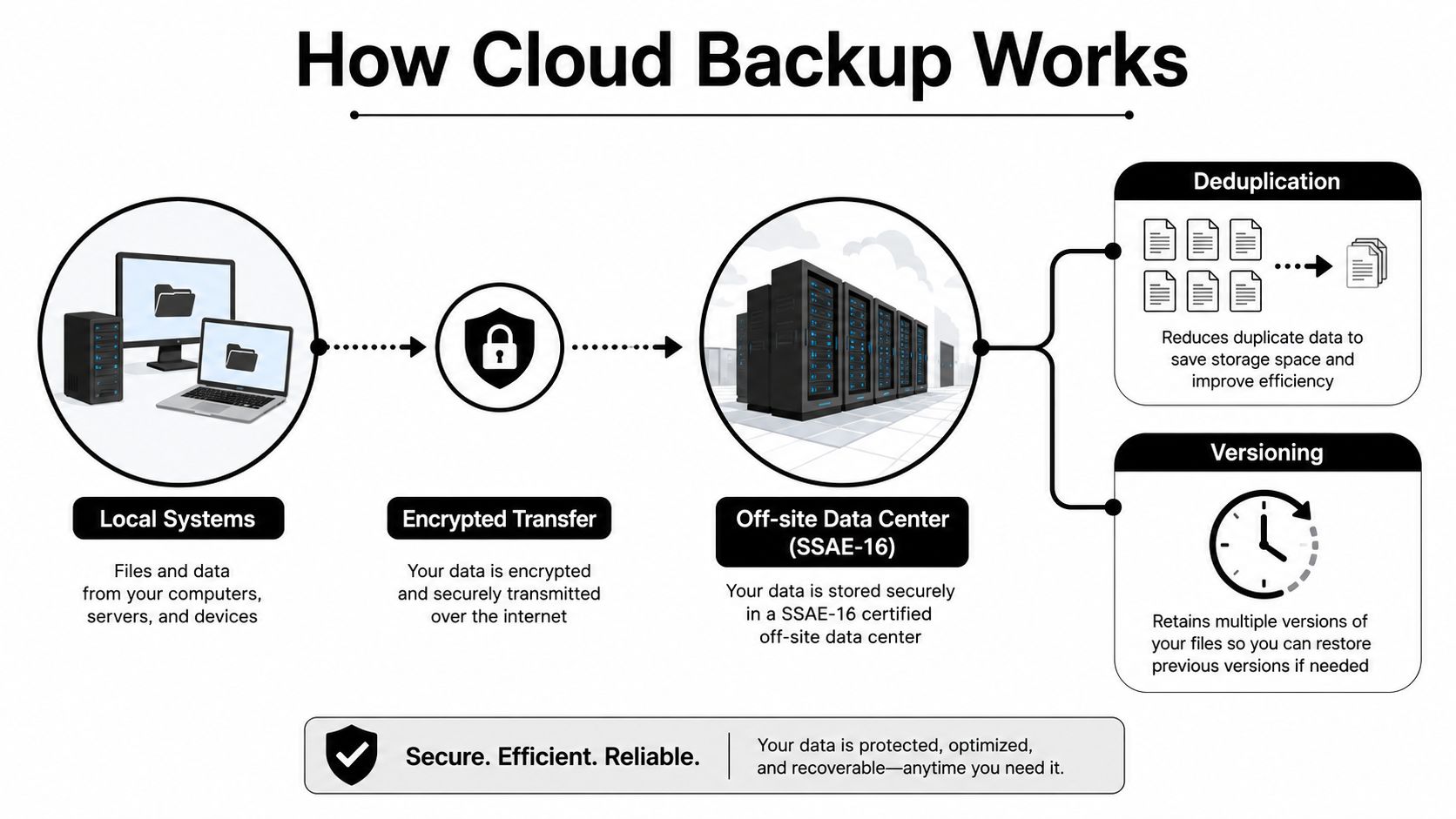
Cloud backup works by moving encrypted data from local systems to an off-site data center, where the copy stays available when the office is down, locked out, or hit by a local incident. The value is not in the storage location itself. The value is in having a separate copy that the business can still reach when the original environment is unavailable.
A solid cloud backup setup usually combines encryption, deduplication, virtualization, and redundant storage in an off-site environment. That combination lowers storage overhead and keeps restore options open after a local failure. In practice, a business is preserving more than files. It is preserving a versioned, recoverable copy that can be pulled back on demand from a laptop, tablet, or smartphone as long as there is an internet connection. That matters when staff are displaced, or when multiple locations need access at the same time.
A backup that sits safely in the cloud but takes too long to restore is still a weak recovery plan.
The operational details decide whether the setup holds up under stress. Backup jobs need to run on schedule, changed data needs to be captured in a way that makes sense, and previous versions need to be available when someone deletes the wrong folder or a bad update corrupts a shared file. In some setups, the restore process can even spin up a virtual copy of a server instead of waiting on replacement hardware. That is why cloud backup is more than archival storage.
A DFW business comparing recovery approaches should also look at how data moves during a migration, not just where it lands afterward. Technovation's cloud migration services sit in the same operational lane because backup and migration both shift risk out of the local environment and into something the business can control more directly.
Cloud backup works when restore time is the finish line. Everything before that is setup.
The Benefits That Actually Show Up on a P and L
The benefits owners can defend are the ones that show up in risk, uptime, and budget. A TechTarget survey found companies were sending about 38% of their overall backup tasks to cloud backup services on average, while 53% used the cloud for 30% or less of total backup load, the average cloud-stored backup footprint was 9 TB, and about 13% of users already stored 20 TB or more in the cloud. That tells you cloud backup is no longer a side project, it's part of mainstream backup architecture as data grows and businesses want off-site resilience without more physical infrastructure. TechTarget's survey findings make that plain.
Security through off-site isolation
Off-site storage changes the security equation. If the local network gets hit, the backup copy is outside that immediate mess. The architecture described in cloud backup guidance combines encryption, redundant storage, and off-site data centers, which narrows the blast radius of ransomware and local site failure. TechTarget's cloud backup technology overview supports that model directly.
Recovery that can be planned
Business leaders care about predictable recovery time and predictable data loss tolerance, not marketing language. Cloud backup helps because restore options are already remote, versioned, and accessible when the local environment is down. That makes it easier to define what comes back first and what can wait.
Compliance support without extra hardware
Regulated firms need a backup story that fits audit expectations. Cloud backup helps support that by keeping protected copies off-site and easier to govern. The important point is not that backup alone satisfies HIPAA, GLBA, or FINRA-aligned obligations, it doesn't. The point is that it gives the business a cleaner way to demonstrate retention discipline, recovery readiness, and separation from the production environment.
Scalability without buying more boxes
Backup footprints grow. One day the office has a handful of servers, later it has larger databases, laptops, collaboration files, and project archives. Cloud backup scales with that load without forcing the business into another hardware purchase cycle. That matters because the average cloud footprint in the TechTarget survey was already 9 TB TechTarget survey, and plenty of firms are already beyond the point where local-only backup feels tidy.
Cost predictability
The right way to think about cost is not “cloud is cheaper.” It's that cloud converts a capital-heavy backup plan into a predictable operating expense that grows with actual usage. That is a better fit for most SMB finance teams than tape sprawl, NAS clutter, or a secondary site that gets underused until the day it's suddenly critical.
These benefits compound only when somebody keeps an eye on them. Backup that is configured once and forgotten doesn't stay useful for long.
Where Cloud Backup Fails and How to Prevent It
A lot of backup failures are embarrassing because the data was technically there. The business just could not use it. A writable backup repository, a compromised admin account, or a restore job that nobody ever tested can turn “we have backups” into a very expensive sentence.
The weak points that matter
The biggest gap is simple. Storage alone does not stop ransomware if the attacker can rewrite the backup, reach the console through a single sign-on chain, or use stolen credentials to tamper with retention settings. Independent guidance from CISA emphasizes offline or immutable copies, segregated backup credentials, and regular restore testing as the practices that make backups resilient. The cloud copy has to be protected from the same account sprawl that exists in the rest of the environment.
If the backup admin account can be reached from the same compromise path as the production network, the backup is not really separate.
Retention is another failure point that stays hidden until a restore or audit exposes it. If the backup window does not match the business's recovery and compliance needs, the copy may be useless even though it exists. A firm that keeps data too briefly is gambling on short memory, and that is not a compliance strategy.
A sensible prevention checklist
- Immutable storage: keep at least one copy from being overwritten during an active attack.
- Regular restore tests: verify that clean data comes back on the timeline the business can tolerate.
- Least privilege access: separate backup credentials from everyday user and admin accounts.
- Monitoring and alerts: make sure failures are not sitting unnoticed until an incident exposes them.
For a practical policy layer that supports those controls, Technovation's data classification policy guidance belongs in the planning set. The backup design should follow the value of the data, not the other way around.
The blunt truth is this. Cloud backup is only as strong as the restore path, the credential boundaries, and the discipline around testing.
Industry-Specific Outcomes for DFW Businesses
Different industries want the same core protection for very different reasons. A healthcare clinic wants patient records back quickly. A law firm wants matter files intact and accessible. A financial firm wants evidence of control and retention. A construction or engineering company wants project data when a jobsite or laptop goes sideways. A nonprofit wants continuity without burning the budget.
| Industry | Primary Risk | Cloud Backup Outcome |
|---|---|---|
| Healthcare | Loss of access to patient records after ransomware or system failure | Faster restoration of critical clinical data and less dependence on the local server room |
| Legal | Matter files becoming unavailable during a hardware failure or breach | Remote recovery of case documents so work can continue with less interruption |
| Financial and accounting | Exposure around sensitive records and disrupted client service | Off-site copy with better recovery discipline and clearer retention control |
| Construction and engineering | Large project files scattered across office and field users | Access to backed-up files from multiple devices and locations when the jobsite is down |
| Nonprofit | Limited IT staff and donor data that still has to stay available | Practical continuity without needing a second data center |
The through-line is access. Backed-up files can be restored from a laptop, tablet, or smartphone anywhere an internet connection is available, which matters in a metro area where teams work across offices, homes, and field locations. Spanning's cloud backup discussion makes that remote restore reality clear, and it's exactly why cloud backup fits distributed DFW operations so well.
A clinic may care most about uptime at the front desk. A law firm may care most about preserving the matter timeline. A finance practice may care most about controlled recovery and recordkeeping. A contractor may care most about project continuity across multiple sites. The tech is the same, but the business outcome is not.
For firms that want an MSP that already speaks those industry languages, Technovation's quiet advantage is familiarity with the operational pressure in healthcare, legal, financial, construction, and nonprofit environments.
Common Objections and Why Managed Backup Wins
The objections are predictable because they come from real concerns. Cost. Control. Lock-in. Internet reliability. “We already have an external drive.” None of those objections is irrational. Most are just incomplete.
Cloud backup does add a recurring subscription. The better question is whether the business wants a controlled monthly expense or a surprise after a downtime event. Owners who have lived through an outage already know that the cheap option on paper can become the expensive one in practice.
Control is another misunderstanding. If the data is encrypted and the business owns the backup plan, ownership doesn't disappear just because the storage is remote. What does change is who has to maintain the monitoring, testing, and alerting. That's where an MSP-managed model earns its keep. A backup sitting on a shelf or in a consumer account is easy to ignore until the day it matters.
Direct answer: cloud backup works best when somebody is accountable for the restore, not just the storage.
Technovation fits that role because the business gets 24/7 monitoring, risk mitigation focus, and DFW-based response when something needs attention fast. How to choose a managed service provider is a sensible read for anyone deciding whether backup should be self-managed or part of a broader managed relationship.
Internet reliability is a fair concern, but it is not a reason to stay local-only. It is a reason to design backup jobs, retention, and restoration around actual operating conditions. A lone external drive has its place, but it does not give the business off-site resilience, routine testing discipline, or the same recovery options when the office is unavailable.
Managed backup wins because it answers the question, who watches the backups when the office is busy or the incident is active. That is the question that matters.
A Practical Next Step for SMBs and Regulated Firms
The fastest way to evaluate cloud backup is to stop talking in generalities. First, identify the data the business cannot operate without. Then define how fast it has to come back and how much data loss can be tolerated. Those two answers drive everything else.
Next, ask the current backup vendor or internal IT team those same questions on paper. If the answers are vague, the plan is vague. A useful continuity conversation should also include continuity planning essentials, because backup only works when it's part of a larger recovery plan and not treated like a standalone widget.
For Dallas–Fort Worth owners, the smartest move is a short working session with a local advisor who can pressure-test the setup and spot the weak points before an outage does. Technovation offers free security audits and IT health checks, which makes it easier to find out whether the current backup posture is ready for ransomware, audit pressure, or a regional disruption.
A backup purchase is not the goal. A usable recovery capability is the goal. The next two weeks should be spent getting clarity on that, not waiting for the next incident to do the teaching.
Technovation LLC helps DFW businesses build backup and recovery plans that hold up under ransomware, outages, and audit pressure. If the current setup needs a hard review, visit Technovation LLC and start a conversation about cloud backup, monitoring, and practical recovery design.