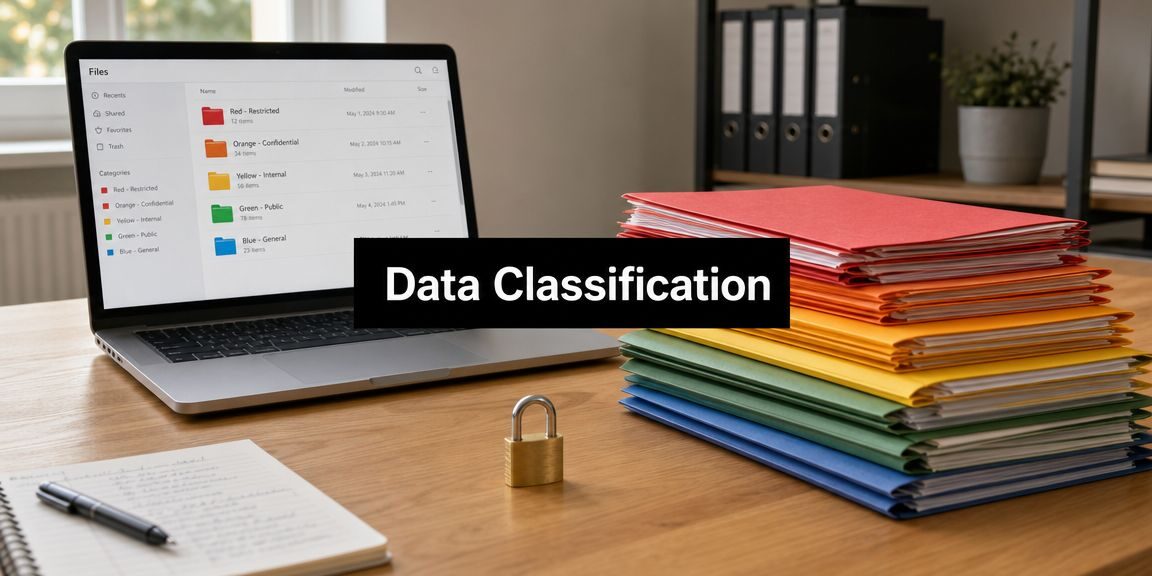
If a DFW business owner can’t answer which files contain regulated data, who can open them, and what should happen to them after they’re no longer needed, the business doesn’t really have control of its information. It has storage.
That gap is why what is data classification matters far more than most companies think. It isn’t a paperwork exercise for IT. It’s the business process of deciding which data matters most, what risk each dataset carries, and which protections belong around it. For healthcare clinics, law firms, financial offices, construction companies, and nonprofits, that decision affects security, compliance, daily operations, and growth.
Table of Contents
- What Is Data Classification and Why It Matters Now
- The Four Essential Levels of Data Classification
- Choosing Your Data Classification Method
- The Business Value and Compliance Benefits of Classification
- A Practical Data Classification Rollout Plan for SMBs
- When to Partner with an IT Expert for Data Classification
- Frequently Asked Questions About Data Classification
What Is Data Classification and Why It Matters Now
A simple way to understand data classification is to think about a warehouse. Some items can sit on the open floor. Some belong in the back room. Some require a locked cage with limited access and a log of who entered. Business data works the same way.
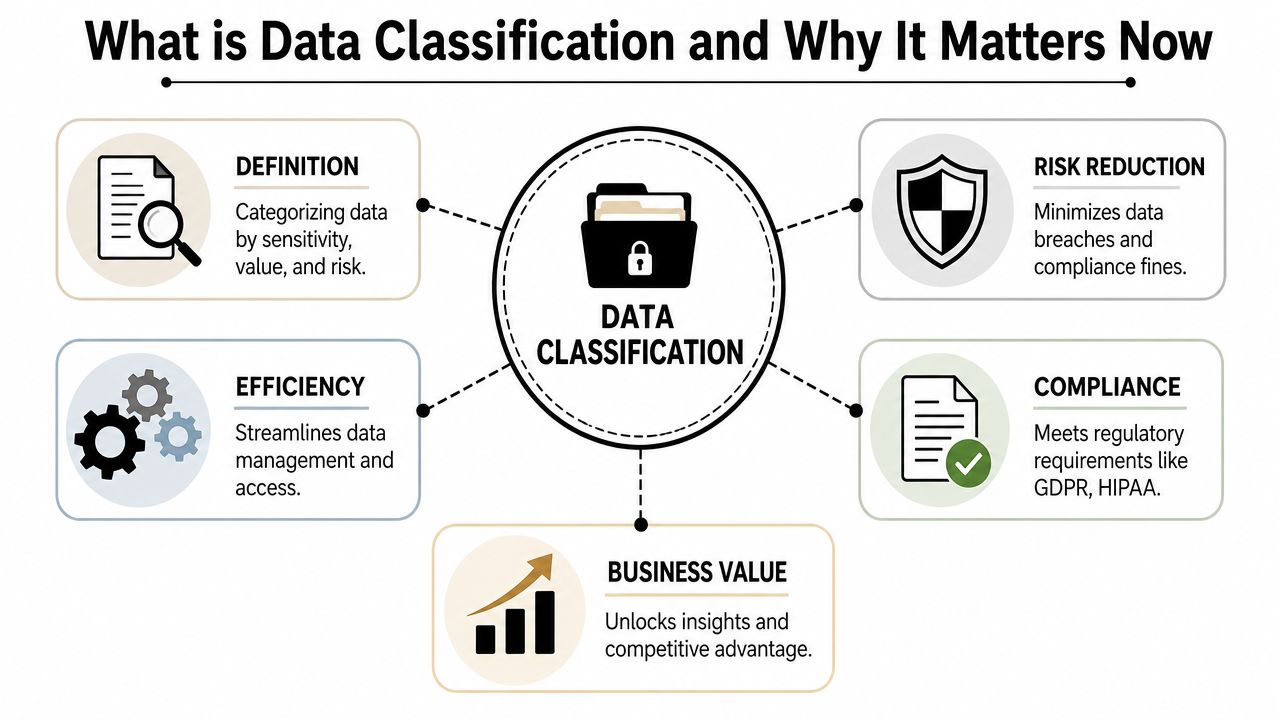
Data classification is the practice of organizing data by sensitivity, business value, and regulatory need. It helps a company decide what’s public, what stays internal, what requires tighter handling, and what demands the strongest safeguards. That applies to customer records, financial files, contracts, employee information, intellectual property, and the growing amount of data stored in cloud apps, shared drives, and email. Indeed’s overview of data classification types explains this as a practical governance step that supports security, compliance, and retention decisions.
Why treating all data the same fails
Many small and mid-sized businesses still protect data in broad strokes. They buy security tools, set general permissions, and back everything up the same way. That sounds efficient, but it creates two problems.
First, teams often lock down low-risk data too much and slow down work. Second, they under-protect high-risk data because they never distinguished it from ordinary files in the first place.
Practical rule: If a business can’t tell the difference between a marketing flyer and a medical record, it can’t apply the right security policy to either one.
That’s why classification has become a control point, not just a label. In security architectures, it enables least-privilege access, encryption, retention, and monitoring based on the sensitivity and regulatory impact of each dataset. NIST’s data-centric security guidance notes that policy needs to follow the data wherever it resides, which is especially important in zero-trust environments.
Why it matters now
The old informal approach broke down when businesses moved from a few local servers to email platforms, cloud storage, collaboration tools, remote devices, and shared SaaS environments. Sensitive information now lives in more places, moves faster, and gets copied more often.
For a DFW business owner, that changes the conversation. Data classification isn’t about making records look organized. It’s about knowing which assets require stronger controls, which staff should have access, and which information creates the biggest operational and regulatory exposure if mishandled.
The Four Essential Levels of Data Classification
Most SMBs do not need a long list of labels. They need a model employees can apply correctly, auditors can follow, and IT can enforce without creating confusion. For most regulated businesses, four levels are enough: public, internal-only, confidential, and restricted.
A practical classification model does more than sort files. It determines who gets access, where data can live, how it can be shared, and what protection is required when something goes wrong.
The four levels in plain business terms
Public data is meant for open distribution. Website content, brochures, press releases, and job postings fit here. If it is disclosed outside the business, the impact is low, though accuracy and approval still matter.
Internal-only data is for employees and approved internal use. Common examples include handbooks, internal procedures, project notes, and meeting materials. Exposure is usually inconvenient rather than catastrophic, but it can still create operational problems or confusion if it spreads outside the company.
Confidential data has clear business, financial, legal, or privacy implications. This often includes client contracts, customer records, pricing information, financial statements, and internal legal documents. Access should be limited to people with a defined business reason.
Restricted data sits at the highest-risk end of the model. This category often includes regulated records, payment-related data, sensitive legal files, protected health information, security credentials, and core intellectual property. Exposure can trigger legal liability, contract issues, regulatory reporting, and direct financial loss. This level usually calls for encryption, tightly limited access, stronger monitoring, and documented handling procedures.
Data Classification Levels Compared
| Level | Description | Examples | Required Controls |
|---|---|---|---|
| Public | Intended for open sharing | Marketing materials, public website content, job listings | Basic integrity controls, approved publishing process |
| Internal-only | For employees and approved internal use | Handbooks, internal policies, project notes | Staff-only access, sharing limits, routine retention rules |
| Confidential | Sensitive business or client information | Contracts, financial files, customer records, internal legal documents | Need-to-know access, stronger monitoring, tighter sharing and retention rules |
| Restricted | Highest-risk data with legal, regulatory, or severe business impact | Patient records, payment-related information, highly sensitive case files, core intellectual property | Encryption, strict access controls, heightened monitoring, formal handling procedures |
What works in real organizations
Consistency is more important than the specific tier names. A medical practice may prefer language that aligns with patient privacy requirements. A law firm may use terms that match client confidentiality obligations. A manufacturer may care more about separating internal process documents from restricted design files. The names can change. The handling rules cannot stay vague.
Each level should answer four operational questions:
- Who can access it: company-wide, department-only, or role-based
- How it is stored: standard storage, controlled repository, or protected environment
- How it is shared: normal internal sharing, approved channels only, or no external transmission without exception
- How long it is kept: routine retention, legal hold, or stricter disposal requirements
That is where many SMBs get stuck. They create labels in Microsoft 365 or write a policy, but they never connect those labels to actual controls. Staff keep working around the system. IT ends up guessing. Management assumes the problem is handled when it is not.
A label without an enforced rule is just administrative theater.
Simple models usually perform better because people use them. If employees can recognize the difference between ordinary internal content and regulated data in a few seconds, adoption improves. If every file seems to require judgment calls, classification quality falls fast.
For DFW businesses in healthcare, legal, finance, and other regulated fields, this is the point where DIY starts to show its limits. A four-level model is simple on paper. Applying it across email, cloud storage, endpoints, line-of-business apps, and archived data takes policy work, technical controls, and ongoing oversight.
Choosing Your Data Classification Method
Once a business understands the levels, the next question is operational. Who applies those labels, and how?
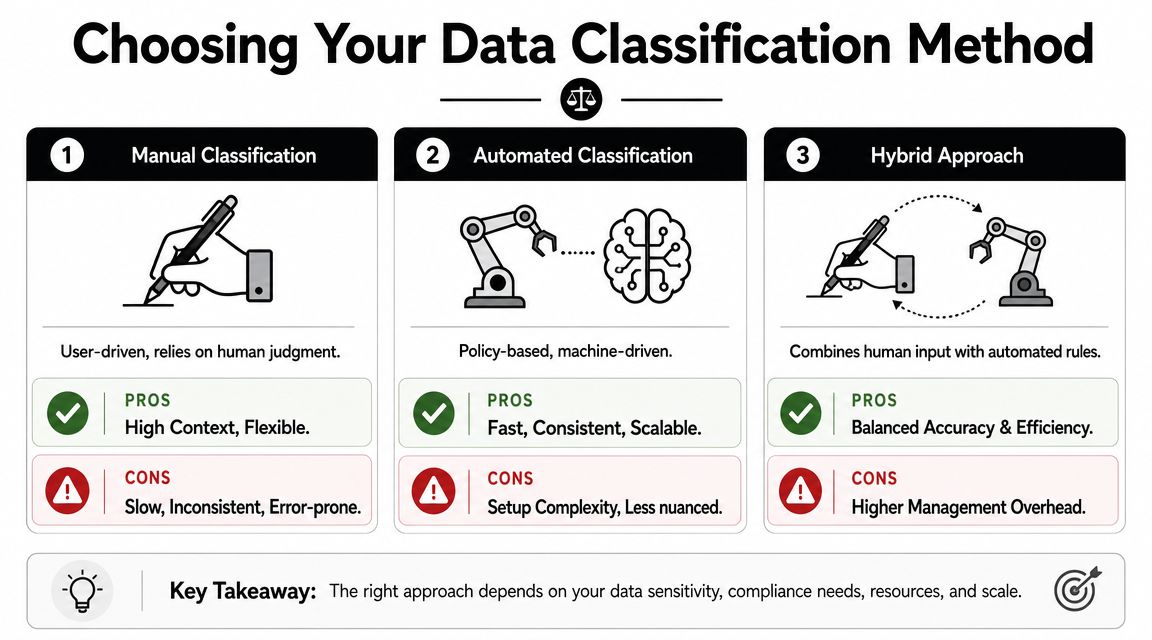
The answer usually falls into three paths: manual classification, automated classification, or a hybrid model. Each has trade-offs. The right choice depends on data volume, regulatory pressure, and how much unstructured content the business handles.
Manual classification
Manual classification relies on employees or data owners to identify sensitive information and assign the correct label. It’s often the first method SMBs try because it seems inexpensive and straightforward.
It works reasonably well in narrow situations, such as a small team managing a limited set of templates, contracts, or records. It also preserves business context. A staff member may understand the difference between a routine client note and a legally sensitive communication better than a simple rule can.
The weaknesses show up quickly:
- It depends on user judgment: Different employees classify the same file differently.
- It slows down over time: As data volume grows, staff stop labeling consistently.
- It misses hidden risk: Sensitive content inside old folders, archived mailboxes, and shared drives often goes unreviewed.
Automated classification
Automated classification uses policies and detection logic to scan data and assign labels based on known patterns, metadata, or rules. This approach is stronger when the business has a large amount of information spread across file servers, databases, cloud storage, and collaboration tools.
It brings consistency and scale, but it also requires design discipline. If the rules are too loose, teams get false positives. If they’re too narrow, high-risk data slips through.
Hybrid classification
For most regulated SMBs, hybrid is the most practical model. Automation handles broad discovery and repeatable labeling. Staff and managers review exceptions, edge cases, and business-specific content.
Mature classification programs use content-based, context-based, and user-based signals to reduce misclassification of unstructured data and improve accuracy at scale. That matters because businesses don’t just classify rows in a database. They classify contracts, spreadsheets, scanned PDFs, emails, proposals, and shared documents.
Hybrid programs usually outperform pure manual efforts because they combine scale with business judgment.
A practical decision guide
| Method | Best fit | Strengths | Limits |
|---|---|---|---|
| Manual | Very small environments with limited data scope | Flexible, high human context | Inconsistent, slow, hard to sustain |
| Automated | Larger environments with repeatable data patterns | Fast, scalable, consistent | Requires setup, tuning, and policy oversight |
| Hybrid | Regulated SMBs with mixed data types | Balanced accuracy and efficiency | More governance needed to keep it aligned |
A business should get cautious when manual labeling is the only plan and sensitive data lives across departments, remote staff, email, and cloud platforms. That’s usually the point where DIY begins to break down.
The Business Value and Compliance Benefits of Classification
What changes when a business knows which data is sensitive, which data can move freely, and which records should be retained or deleted under policy?
Decision-making gets clearer. Security controls become more precise. Compliance work gets easier to defend.
Data classification creates that structure. It gives owners and managers a practical way to decide where tighter access belongs, where encryption matters most, what needs longer retention, and what should be removed before it turns into risk. For regulated SMBs, that is not paperwork. It is a control point for protecting revenue, client trust, and the ability to keep operating without disruption.

Where classification creates business value
The biggest payoff is focus.
Without classification, businesses tend to protect everything the same way or protect the wrong things first. Both approaches cost money. Blanket controls slow staff down and frustrate departments that need fast access. Weak prioritization leaves payroll data, client records, case files, or protected health information exposed in shared folders, inboxes, and cloud apps.
A well-run classification program improves several parts of the business at once:
- Security controls fit the risk: Higher-risk data gets stricter access, monitoring, and retention rules.
- Audit preparation gets cleaner: Teams can show what regulated data they hold, where it resides, and which controls apply.
- Storage and retention decisions improve: Old files, duplicate records, and low-value content are easier to separate from records the business must keep.
- Daily work becomes easier to manage: Staff spend less time guessing how to handle documents, send files, or grant access.
That matters most in regulated fields. A healthcare practice, law firm, manufacturer with controlled data, or accounting office needs more than a general security policy. It needs a repeatable way to classify information and connect those labels to real controls. Businesses reviewing broader data security and compliance services usually find that classification is one of the first areas that exposes gaps.
The compliance and financial case
Classification also reduces expensive mistakes.
According to a report from KirkpatrickPrice on data classification outcomes, organizations with classification programs reported stronger GDPR compliance results and lower exposure to regulatory penalties. The exact numbers matter less than the pattern. Businesses that know where regulated data lives are in a better position to protect it, produce it for review, and apply the right retention rules.
I see the same trade-off in practice. Companies that delay classification often spend more later on cleanup, audit response, access reviews, incident handling, and emergency policy changes after a problem surfaces.
Businesses rarely regret knowing where sensitive data lives. They regret finding out too late that no one mapped it.
Why owners should treat classification as an operating discipline
A business owner does not need to become a governance specialist to get the value here. The goal is straightforward. Identify the information that can hurt the business if exposed, lost, altered, or retained too long. Then apply policies and controls that match that risk.
That approach protects the business without slowing every workflow to a crawl. It also supports growth. Cloud adoption, remote work, vendor access, AI use, and expansion into new markets all get harder when the company cannot distinguish critical data from ordinary files. Classification gives leadership a practical foundation for those decisions.
For a small or midsize business, that is where this stops being a technical exercise and becomes part of how the company operates safely and scales with less risk.
A Practical Data Classification Rollout Plan for SMBs
Most SMBs don’t need a massive governance program to get started. They need a rollout plan they can execute. The strongest approach is usually incremental: define the rules, find the data, classify the high-risk areas first, then connect labels to real controls.

Step 1 and Step 2
-
Define the policy and levels
Start with a plain-language policy. Choose the classification levels the business will use and define what belongs in each one. Keep the wording simple enough that department managers can apply it without calling IT every time. -
Discover the data environment
Before classification works, the business has to know where data lives. That means reviewing file shares, email, cloud repositories, line-of-business systems, endpoint storage, and archived content. Backup planning also matters here because classified data should align with recovery priorities. Businesses that are tightening resilience at the same time often pair this effort with cloud backup solutions for small business.
Step 3 and Step 4
-
Classify the most important data first
Start with departments that handle the most sensitive material. For many SMBs, that means finance, HR, legal, operations, or clinical records. A phased approach works better than trying to tag every file in the company on day one. -
Apply controls to each tier
At this stage, classification becomes operational. Public data may need basic governance. Internal-only data may require staff-only permissions. Confidential and restricted data usually need stricter access, stronger monitoring, and more deliberate retention handling.
Step 5 and Step 6
-
Train employees and managers
Policies fail when people don’t know how to use them. Staff should understand the categories, the handling rules, and when to escalate uncertainty. Department heads should know how to approve access and review exceptions. -
Monitor, review, and refine
Classification isn’t one-and-done. New files appear, business processes change, and cloud platforms multiply. Reviews should check whether labels still fit the way the organization works.
Where DIY often falls short
The biggest challenge now isn’t the obvious data in databases. It’s the messy data spread across documents, chat logs, scanned files, shared drives, and AI-related workflows. Current guidance on AI-era classification notes that modern programs must scan both structured and unstructured data and trigger access, retention, and monitoring controls, not just assign labels.
That changes the staffing question. A small office may be able to write a basic policy internally. It’s much harder to maintain continuous discovery, validate classification accuracy, and keep cloud and collaboration environments aligned over time.
Start with the records that would create the biggest business problem if exposed, altered, or retained incorrectly. Expand from there.
When to Partner with an IT Expert for Data Classification
A business can handle some early classification work on its own. It can define broad categories, review key folders, and tighten permissions around the most sensitive records. That’s a smart start.
But there’s a point where the process becomes operationally heavy. Someone has to scan file stores and cloud platforms, validate the rules, map labels to security controls, review exceptions, support audits, and adjust policies as the business changes. In regulated industries, that workload doesn’t stay small for long.
Signals that outside help makes sense
A business should consider expert support when any of these conditions apply:
- Sensitive data is spread across multiple systems: Shared drives, cloud apps, email, and local devices create blind spots.
- The company faces regulatory pressure: Healthcare, legal, finance, and similar sectors usually need more than informal labeling.
- Internal IT is already stretched: Security and compliance work often gets delayed when the team is busy keeping daily operations running.
- Leadership wants accountability: Someone needs to own the process, document it, and keep it current.
These are not edge cases. They’re normal operating conditions for many SMBs in North Texas.
What an expert partner adds
An experienced MSP can help turn classification from a policy document into a managed process. That includes discovery, policy design, access mapping, control enforcement, employee guidance, audit readiness, and ongoing review. Technovation LLC is one option for DFW organizations that need managed cybersecurity, compliance support, and strategic IT oversight tied to day-to-day operations.
The practical value isn’t just technical. It’s managerial. Owners and administrators gain a clearer picture of risk, a repeatable method for handling sensitive information, and a path that doesn’t depend on one overloaded internal employee remembering to keep everything updated.
For a clinic, law firm, accounting office, or growing multi-site business, that’s often the line between having a classification policy and having a classification program that holds up.
Frequently Asked Questions About Data Classification
How is data classification different from data backup
Data classification decides what a piece of data is and how it should be handled. Backup focuses on making sure data can be restored after deletion, corruption, or disruption. A business needs both. Classification guides protection and access. Backup supports recovery.
Can data be reclassified later
Yes. Data shouldn’t stay in the same category forever if its business use, sensitivity, or regulatory status changes. A draft contract may become a final legal record. Internal project files may later become public marketing material. Good programs include periodic review so labels stay accurate.
Does data classification work for cloud and on-premises data
It should. A practical program has to account for both environments because most SMBs use a mix of local systems and cloud services. If classification only covers one side, sensitive information can still slip into unmanaged areas.
Is data classification only for large enterprises
No. SMBs often feel the impact of weak classification sooner because they have fewer internal resources to clean up mistakes. A smaller company may not need a complex model, but it does need a clear one.
If a business in North Texas needs help identifying sensitive data, aligning classification with compliance requirements, and building policies that staff can follow, Technovation LLC can provide a practical next step through a security review and managed IT guidance.