
At 7:14 on a Tuesday morning, the phones are already ringing. A North Texas clinic hasn't even finished opening exam rooms, and the front desk can't open the schedule. The EHR won't load. Billing is frozen. Staff are texting each other from personal phones because nobody trusts what's on the screen. By 9:00 a.m., patients are standing at the window asking whether appointments are still happening.
A personal-injury firm looks almost the same when ransomware hits. Case files won't open. Intake staff can't pull signed documents. The phone system is up, but nobody can answer basic client questions because the matter system is locked. Partners want updates, the office manager wants answers, and the person who “handles IT stuff” is staring at encrypted file names and guessing.
That's the moment a ransomware recovery plan either proves it belongs in the business or gets replaced by panic and improvisation. Backups alone don't save that morning. A written, practiced recovery plan does. The call list is already posted. Restore order is already decided. Leadership already knows who can authorize shutdowns, who talks to staff, and who starts evidence collection. If a team needs to read a dusty binder to figure out what comes first, the plan wasn't a plan.
Some business owners find it helpful to review a plain-English walkthrough on recovering from ransomware step by step before they formalize their own process. The useful part isn't theory. It's seeing how quickly small decisions stack up in the first hour.
A solid ransomware recovery plan starts with four inputs that many SMBs skip. What the business protects. How long each function can stay down. Which restore path can survive an attack. Who runs the recovery when adrenaline is high. Those four inputs decide whether Tuesday becomes a rough day or a business-breaking week.
Table of Contents
- The Tuesday Morning That Changes Everything
- Map What You Are Actually Protecting
- Set Recovery Targets Your Business Can Live With
- Design Backups and Restore Paths That Survive an Attack
- Build the Runbook and the People Who Run It
- Wire Communications, Legal, and Insurance Into Recovery
- Prove the Plan Works With Drills That Expose Reality
The Tuesday Morning That Changes Everything
The first hour after ransomware isn't an IT problem. It's a business continuity problem with legal, operational, and patient or client consequences attached to it.
A clinic that depends on digital intake, insurance verification, lab interfaces, and electronic prescribing can't just say “restore the server.” A law office can't just say “bring the files back.” Those are vague instructions, and vague instructions are useless during an outage. Teams need a pre-decided sequence.
What panic looks like
Without a tested plan, most SMBs make the same mistakes:
- They chase symptoms instead of scope: Someone reboots an encrypted workstation, another person reconnects a mapped drive, and a manager asks whether email can be restored first because it feels urgent.
- They restore in the wrong order: File storage comes back before identity, or a line-of-business application is powered on before the database and authentication pieces underneath it.
- They lose time arguing about authority: Nobody knows who can shut down access, call outside help, notify counsel, or talk to staff.
The first bad decision in a ransomware event usually happens before the first restore begins.
What a prepared Tuesday looks like
A usable ransomware recovery plan turns chaos into triggers:
- The first call list is fixed: Leadership, operations, legal, cyber insurance, and technical responders are already in sequence.
- Restore priorities are tied to business function: Scheduling, billing, matter access, phones, and identity are ranked before the attack ever happens.
- Evidence collection starts early: Systems are isolated, sample devices are preserved, and the team avoids contaminating the scene while trying to be helpful.
That's the practical difference. A plan isn't paperwork. It's a set of decisions made in advance so stressed people don't have to invent them under pressure.
Map What You Are Actually Protecting
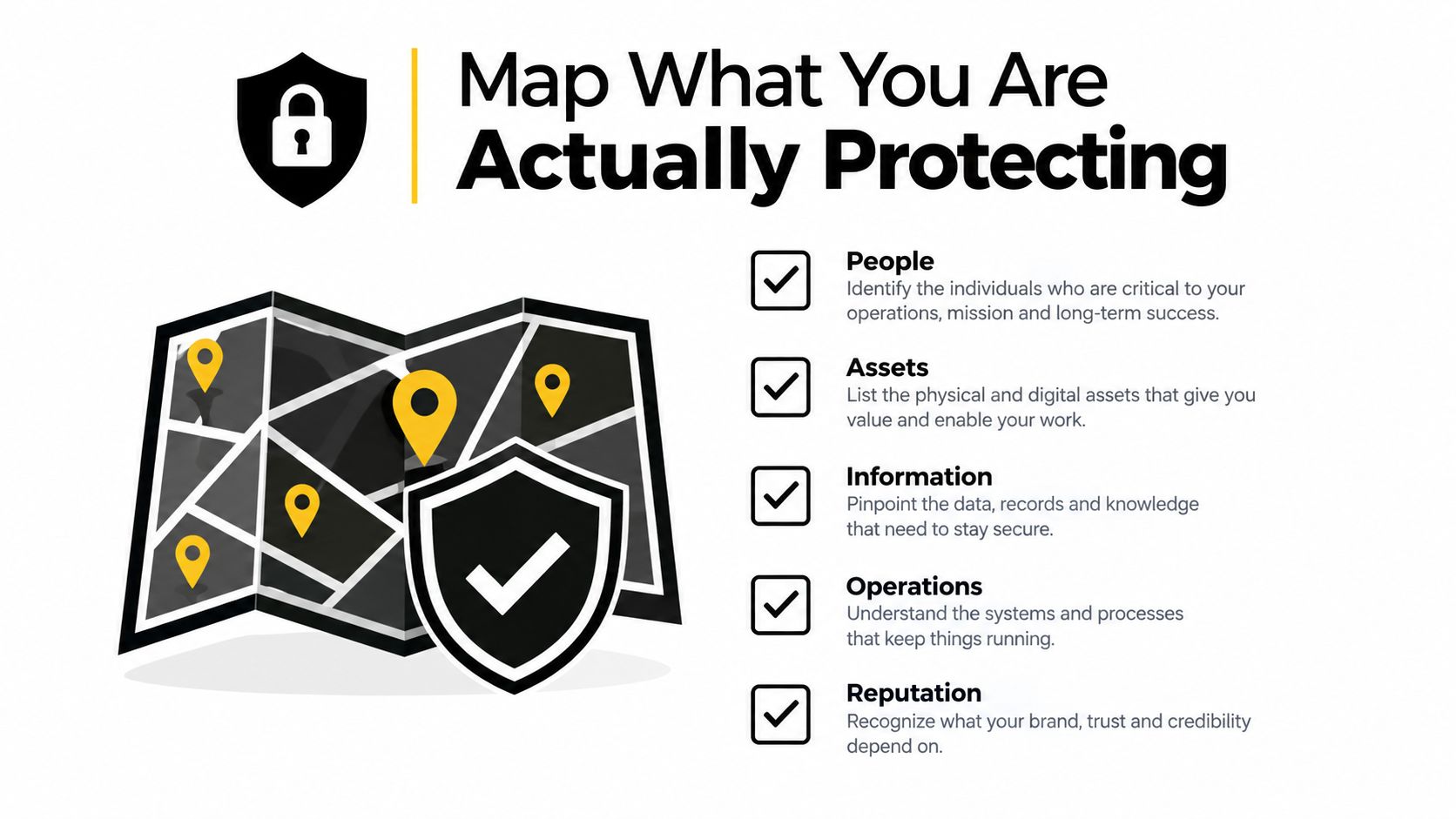
Most SMB recovery plans fail before the first runbook gets written because the business maps infrastructure by server name instead of by business function. That's backward. Nobody at a clinic cares whether “APP02” is down. They care whether scheduling, chart access, billing, and phones are down.
Start with four inputs
The map needs four things, and all four need an owner.
Business function inventory
Group systems by what the business does. For a medical practice, that usually means scheduling, EHR, imaging access, billing, payment processing, phones, and reporting. For a law office, think intake, case management, document storage, billing, trust accounting, and email.Data classes in scope
List the sensitive data types the business holds. PHI, client matter files, financial records, HR records, contracts, scanned IDs, payment data. A classification framework helps here, especially for firms that need policy discipline around where data belongs and who owns it. A good starting point is a formal data classification policy.Industry-specific threat profile
Not every SMB gets hit the same way. A law firm with remote users and heavy document exchange has different exposure than a clinic with legacy devices and line-of-business dependencies. The point isn't to predict the exact attack. The point is to identify the likely pressure points before recovery depends on them.Dependency mapping
This is the part teams skip and regret. Identity systems, MFA, service accounts, VPN, firewall access, DNS, cloud apps, payment portals, clearinghouses, scan-to-file workflows, and vendor-hosted systems all need to be listed as dependencies. If identity is gone, many restores stall even when the backup data is clean.
A one-hour checklist
An owner can get this started fast:
- Write the top five business functions: Use plain terms like patient scheduling or matter billing.
- List the systems each function depends on: Include databases, shared storage, login systems, and outside services.
- Mark the sensitive data involved: Note where it lives and who signs off on it.
- Flag hidden dependencies: Service accounts, scripted imports, legacy workstations, specialty devices, and after-hours batch jobs.
Practical rule: If the office manager can't explain what a system does in one sentence, it's probably mapped the wrong way.
This document becomes the single source of truth for recovery. Without it, target setting is guesswork.
Set Recovery Targets Your Business Can Live With
A ransomware recovery plan gets real when leadership answers blunt business questions instead of hiding behind jargon. How long can scheduling stay offline before patients leave? How many hours of legal time can a firm recreate from memory without billing disputes? How much accounting data can the finance team rebuild by hand before month-end slips?
Those answers define Recovery Time Objective and Recovery Point Objective. The terms matter less than the discipline behind them. Recovery time is how long the business can tolerate an outage. Recovery point is how much recent data loss the business can tolerate.
Three tiers that actually help
Most SMBs don't need a dozen recovery classes. They need three.
| Tier | Workload Examples | RTO Target | RPO Target |
|---|---|---|---|
| Tier 1 | Scheduling, EHR access, case management, core billing, identity services | Within hours | Minimal recent data loss, based on frequent protected recovery points |
| Tier 2 | File shares, reporting, internal collaboration, secondary finance functions | Within 24 to 48 hours | Same day or prior protected point, based on business tolerance |
| Tier 3 | Archives, historical records, low-use departmental systems | Within a week | Older acceptable restore point if needed |
Tiering only works if each tier has a restore path attached. “Tier 1” means nothing if nobody knows whether that workload comes back from image restore, replicated copy, staged rebuild, or clean install plus data recovery.
Use business questions, not vendor terms
Ask the owner of each function:
- If this system stays down until tomorrow, what breaks first
- If yesterday's data is all that's available, what has to be re-entered
- Who approves degraded operations while restore is in progress
- Which manual workaround exists, and for how long
These answers reveal priorities. They also expose fiction. Plenty of firms claim a workload is “mission critical” until someone asks whether staff already survive planned maintenance windows without it.
Don't ignore restore failure risk
Having backups doesn't prove recoverability. In one industry survey, only 63% of organizations successfully restored backed-up data after a ransomware event, 31% saw backup failure, and average recovered data was only 57% of the data affected according to industry recovery benchmark reporting. That's why targets need to account for backup frequency, replication lag, and the ugly possibility that the “good” backup set isn't usable.
If a target can't survive contact with reality, it isn't a target. It's wishful thinking.
Design Backups and Restore Paths That Survive an Attack
The backup conversation needs a reset. A ransomware recovery plan is not “we back up every night.” That statement is almost meaningless. The question is whether the business can restore a clean, reachable, trusted environment when production credentials, storage paths, and administrative access may all be compromised.
A practical baseline is the 3-2-1 backup rule: 3 copies of data, 2 storage types, and 1 offsite or cold copy, along with the ability to restore to a specific point in time and rapidly restore into production or a sandbox, as outlined in Microsoft's ransomware backup planning guidance. For regulated SMBs, that's the floor, not the ceiling.
Add the missing plus-one
Modern ransomware forces one more requirement. At least one copy needs to be immutable or air-gapped so an attacker with administrative access can't poison the very thing meant to save the business.
A backup design that survives an attack usually includes:
- Tiered cadence by workload: High-impact systems need tighter recovery points than archives.
- Separated administration: Backup admin accounts should not be the same accounts used for day-to-day infrastructure work.
- Phishing-resistant MFA on backup administration: If the backup console falls with the rest of the environment, the design failed.
- Encryption with key separation: Backup data should be protected, but key management shouldn't live entirely inside the same blast radius.
- Retention that matches reality: Restore points need to exist long enough to outlast delayed discovery.
Teams that are revisiting storage and retention decisions often benefit from basic guidance on what cloud backup means in practice, especially when they're trying to align backup design with downtime tolerance instead of just buying more storage.
Restore identity before applications
Many recoveries get bogged down. Staff want the file server back. Leadership wants the line-of-business app back. Neither matters much if identity is still broken.
Restore order should typically start with:
- Identity services
- DNS and core network dependencies
- Administrative access path
- Databases
- Application servers
- End-user access workflows
Clean data without clean identity still leaves the business stuck.
That's also why isolated testing matters so much. Sophos-linked 2025 data showed 53% of ransomware victims fully recovered within one week, up from 35% in 2024, while 18% still needed more than a month according to recovery-time reporting summarized here. The same reporting tied compromised backups to a much higher median recovery cost of $3 million versus $375,000 when backups remained intact. Backup integrity changes the whole economics of recovery.
Drill the restore path, not just the backup job
A passed backup job proves very little. The better evidence is operational:
- Monthly partial restores: Pull back one application component or one data set and validate access.
- Quarterly scenario restores: Rebuild a small but complete service chain in order.
- Time-to-first-byte tracking: Measure how long it takes before usable data is available, not just how long a console says the job ran.
That's the discipline that turns backup into recoverability.
Build the Runbook and the People Who Run It
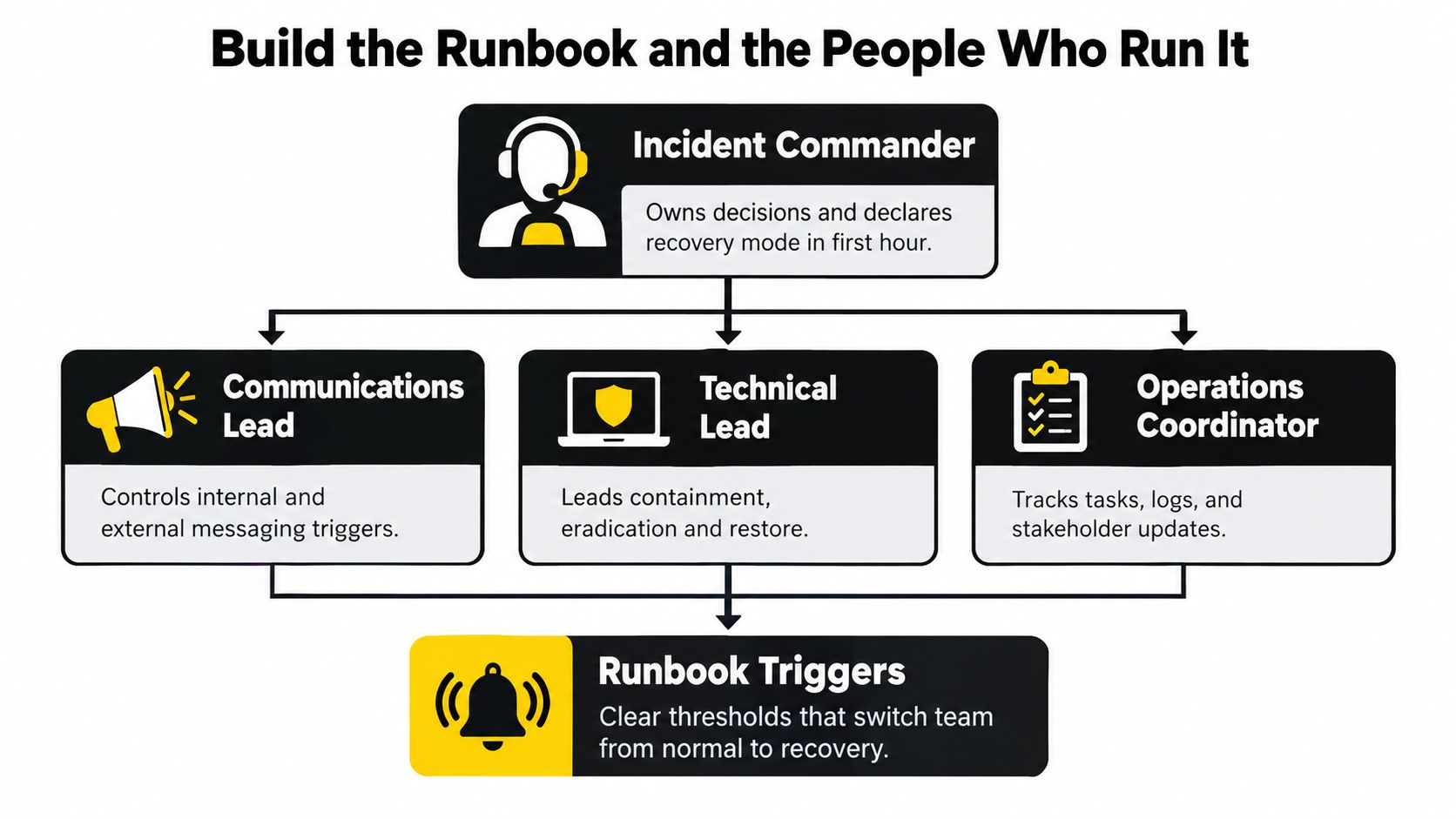
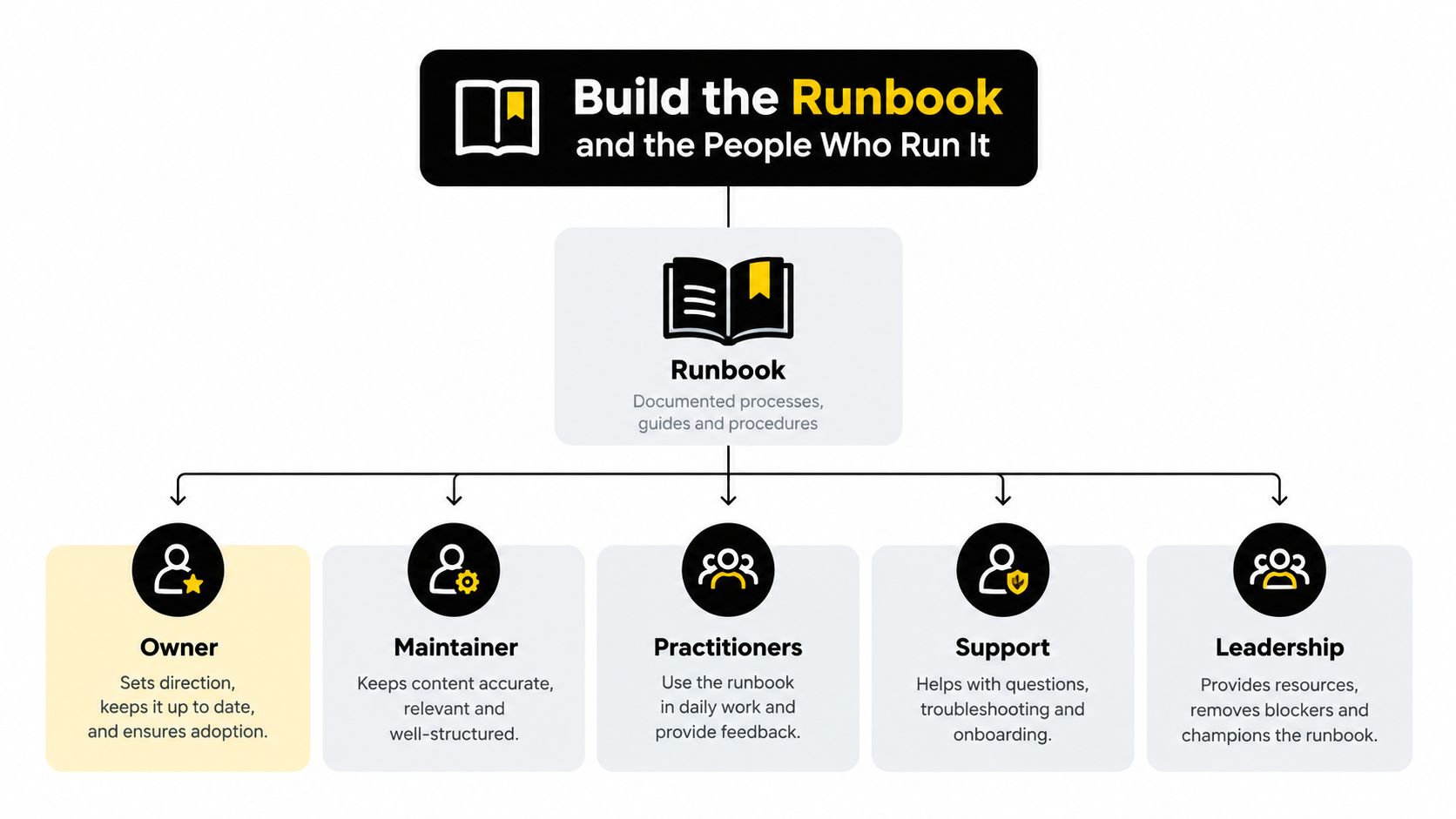
Plenty of ransomware recovery plans fail because they read like policy documents instead of action documents. During the first hour, roles need names, backups, authority, and triggers. Titles alone aren't enough. “IT Manager” is not a runbook.
The roles that matter in hour one
A usable runbook names these functions:
Incident Commander
Owns business decisions, declares recovery mode, and breaks ties when technical and operational priorities conflict.Communications Lead
Controls internal messaging, staff instructions, leadership updates, and external holding statements.Technical Lead
Directs containment, triage, rebuild sequence, validation, and return-to-service decisions.Forensic Lead
Preserves evidence, manages imaging decisions, and protects the investigation from accidental contamination.Legal and Compliance Lead
Reviews notifications, privilege questions, reporting windows, and regulator-facing language.External Coordinator
Handles outside responders, cyber insurance coordination, and service-provider task flow so internal staff aren't juggling five conversations at once.
A practical incident response playbook should capture each of those roles with a named primary, named backup, and the scope of authority each person carries.
What belongs in the runbook
The runbook itself should be short enough to use under pressure. If it takes ten pages to get to the first decision, it's too long.
Use sections like these:
Detection signals
Encrypted file alerts, abnormal authentication events, inaccessible shares, user reports, or security alarms.Severity ladder
Define when a single encrypted endpoint becomes a broader incident and who gets paged at each threshold.Isolation checklist
Which systems are disconnected first, who approves shutdowns, and what evidence must be captured before major changes.Eradication gates
Conditions that must be true before rebuild or restore begins.Recovery gates
Explicit go or no-go criteria for bringing services back online.
The runbook should answer one question fast: who decides, who does, and what must be true before the next step starts?
Where an outside partner fits
Outside coordination either helps or makes a mess. The internal team should stay focused on patients, clients, deadlines, and executive decisions. The external technical partner should handle containment support, rebuild sequencing, restore validation, and infrastructure recovery without creating five extra command chains.
Technovation LLC can fill that external coordinator role for DFW SMBs that need managed support around infrastructure rebuild, recovery sequencing, and plan testing. That only works if authority is clear before the incident starts.
Some owners also benefit from broad, plain-language cost-effective business security advice because ransomware recovery gets easier when the environment is simpler, access is tighter, and role confusion is reduced before anything goes wrong.
Wire Communications, Legal, and Insurance Into Recovery
A ransomware recovery plan that waits to think about legal reporting, insurance evidence, or staff messaging until after systems are restored is already behind. Those workstreams start in hour one.
Notifications don't wait for perfect clarity
Covered critical infrastructure entities face hard federal clocks. CIRCIA requires covered cyber incidents to be reported to CISA within 72 hours after the entity reasonably believes the incident occurred, and ransom payments must be reported within 24 hours after payment is disbursed, as summarized in this reporting and compliance overview. Even for organizations outside that scope, the lesson holds. Restoration and reporting run in parallel.
Other sectors have their own obligations. The exact legal deadline depends on the entity, the data involved, and where affected people are located.
| Sector | Triggering Event | Notification Deadline | Required Recipients |
|---|---|---|---|
| Healthcare | Confirmed breach involving protected health information | Within 60 days for required HIPAA breach notifications | Affected individuals and applicable federal regulators |
| Critical infrastructure covered by CIRCIA | Covered cyber incident reasonably believed to have occurred | Within 72 hours | CISA |
| Critical infrastructure covered by CIRCIA | Ransom payment made in response to ransomware | Within 24 hours after payment is disbursed | CISA |
| Financial and card-processing environments | Security incident affecting regulated or card-related data | Varies by rule set and contract | Regulators, partners, payment stakeholders, and affected parties as required |
| Legal and professional services firms | Security incident involving client or regulated personal data | Varies by state and contractual duty | Clients, state authorities, and others as required |
Pre-write the communications
During an outage, wording matters. Bad language creates legal exposure and confuses staff.
Prepare templates for:
- Staff instructions: What to use, what not to use, and where updates will appear.
- Client or patient notices: What happened, what is known, what actions the organization is taking.
- Media statements: Short, factual, and cleared by legal before release.
- Leadership updates: Operational status, recovery estimates, and current decisions needed.
Build the insurance evidence package as recovery happens
Cyber insurers typically want disciplined documentation, not vague recollections. That means collecting:
- Chain of custody notes
- Forensic artifacts and preserved images
- Copies of ransom communications if they exist
- Downtime and business interruption records
- Technical logs tied to containment and restoration decisions
Businesses sorting out transfer of risk should also understand the market side. A practical article on compare cyber insurance quotes can help owners think through coverage questions before they're trying to read a policy during an incident. For firms that need operational and coverage alignment, this internal guide on cyber security insurance for small business is the more useful companion because it ties policy expectations back to evidence and controls.
Prove the Plan Works With Drills That Expose Reality
Most tabletop exercises are theater. Executives gather in a conference room, someone reads a scenario, everyone nods, and the meeting ends with “good discussion.” Then the first real attack reveals that nobody tested identity rebuild, no one documented the hidden file-transfer dependency, and the admin credential running the overnight job belonged to somebody who left two years ago.
That isn't readiness. That's rehearsal for saying the right things while nothing is on fire.
In 2026 reporting, 64.6% of organizations either missed targets, never tested, or failed recovery validation, and less than half had immutable backup storage according to readiness reporting summarized here. The same reporting cited engagement data showing only 0.5% of more than 800 clients came close to 24 to 48 hour recovery targets, 99.2% lacked documented identity recovery plans, and 95% lacked meaningful MFA on critical infrastructure consoles. That's why drills need to test dependencies and authority, not just discuss them.
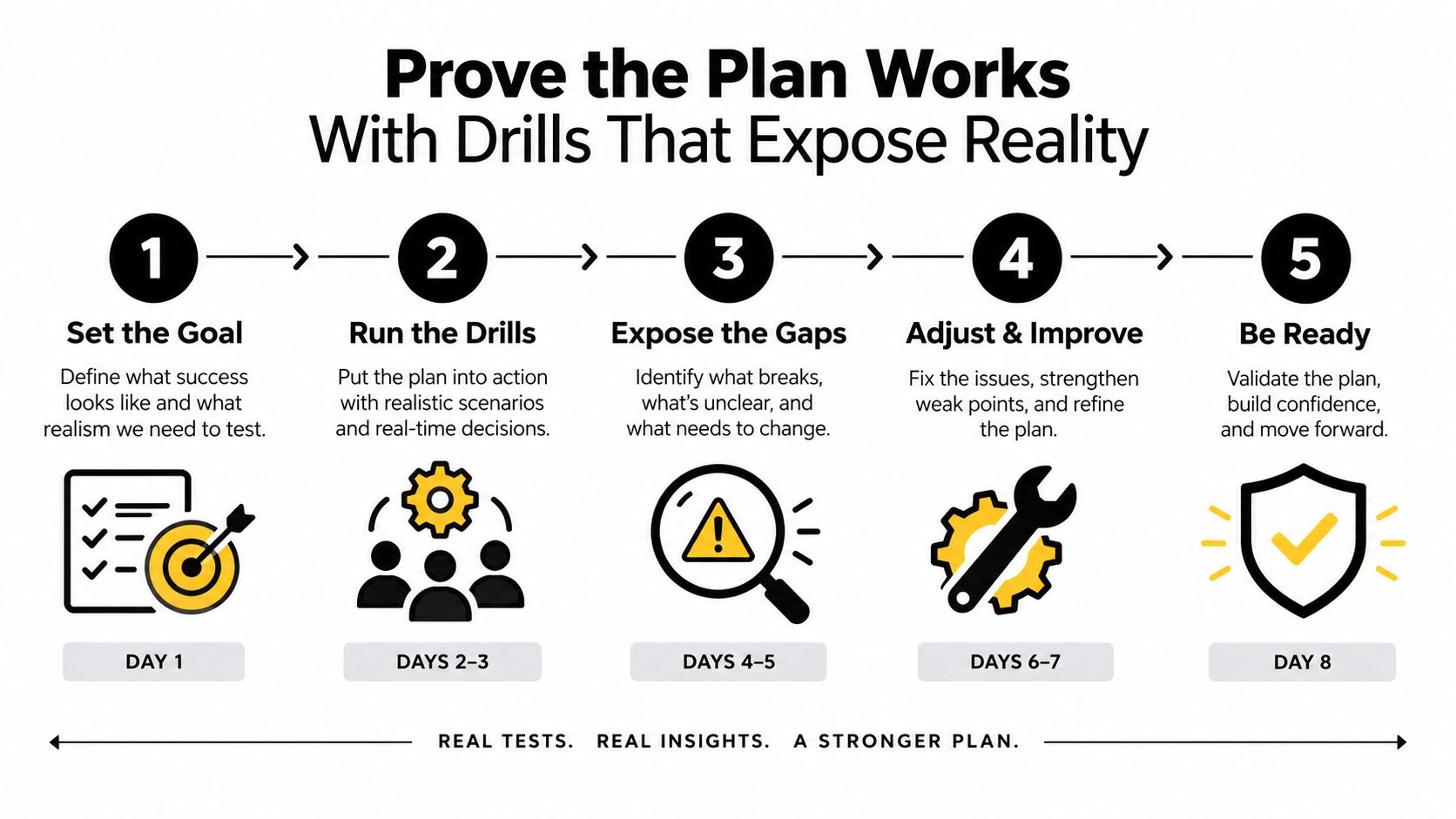
A drill format worth running
A useful exercise is time-boxed, technical, and uncomfortable.
Use a 90-minute drill with:
- Pre-staged corruption: Start with a compromised core service, not a vague “cyber incident.”
- A live facilitator: Force the team to make decisions in sequence and answer for dependencies.
- Decision points every 15 minutes: Isolate now or observe longer. Rebuild identity first or application first. Notify staff now or wait.
- Real artifacts: Ticket logs, sample notifications, evidence notes, and status updates produced during the exercise.
What the drill should try to break
Test the ugly spots:
- Identity rebuild under pressure
- A hidden dependency between core application and secondary transfer process
- Global MFA reset consequences
- A critical scheduled job tied to stale credentials
- Leadership approval bottlenecks during containment
A drill should leave the team mildly irritated. If nobody discovers a painful gap, the exercise was too polite.
Score the output, not the conversation
A serious drill scores four things:
| Area | What to Measure |
|---|---|
| Recovery time | Whether the team restored the right things in the right order |
| Communication fidelity | Whether staff and leadership messages were timely, accurate, and consistent |
| Evidence captured | Whether logs, images, and decision records were preserved while action was underway |
| Regulator-facing documentation | Whether required reporting facts were assembled clearly enough to act on |
Then assign one owner per gap and a fix date inside 30 days. No shared ownership. No vague “review process.” One name, one action, one deadline.
The best cadence is simple. Run two unannounced partial-system drills each year. Run one full rebuild exercise annually. If the business suffers a real incident, rehearse the revised process within 30 days while the lessons are still fresh.
Technovation helps DFW organizations turn a ransomware recovery plan into something that can survive a real Tuesday morning. That includes mapping dependencies, pressure-testing restore order, validating backups, and tightening the communication and compliance pieces that usually get ignored until it's too late. To get that work moving, visit Technovation LLC.





