A lot of business owners in Dallas-Fort Worth assume they’re secure because nothing looks wrong. Systems are up. Staff are working. Clients aren’t complaining. No one has called to say there’s a breach.
That’s not the right test.
A simpler and tougher question is: how would the business know if a threat was already inside the network, moving around, harvesting data, or waiting for the right moment to strike? That blind spot is exactly why people ask what is a security operations center in the first place. A SOC exists to replace assumptions with visibility, response, and accountability.
For small and mid-sized businesses, that matters more than most owners realize. A clinic, law firm, accounting practice, contractor, or nonprofit doesn’t need a giant enterprise security department. It does need a reliable way to monitor for threats, investigate suspicious activity, and act fast when something goes wrong.
Table of Contents
- Your Business Looks Fine but Is It Secure
- The Three Pillars of an Effective SOC
- How a Modern SOC Operates Day-to-Day
- In-House vs Managed SOC Which Model Fits Your Business
- Why a SOC Is a Game-Changer for DFW Businesses
- Choosing the Right SOC Partner A Practical Checklist
- Your Next Step Toward 24/7 Protection
Your Business Looks Fine but Is It Secure
Most businesses don’t feel unsafe until they have a reason to. That’s normal. If email works, files open, and the phones ring, security doesn’t look like the urgent problem of the day.
But cyber risk rarely announces itself that way.
A compromised account can remain undetected. A malicious login can blend in with normal activity. A device can beacon out suspicious traffic while everyone in the office carries on as usual. Security problems often start as small signals hidden inside normal business noise. That’s why the phrase what is a security operations center matters to owners who don’t want to run security on gut instinct.
A Security Operations Center, or SOC, is the centralized function that monitors, detects, investigates, and responds to cyber threats across the business. It’s the answer to the question, “How do we know what’s really happening in our environment right now?”
A business that only looks for obvious failures usually finds security issues too late.
That sounds straightforward. Building it isn’t. Many organizations struggle to staff and run security operations well. According to Splunk’s SOC metrics overview, 58% of SOCs cite lack of skilled staff as their primary barrier to excellence, and 50% say the lack of effective automation and orchestration holds them back.
That should get a DFW business owner’s attention.
If organizations that already have a SOC struggle to find people and automate the workload, a smaller business shouldn’t assume it can casually stand one up with a few tools and spare IT time. Security operations is a discipline. It needs trained eyes, repeatable workflows, and coverage that doesn’t disappear after business hours.
The practical takeaway
For most small and mid-sized businesses, the question isn’t whether they need SOC capability. They do.
The key question is how they’ll get it without overbuilding, overspending, or dumping more work on an already stretched internal IT team.
- If the business handles regulated data, it needs visibility and response capacity.
- If staff work remotely or across multiple locations, it needs centralized monitoring.
- If downtime hurts revenue or client trust, it needs faster detection and containment.
- If leadership can’t answer how threats are identified today, there’s already a gap.
The Three Pillars of an Effective SOC
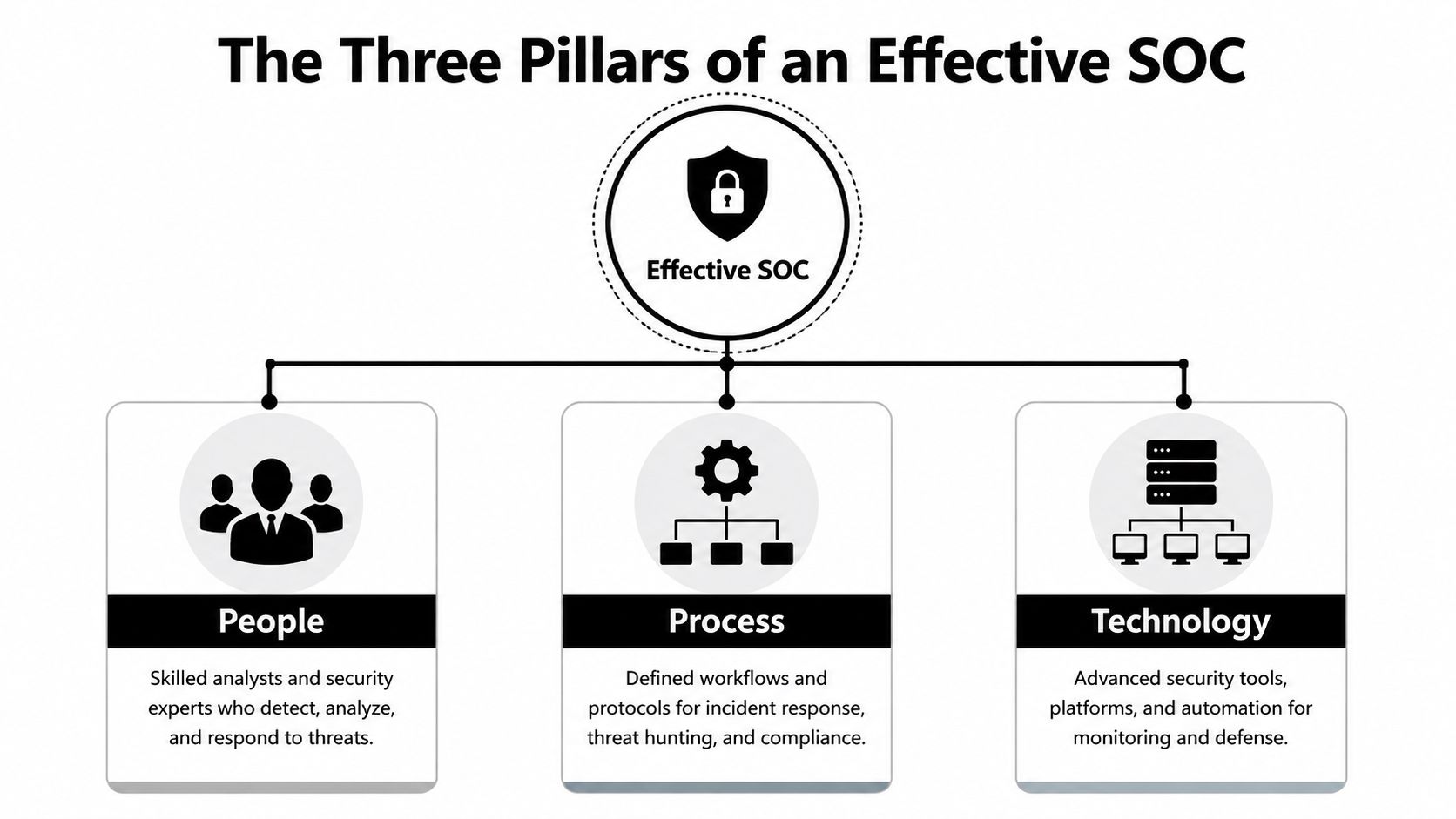
A good SOC isn’t just software. It’s a working system built on people, process, and technology.
The easiest way to understand it is to think about building security. Cameras alone don’t protect a property. Guards matter. Entry procedures matter. Alarm routing matters. If one piece fails, the whole setup gets weaker.
People who know what they’re looking at
Security alerts don’t interpret themselves. Someone has to decide whether a login pattern is harmless, suspicious, or the start of a serious incident.
That’s where the human side of the SOC comes in. Analysts review alerts, investigate suspicious behavior, sort real threats from noise, and escalate the right issues at the right time. More advanced staff may hunt for signs of compromise that haven’t triggered a standard alert yet.
A business owner doesn’t need a deep org chart to understand this. The key point is simple: someone qualified must own the work of detection and response. Otherwise, the business is collecting data without getting decisions.
Process that removes guesswork
When a threat appears, the team shouldn’t be improvising.
A functioning SOC uses playbooks and workflows to guide common scenarios. If a user account shows signs of compromise, there should be a known sequence for investigation, containment, communication, and recovery. If suspicious activity hits a server, the next steps should already be defined.
That discipline matters because speed matters. Process cuts delay.
- Triage rules help teams decide what’s urgent and what can wait.
- Escalation paths make it clear who takes over when an issue gets serious.
- Response playbooks reduce confusion during stressful moments.
- Documentation habits support compliance, audits, and post-incident review.
Practical rule: If a provider can’t explain its incident workflow in plain English, the workflow probably isn’t mature.
Technology that connects the dots
Technology gives the SOC its visibility. The core platform is usually a Security Information and Event Management system, or SIEM. According to Microsoft’s explanation of the modern SOC, the SIEM acts as the SOC’s “central nervous system” by collecting and correlating log data from across the organization to detect threats in real time.
That’s the right analogy.
A business generates security signals from endpoints, servers, applications, network devices, and cloud services. On their own, those signals are fragmented. A SIEM pulls them together so the SOC can see patterns that wouldn’t be obvious in isolation.
A good technology stack also helps reduce wasted effort. It supports alert tuning, prioritization, and automation so analysts spend less time chasing distractions and more time handling actual risk.
For a DFW business owner, the takeaway is blunt: buying isolated tools isn’t the same as having a SOC. An effective SOC ties people, process, and technology into one operating model.
How a Modern SOC Operates Day-to-Day
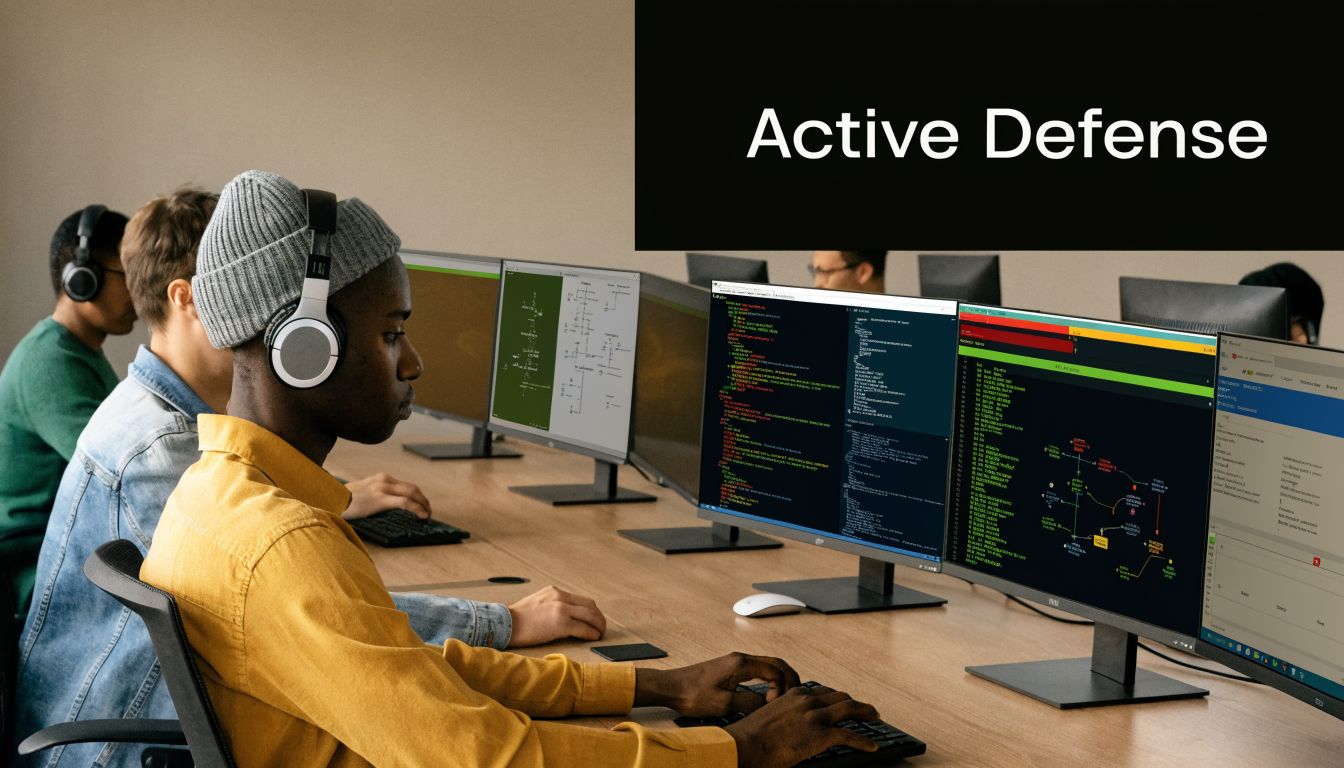
A modern SOC works like an active operations desk, not a passive dashboard. It watches the environment, sorts signals, investigates anomalies, and acts before a small problem turns into a business outage.
From signal to decision
Start with a common example. An employee account logs in from an unusual location, then tries to access systems it doesn’t normally touch. That event enters the monitoring stream. The SOC reviews it in context with other activity, such as device behavior, access history, and follow-on actions.
If the activity looks legitimate, it gets documented and closed. If it looks suspicious, the SOC moves to triage. That means assigning priority based on risk, business impact, and urgency.
Then comes response.
The SOC may isolate a device, restrict an account, reroute traffic, or trigger a deeper investigation. After that, the work isn’t over. Remediation follows. Credentials may need resets. Systems may need restoration. Rules may need refinement so the same pattern gets caught faster next time.
That operating rhythm is why businesses benefit from cybersecurity threat management services. Detection without coordinated follow-through leaves too much unfinished.
What good performance actually looks like
A SOC should be measured, not admired. If leadership can’t see how well the operation performs, there’s no way to judge whether the investment is working.
According to Radiant Security’s breakdown of SOC metrics and KPIs, a SOC’s effectiveness is measured by metrics such as incident closure rate and incident containment rate, and a well-run SOC often keeps its incident escalation rate between 5-20%. That range matters because it suggests front-line analysts are handling the right volume of issues without pushing everything upward.
For a business owner, the plain-English version looks like this:
- Detection speed asks how quickly suspicious activity gets identified.
- Response speed asks how quickly the threat gets contained.
- Closure discipline shows whether incidents are resolved.
- Escalation quality reveals whether the team is filtering noise or flooding itself.
A SOC earns its value by shortening the gap between “something is wrong” and “the threat is contained.”
That’s why a strong SOC isn’t just a watchtower. It’s a coordinated response function built to make decisions quickly and document what happened clearly.
In-House vs Managed SOC Which Model Fits Your Business
Most DFW businesses don’t need a textbook definition here. They need a business decision.
Should the company build its own SOC, outsource the function, or split the job with a provider? Those are the three real models. Each has trade-offs. One of them usually makes sense much faster than the others.
Why fully in-house usually stalls
An in-house SOC offers the most direct control. The business sets the workflows, chooses the tooling, and manages the staff. That can work for large organizations with broad security budgets and enough internal maturity to support continuous operations.
For most SMBs, it’s a rough fit.
The challenge isn’t just buying technology. It’s staffing coverage, handling investigation workflow, maintaining alert quality, documenting incidents, and sustaining all of it over time. Internal IT teams already carry infrastructure, support, vendor management, and project work. Adding security operations on top often creates a fragile setup where monitoring exists on paper but not in practice.
A managed SOC solves a different problem. It gives the business access to security operations capability without requiring the business to build every part itself. That usually means the provider handles monitoring, investigation, and initial response coordination while the client retains business oversight and decision authority.
A co-managed SOC sits in the middle. It’s often the right option for companies that have internal IT staff and want to keep some control, but need outside depth, broader coverage, or stronger response processes.
SOC model comparison for SMBs
| Criteria | In-House SOC | Managed SOC (MSSP) | Co-Managed SOC |
|---|---|---|---|
| Control | Highest direct control over staff, process, and daily operations | Less day-to-day control, but clearer operational offload | Shared control between internal team and provider |
| Staffing burden | Heavy. The business must recruit, train, schedule, and retain talent | Low. Provider supplies the operational coverage | Moderate. Internal team stays involved, but not alone |
| Deployment speed | Usually slower because design and staffing take time | Typically faster because the operating model already exists | Faster than in-house, slower than fully managed |
| Internal expertise required | High | Lower | Moderate |
| Scalability | Harder to expand without more hiring and process work | Easier to scale as business needs change | Flexible if responsibilities are clearly defined |
| Best fit | Large organizations with mature internal security teams | SMBs that need strong coverage without building a full SOC | Businesses with IT staff that want support, not replacement |
The smart recommendation for most SMBs is this: don’t romanticize in-house security operations. If the company doesn’t already have the personnel, discipline, and time to run security around the clock, a managed or co-managed model is usually the more responsible choice.
Technovation LLC offers managed IT and cybersecurity support for North Texas organizations that need that kind of practical coverage without building a full internal security operation from scratch.
A business owner should choose the model that improves resilience now, not the one that sounds impressive in a boardroom.
Why a SOC Is a Game-Changer for DFW Businesses
A SOC matters everywhere. It matters even more in Dallas-Fort Worth businesses that carry sensitive data, face compliance pressure, or can’t afford operational disruption.

Regulated businesses don’t get to guess
A healthcare clinic has patient information to protect. A law firm has confidential client communication. A financial firm handles records that demand careful controls. A construction company may hold bid data, project files, contracts, and access across distributed teams and job sites.
Those businesses don’t just need prevention. They need visibility, containment, and documentation.
According to CrowdStrike’s overview of SOC operations, a primary goal of a 24/7 SOC is to reduce breakout time, which is the window an attacker has to move laterally after the initial compromise. That’s especially important for regulated industries such as healthcare and finance because breach reporting timelines and compliance obligations don’t wait for a convenient moment.
That concept matters because many business owners still think security failures are single-event problems. They’re often not. An attacker gets in one place, then moves. The faster the business detects and contains that movement, the smaller the incident usually becomes.
In regulated environments, delayed detection doesn’t just increase technical damage. It raises legal, operational, and reputational risk at the same time.
This is about resilience, not just security
A SOC improves more than the security stack. It supports business continuity.
For DFW organizations, that means:
- Healthcare practices can reduce exposure around patient records and support a cleaner incident response path.
- Law firms can better protect privileged information and maintain client trust under pressure.
- Financial and accounting firms can strengthen oversight around access, anomalies, and response documentation.
- Construction and engineering firms can monitor hybrid environments where office systems, field access, and shared project data intersect.
- Nonprofits can protect donor and operational data without pretending they have enterprise headcount.
A business with SOC capability is better prepared to stay functional when something suspicious happens. That’s the point. Owners shouldn’t think of a SOC as a luxury security layer for giant corporations. They should see it as an operating safeguard that helps the business detect issues sooner, respond with more discipline, and recover with less chaos.
Choosing the Right SOC Partner A Practical Checklist
Not every SOC provider offers the same value. Some monitor a lot and clarify very little. Others forward alerts without real triage. Some create more work for the client than they remove.
A business owner should ask pointed questions early.
Questions that expose weak providers fast
According to Palo Alto Networks’ SOC explainer, analyst burnout from alert fatigue is a serious issue, with some teams facing over 5,000 alerts daily, many of them false positives. That’s not just a staffing issue. It’s a quality issue.
If a provider can’t manage noise, the client pays for it in confusion and distraction.
Use this checklist when evaluating any SOC partner:
- How do they reduce false positives so the client team isn’t flooded with meaningless alerts?
- What does the escalation process look like when suspicious activity turns into a confirmed incident?
- Who owns response actions such as isolation, containment, and communication?
- What reporting does the client receive on incidents, trends, and operational performance?
- How is the service tuned over time as the client environment changes?
- How do they work with internal IT staff if the business wants a co-managed model?
- Can they explain the workflow in plain language without hiding behind jargon?
- Can they provide practical guidance for selecting support models, like the considerations covered in how to choose a managed service provider?
The wrong SOC partner sends more alerts. The right SOC partner sends better decisions.
What a strong answer should sound like
Strong providers answer with specifics, not buzzwords.
A mature answer usually includes clear language about monitoring scope, triage logic, response coordination, reporting cadence, and how the provider adjusts detections to improve signal quality over time. A weak answer usually sounds vague, oversized, or strangely software-centric.
A business owner should listen for signs that the provider understands business impact, not just technical events.
Look for these qualities:
- Operational clarity. The provider can explain who does what when an incident occurs.
- Noise control. The provider talks about tuning, filtering, and prioritization instead of glorifying alert volume.
- Business alignment. The provider asks about regulated data, uptime requirements, remote access, and internal workflows.
- Local relevance. The provider understands how DFW businesses operate, including compliance pressure and limited internal staffing.
- Evidence of discipline. Reports, workflows, and communication expectations are defined up front.
The right partner should make security operations feel more understandable, not more mysterious. If conversations leave leadership more confused than informed, that’s a warning sign.
Your Next Step Toward 24/7 Protection
A Security Operations Center isn’t reserved for giant enterprises with endless budgets. For many small and mid-sized businesses, it’s the practical answer to a simple problem. They need to know what’s happening in their environment, they need someone watching when staff are off the clock, and they need a plan when suspicious activity appears.
That’s the primary value behind what is a security operations center. It gives the business a way to detect threats sooner, contain them faster, and operate with more confidence.
For DFW organizations in healthcare, legal, finance, construction, and nonprofit work, that’s not extra. It’s part of running a durable business.
A Dallas-Fort Worth business that wants clearer visibility into its current risk should contact Technovation LLC for a free security audit. It’s a practical way to find out where monitoring, response, and resilience stand today, before an attacker answers that question first.