A single weak login can expose an email system, a client portal, a finance app, or a remote access tool. That's why network security best practices matter more than ever for SMBs. Small and mid-sized businesses in Dallas Fort Worth often carry the same compliance burden and operational risk as larger firms, but without a full internal security team to manage every layer properly.
Healthcare clinics need to protect patient data. Law firms need to protect confidential case files. Financial firms need tighter controls around client records and transactions. Construction and engineering companies need secure access for field teams, vendors, and project partners. In each case, the network is the backbone. If access controls, monitoring, segmentation, and recovery plans are weak, one avoidable mistake can become a business disruption.
This guide lays out ten prioritized network security best practices with direct action steps, compliance considerations, and real-world SMB scenarios. It focuses on what should be implemented first, what should be documented for audits, and what usually signals the need for outside support. Businesses reviewing cybersecurity compliance guidelines will recognize that strong security controls and compliance readiness now go hand in hand.
Some organizations can handle parts of this internally. Many can't sustain it consistently. That's where a managed partner like Technovation becomes valuable. When policy design, deployment, monitoring, remediation, user support, and compliance evidence all need to work together, SMBs benefit from a team that can build the controls, maintain them, and keep operations moving.
Table of Contents
- 1. Implement Multi-Factor Authentication (MFA) Across All Critical Systems
- 2. Deploy and Maintain Zero Trust Network Architecture
- 3. Establish a Formal Vulnerability Management Program
- 4. Enforce Least Privilege Access Control (LPAC)
- 5. Implement Security Awareness Training and Phishing Simulations
- 6. Establish Secure Backup and Disaster Recovery Procedures
- 7. Conduct Regular Security Assessments and Penetration Testing
- 8. Deploy Endpoint Detection and Response (EDR) Solutions
- 9. Implement Network Segmentation and Microsegmentation
- 10. Develop and Maintain an Incident Response Plan with Regular Testing
- Top 10 Network Security Best Practices Comparison
- Next Steps to Secure Your SMB's Network Today
1. Implement Multi-Factor Authentication (MFA) Across All Critical Systems
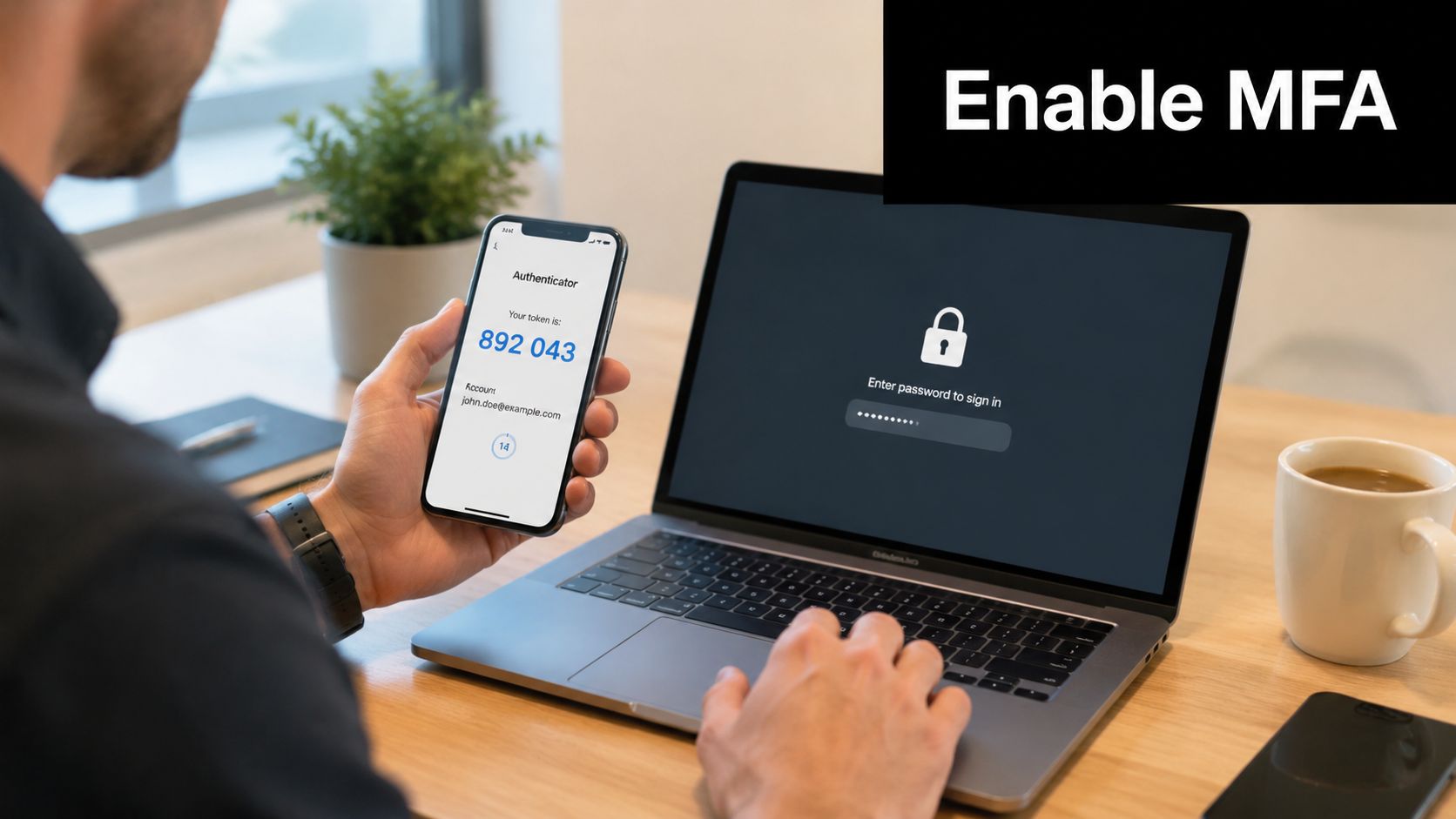
MFA is the fastest high-impact improvement most SMBs can make. Passwords alone aren't enough for email, remote access, cloud platforms, financial systems, or client-facing portals. If a user gets phished, MFA adds another barrier that stops a stolen password from becoming a full account takeover.
A Dallas law firm might secure its document portal, Microsoft 365 accounts, and VPN access with Microsoft Authenticator or Authy. A healthcare clinic can apply the same approach to electronic health record access. A construction firm with remote project managers can require MFA before anyone connects to shared files from the field.
Start With the Accounts That Matter Most
Roll out MFA in priority order. Start with email, administrator accounts, finance systems, remote access, and any application that stores regulated or confidential data. For most SMBs, SMS should be a fallback, not the primary method. Authenticator apps and hardware keys provide stronger protection.
- Protect email first: Email accounts become the control center for password resets, invoice fraud, and internal impersonation.
- Use stronger factors: Microsoft Authenticator, Google Authenticator, Authy, passkeys, and hardware tokens are stronger choices than text messages.
- Prepare recovery paths: Lost phones happen. Backup codes, alternate approvers, and tested account recovery procedures prevent lockouts.
- Phase deployment: Start with IT and finance teams, fix enrollment issues, then expand across the company.
Practical rule: If a system can approve payments, expose client records, or open remote access, it should require MFA.
Businesses that need help with rollout design, user enrollment, policy enforcement, and access governance should look at Technovation identity management services. For remote workforce planning, Networking2000's remote access advice offers a useful reminder that secure access design has to account for how staff work, not just where they log in from.
2. Deploy and Maintain Zero Trust Network Architecture
Zero Trust replaces a bad assumption. Internal users and devices shouldn't be trusted just because they're on the company network. Every request should be verified based on identity, device health, location, and access need.
That matters for SMBs with hybrid staff, branch offices, cloud applications, and third-party contractors. A North Texas accounting firm can keep a compromised workstation from reaching tax systems if access policies are based on verified identity and segmented resources instead of broad internal trust. A healthcare group can apply the same model to clinical, billing, and administrative systems.

Build Zero Trust in Layers
Zero Trust doesn't require a full rebuild on day one. SMBs should implement it in phases, starting with identity, then device validation, then access policies tied to applications and network zones. That sequence is practical and easier to support operationally.
A strong rollout usually includes these steps:
- Map critical assets: Identify which systems hold patient data, financial records, legal documents, payroll data, and intellectual property.
- Verify every access request: Require authentication and policy checks whether the request comes from the office, home, or a mobile device.
- Restrict by context: Allow access based on user role, approved device status, and business need.
- Review continuously: Remove stale vendor access, unused accounts, and broad permissions that no longer match current work.
For regulated SMBs, Zero Trust aligns well with expectations around access control, data protection, and auditability. It also reveals where internal processes are sloppy. If a business can't clearly answer who needs access to what, Zero Trust will expose that gap fast. That's often the point when Technovation should step in to map access flows, sequence deployment, and keep security changes from disrupting the business.
3. Establish a Formal Vulnerability Management Program
Many SMBs patch reactively. Someone sees a warning, IT gets busy, and fixes happen inconsistently. That isn't a vulnerability management program. A real program identifies assets, scans on a schedule, prioritizes findings, assigns remediation, tracks exceptions, and reports status to leadership.
This is especially important in healthcare, legal, and financial environments where due diligence matters almost as much as the fix itself. A law firm may discover an old server nobody realized was still active. A clinic may find unmanaged medical-adjacent systems connected to the same network as business operations. A construction company may uncover outdated field devices that haven't been reviewed in months.

Turn Scanning Into a Repeatable Process
Vulnerability management works when it becomes routine. External scans should come first, followed by internal infrastructure, endpoints, and business-critical applications. Severity alone shouldn't drive decisions. Exposure, exploitability, and business impact matter more than a long list of raw findings.
Unpatched firewalls, aging servers, and forgotten remote access tools stay invisible until someone scans with intent.
A practical SMB workflow includes:
- Set a scanning schedule: Monthly is a strong baseline for many small and mid-sized environments, with additional scans after major changes.
- Define remediation targets: Critical issues should move first, but every severity level needs an owner and a deadline.
- Tie fixes to change control: Patch windows, rollback plans, and validation steps reduce the risk of breaking production systems.
- Report trends to leadership: Executives don't need raw scanner output. They need open risks, overdue fixes, and systems that repeatedly fall behind.
When internal IT teams don't have time to review findings, validate exposures, and push remediation through to closure, the program stalls. Technovation can take over the cycle, from scanning and prioritization to documentation and follow-up, which is often the difference between a checkbox exercise and an actual reduction in risk.
4. Enforce Least Privilege Access Control (LPAC)
Most SMBs discover privilege problems after an incident or an audit. Users collect access over time, old rights never get removed, and service accounts stay broader than necessary. Least privilege access control fixes that by limiting every user and system to the minimum permissions needed for the job.
A healthcare practice might learn that front-office staff can see far more records than their role requires. A law firm might find that former matter access was never removed when attorneys changed practice areas. A construction company might notice that project managers can reach accounting functions that should stay limited to finance staff.
Access Should Match the Job
The cleanest way to implement LPAC is through role-based access control. Define job roles first, then assign application, file, and system access to those roles. Temporary administrative access should be approved, logged, and removed automatically after the task is done.
- Document roles clearly: Finance, HR, legal operations, clinic staff, field supervisors, and executives all need different access profiles.
- Review manager approvals: Department leaders should regularly verify that each team member still needs current access.
- Separate admin accounts: Daily user accounts shouldn't also have administrative privileges.
- Limit shared credentials: Shared logins make accountability weak and incident investigation harder.
Compliance frameworks often expect this control because it reduces unnecessary exposure to sensitive data. It also makes investigations cleaner. If an account is compromised, limited permissions help contain the damage. When an SMB doesn't have the staff or tooling to maintain role design, access reviews, privileged approval workflows, and audit logs, Technovation can build and manage that structure so it stays current instead of degrading over time.
5. Implement Security Awareness Training and Phishing Simulations
Technology can't carry the full load. Employees still approve logins, open attachments, share files, and answer urgent requests that look legitimate. That's why security awareness training remains one of the core network security best practices for SMBs.
Generic annual videos don't work well. Training should be short, role-based, and tied to the attacks that employees face. A law office needs training around file-sharing scams, fake court notices, and client impersonation. A medical practice needs focused guidance on patient data handling and credential theft. A finance or accounting team needs stronger protection against invoice fraud and approval spoofing.
Train by Role, Not by Generic Policy
Phishing simulations help turn theory into recognition. Staff members learn what suspicious login pages, fake shared documents, and urgent payment requests look like in their own workflow. The goal isn't embarrassment. The goal is faster reporting and fewer risky clicks.
A practical program should include:
- Role-specific examples: Train reception staff, bookkeepers, project managers, attorneys, and clinicians on the messages they receive.
- Simple reporting tools: Add a phishing report button in Microsoft Outlook or the email platform in use.
- Immediate feedback: If someone clicks a simulation, direct them to a short explanation right away.
- Executive participation: Leadership gets targeted too, and often with more convincing messages.
Staff members don't need to become analysts. They need to slow down, verify requests, and report anything that feels off.
Many SMBs know they need training but never maintain cadence, customize content, or measure who still needs support. Technovation can run a managed awareness program, align training with industry risk, and connect user behavior to broader security controls so the effort leads to action instead of annual policy paperwork.
6. Establish Secure Backup and Disaster Recovery Procedures
Backups aren't just an IT task. They're a business continuity control. If ransomware encrypts files, a server fails, or a cloud sync issue wipes out shared data, recovery determines whether the disruption lasts hours or drags on for days.
For SMBs, the baseline standard is still the 3-2-1 model. Keep multiple copies of data, store them on different media, and maintain at least one copy offsite. That approach protects against local hardware failure, accidental deletion, and many common attack paths. A law firm may need to recover case files quickly. A clinic may need access to schedules, forms, and operational records. A construction firm may need current project documents from field and office systems.
Recovery Has to Be Tested, Not Assumed
A backup that hasn't been restored successfully is only a theory. SMBs should define recovery priorities by system, then test those recoveries regularly. Critical applications need tighter recovery expectations than archived files or secondary systems.
- Classify systems by business impact: Email, file shares, line-of-business apps, cloud platforms, and accounting systems shouldn't all be treated the same.
- Use immutable copies where possible: Backups that can't be altered or deleted easily provide stronger ransomware resilience.
- Verify backup jobs daily: Failed jobs must trigger alerts and follow-up.
- Run restoration tests: Restore files and systems into a test environment and confirm they work.
Businesses comparing storage and cloud recovery options can review Technovation's guide to cloud backup solutions for small business. A good managed partner also helps define recovery objectives, document dependencies, and test the full process, not just the backup software dashboard.
7. Conduct Regular Security Assessments and Penetration Testing
Automated tools are useful, but they don't think like an attacker. Security assessments and penetration tests add that human perspective. They uncover weak configurations, exposed systems, authentication gaps, and process failures that standard scans often miss.
A healthcare clinic may discover an internet-exposed system that nobody included in inventory. A law firm may learn that a cloud storage setting allows broader access than intended. A construction company may find that employees still trust caller-based social engineering too easily when someone claims to be from support.
Know What to Test and Who Owns Remediation
Testing should be scoped carefully. Internet-facing systems come first, then internal networks, cloud applications, wireless environments, and social engineering scenarios as maturity improves. The report matters, but the remediation plan matters more.
A penetration test without assigned owners becomes an expensive archive file.
Strong execution includes:
- Define scope in advance: Identify systems, test windows, contact points, and business constraints.
- Assign remediation owners before testing starts: Each finding should already have a technical or business owner ready to act.
- Retest after fixes: Validation confirms whether the vulnerability is closed.
- Protect report access: Detailed findings should stay limited to people who need them.
For SMBs trying to decide where a scan ends and a true penetration test begins, Technovation's explanation of vulnerability assessment vs. penetration testing helps clarify the difference. This is also a common trigger for engaging Technovation directly. If leadership needs an outside view, compliance requires independent validation, or internal IT can't remediate findings fast enough, managed support becomes the practical next step.
8. Deploy Endpoint Detection and Response (EDR) Solutions
Every laptop, desktop, and server is a possible entry point. Traditional antivirus still has a role, but it isn't enough on its own. Endpoint Detection and Response adds continuous behavioral monitoring so suspicious activity can be detected even when malware doesn't match known signatures.
That matters for remote and hybrid SMBs. A field laptop used by a construction manager, a paralegal's home-office device, or a receptionist workstation in a clinic can all become the starting point for lateral movement if monitoring is weak. EDR helps catch unusual command execution, credential abuse, unauthorized scripting, and ransomware-like behavior before the issue spreads further.
EDR Works Best With Clear Response Rules
EDR deployment isn't just about installing an agent. The business also needs alert handling, containment steps, escalation paths, and logging strategy. Otherwise, alerts pile up and nobody acts with confidence.
A strong rollout usually includes these controls:
- Cover all supported devices: Windows, macOS, servers, and any other business-critical endpoints in the environment.
- Tune after deployment: Baseline normal activity before tightening every policy.
- Connect to centralized logs: Endpoint events become far more useful when correlated with identity and network data.
- Restrict tampering: Users shouldn't be able to disable protection without controlled approval.
Businesses evaluating managed endpoint security can review Technovation's recommendations for endpoint protection for business. This is one of the clearest areas where a managed service partner adds value. SMBs rarely have staff available around the clock to triage alerts, isolate systems, investigate evidence, and coordinate user support during a live event.
9. Implement Network Segmentation and Microsegmentation
Flat networks create avoidable risk. If one compromised workstation can reach file servers, finance systems, administrative tools, and sensitive databases without strong barriers, an isolated issue turns into a broad incident fast. Segmentation limits that movement.
For SMBs, segmentation doesn't have to start with complex software-defined controls. It can begin with clear separation between user devices, servers, guest wireless networks, voice systems, vendor connections, and high-value applications. A medical practice can isolate clinical systems from administrative operations. A law firm can separate matter-specific repositories and sensitive internal services. A construction business can keep field office connectivity away from central finance and HR systems.
Separate Critical Systems Before an Incident Forces It
Segmentation starts with a network map. Without one, teams often block traffic blindly and break workflows. The smarter approach is to identify critical systems, document required communication paths, and then tighten access around those flows.
- Find the crown jewels: File servers, accounting systems, databases, line-of-business applications, and regulated data stores need the strongest isolation.
- Separate user and server traffic: Workstations should have limited direct access to core infrastructure.
- Control vendor and remote access: External parties should land in restricted zones with narrowly defined permissions.
- Monitor east-west traffic: Lateral movement often shows up in unusual internal connections, not just at the perimeter.
This control supports both security and compliance because it demonstrates deliberate containment. It also reduces recovery effort during incidents. When segmentation projects stall because of aging switches, undocumented dependencies, or policy complexity, Technovation can plan the architecture, implement phased changes, and test them in a way that doesn't interrupt daily business.
10. Develop and Maintain an Incident Response Plan with Regular Testing
An incident response plan decides whether a business reacts with discipline or confusion. During a real event, teams don't need vague intentions. They need names, steps, communications paths, containment authority, legal considerations, and recovery priorities already documented.
For healthcare, legal, and financial SMBs, this also affects compliance. Breach handling often involves notification duties, evidence preservation, and decisions that carry legal and reputational impact. A tested plan helps the business move quickly without improvising every action under pressure.
The Plan Must Be Written, Assigned, and Practiced
A workable incident response plan identifies what counts as an incident, who declares severity, who contacts leadership, who coordinates forensic support, who manages client or patient communications, and who approves recovery actions. It should also include after-hours escalation and vendor contact details.
A useful plan should include:
- Incident categories: Phishing, ransomware, lost device, unauthorized access, business email compromise, cloud exposure, and vendor-related events.
- Response roles: Executive contact, IT lead, legal contact, communications lead, compliance lead, and outside support resources.
- Evidence handling steps: Preserve logs, affected systems, screenshots, timestamps, and user reports before making avoidable changes.
- Tabletop exercises: Run scenarios with managers and operational teams so they know their responsibilities.
Teams that struggle to document and maintain procedures often benefit from a structured approach such as this practical guide to IT process documentation. The point isn't paperwork for its own sake. The point is speed, consistency, and defensible decisions when an issue hits. If an SMB hasn't tested its plan, doesn't have outside escalation contacts, or can't coordinate technical and business response together, that's a strong sign to bring in Technovation as a managed partner.
Top 10 Network Security Best Practices Comparison
| Item | 🔄 Implementation Complexity | ⚡ Resource Requirements | 📊 Expected Outcomes | 💡 Ideal Use Cases | ⭐ Key Advantages |
|---|---|---|---|---|---|
| Implement Multi-Factor Authentication (MFA) Across All Critical Systems | Low–Moderate; integrate with directories and enroll users | Low; authenticator apps/hardware tokens, admin support | Dramatic reduction in account compromise and unauthorized access | Remote/hybrid staff, email, EHR, finance portals | Blocks majority of credential attacks; compliance-friendly |
| Deploy and Maintain Zero Trust Network Architecture | High; phased architecture, policy design, microsegmentation | High; IAM, analytics, microsegmentation tooling and expertise | Strong reduction in lateral movement and improved access visibility | Multi-site, cloud-first, hybrid workforce organizations | Continuous verification, scalable modern security model |
| Establish a Formal Vulnerability Management Program | Moderate; recurring scans, triage, remediation workflows | Moderate; scanning tools, patching automation, coordination | Faster remediation and fewer exploitable vulnerabilities over time | Compliance-heavy environments, dynamic application landscapes | Data-driven risk reduction and measurable security metrics |
| Enforce Least Privilege Access Control (LPAC) | Moderate–High; role mapping and regular access reviews | Moderate; IAM tooling, periodic audits, JIT workflows | Limits blast radius from compromised accounts; better privacy controls | Finance, healthcare, legal, roles with sensitive data access | Minimizes insider risk and accidental overexposure |
| Implement Security Awareness Training and Phishing Simulations | Low–Moderate; program setup and ongoing campaigns | Low; training platform, simulation tools, coordination | Measurable drop in phishing click rates and improved reporting | All staff; focus on finance, execs, client-facing teams | Cost-effective culture change; improves early detection |
| Establish Secure Backup and Disaster Recovery Procedures | Moderate; define RTO/RPO, implement 3-2-1 and test restores | Moderate–High; backup storage, immutable copies, testing resources | Rapid recovery from ransomware/hardware failures; continuity ensured | Mission-critical systems, regulated firms requiring uptime | Avoids ransom payments; ensures recoverability and compliance |
| Conduct Regular Security Assessments and Penetration Testing | Moderate; scoping, skilled testers, remediation planning | Moderate–High; external testers, potential retesting costs | Identifies exploitable weaknesses and validates defenses | Internet-facing apps, pre-audit, post-change validation | Reveals real-world attack paths scanners miss |
| Deploy Endpoint Detection and Response (EDR) Solutions | Moderate; agent rollout, tuning, incident playbooks | High; per-endpoint licenses, analysts or MSSP support | Faster detection/containment; rich forensic data | Distributed endpoints, remote workforce, high-risk desktops | Detects behavioral attacks and enables rapid containment |
| Implement Network Segmentation and Microsegmentation | High; network redesign, policy creation and testing | Moderate–High; VLANs/NAC, firewall/microsegmentation tools | Limits lateral movement and isolates critical assets | Mixed environments (clinical vs admin), multi-tenant networks | Reduces attack surface and simplifies compliance scope |
| Develop and Maintain an Incident Response Plan with Regular Testing | Moderate; document procedures, assign roles, run drills | Low–Moderate; tabletop exercises, forensics capabilities | Faster containment, preserved evidence, reduced business impact | All regulated orgs; firms needing breach notification readiness | Enables coordinated response and lessons-learned improvements |
Next Steps to Secure Your SMB's Network Today
Strong network security isn't built through one product or one policy. It comes from layered decisions made in the right order. That's why these network security best practices should be treated as a prioritized operating model, not a disconnected wish list.
For most SMBs, the first wave should be straightforward. Enforce MFA on critical systems. Lock down user permissions with least privilege. Put EDR on every supported endpoint. Confirm backups are recoverable. If those basics aren't in place, more advanced projects won't have a stable foundation. Many businesses in Dallas Fort Worth discover that they've invested in tools before building process discipline. That usually leads to alert fatigue, inconsistent access control, and poor audit readiness.
The second wave should focus on structure. Build a formal vulnerability management process. Segment the network around critical systems. Develop a usable incident response plan. Start running security assessments that reveal the weak points internal teams may miss. These steps turn security from a reactive IT burden into a managed business function. They also make conversations with clients, regulators, insurers, and partners much easier because the company can show how it identifies, limits, and responds to risk.
Compliance should be built into every one of those steps. Healthcare clinics should document access restrictions, recovery procedures, and risk reviews in ways that support HIPAA expectations. Law firms should focus on confidentiality controls, remote access security, and matter-based permissions. Financial and accounting firms should prioritize audit trails, privileged access reviews, and secure handling of client data. Construction, engineering, and nonprofit organizations should do the same, even when they aren't under the same formal regulatory pressure, because partner expectations and contract requirements increasingly demand it.
Many SMBs reach a point where the plan is clear but execution keeps slipping. Internal IT is busy with support tickets, onboarding, vendor issues, and daily operations. Security projects get delayed. Reviews aren't completed. Backups aren't tested often enough. Access rights stay too broad. Policies exist, but evidence is scattered. That's usually the exact point where outside support stops being optional and starts being efficient.
Technovation is well positioned to solve that problem for North Texas businesses. The firm can assess the current environment, identify the highest-priority gaps, and build a roadmap that fits the company's size, compliance exposure, staff capacity, and budget. That may include identity hardening, managed endpoint protection, backup modernization, access control design, segmentation planning, vulnerability management, or ongoing monitoring. Just as important, Technovation can turn those controls into a repeatable operating process with documentation, user support, escalation paths, and compliance alignment.
The best next step is a practical one. Review the current state thoroughly. Identify where access is too open, monitoring is too thin, recovery is uncertain, and documentation is weak. Then bring in Technovation to validate the gaps, prioritize the fixes, and put durable controls in place before a client, auditor, or incident forces the issue.
Technovation LLC helps Dallas Fort Worth SMBs turn network security best practices into daily operations that hold up under pressure. Organizations that need stronger access control, managed protection, compliance support, backup resilience, or a clear security roadmap should contact Technovation LLC for a free audit and a practical plan designed for their environment.