A managing partner in Dallas or Fort Worth usually notices the same pattern before calling for help. Attorneys are waiting on slow logins. A paralegal can’t reach a file from home. A billing delay turns into a write-off. Someone says the firewall is “fine,” but nobody can explain the backup test or who owns compliance documentation.
That’s the moment when IT stops being a background function and starts affecting revenue, client trust, and case flow.
For firms that handle sensitive client data and bill by the hour, managed IT for law firms isn’t about having a help desk. It’s about protecting privilege, keeping attorneys productive, and making sure the firm can operate cleanly under pressure. In DFW, where firms are growing, hiring is tight, and hybrid work is normal, the right IT model needs to fit legal workflows, not generic office workflows.
Table of Contents
- Beyond Break-Fix Why Your Firm Needs Specialized IT
- Defining Your Legal IT Security and Compliance Baseline
- Choosing Your Support Model Fully-Managed vs Co-Managed IT
- Your Vendor Evaluation Checklist for DFW Law Firms
- From Migration to Modernization Your IT Roadmap
Beyond Break-Fix Why Your Firm Needs Specialized IT

A law firm can’t treat IT like a general office expense. The stakes are different. Client communications, matter files, retention requirements, remote access, and privilege all sit inside the technology stack.
Break-fix support fails law firms because it reacts after the damage starts. A server issue, email problem, or failed sync doesn’t just slow people down. It interrupts filings, delays billing, and creates unnecessary exposure around client data.
Legal downtime costs more than inconvenience
The business case is already clear. Partners write off an average of 300 billable hours annually due to administrative or operational issues, and managed IT helps reduce that loss through better workflows and less downtime, according to this legal managed IT cost analysis. The same source says 50% of companies partnering with IT providers saved 1-24% in annual IT costs, 33% saved 25-49%, and 13% reported savings exceeding 50%.
That matters because most firms still evaluate IT the wrong way. They compare monthly support fees and ignore the cost of one missed afternoon of work across attorneys, assistants, intake, and billing. A cheap provider becomes expensive fast when the team can’t access documents before a hearing or can’t trust the backup after a ransomware event.
Practical rule: If a provider talks mostly about fixing devices and barely talks about workflows, security controls, and legal application support, that provider is too shallow for a law firm.
What generic support usually misses
Generic providers often know enough to keep machines running. That isn’t the same as supporting a legal practice. Law firms need support built around confidentiality, chain of access, document handling, and that deadlines don’t move because a workstation update went sideways.
A legal-focused managed IT approach usually includes:
- Proactive monitoring: Issues are caught before attorneys report them.
- Backup discipline: Recovery is tested, documented, and tied to actual matter continuity.
- Remote work controls: Staff can work securely without creating side-door risk.
- Legal software awareness: The provider understands the systems the firm uses daily.
- Compliance support: Policies, controls, and evidence are organized, not improvised.
A DFW firm also needs practical responsiveness. Local firms still deal with conference room hardware, office moves, copier-network pain, and partner expectations for on-site help when something affects a hearing, mediation, or trial prep. Remote-only support can work for some problems. It doesn’t solve every problem.
Law firms don’t need more tickets. They need fewer disruptions.
Specialized managed IT should be viewed as part of practice management. It protects billable time, reduces avoidable risk, and gives leadership cleaner visibility into whether the firm’s operations can hold up when pressure rises.
Defining Your Legal IT Security and Compliance Baseline
The right baseline isn’t flashy. It’s disciplined, documented, and built for legal work. If a provider can’t explain the firm’s core controls in plain English, that’s a warning sign.
A law firm should expect a security and compliance baseline that covers devices, users, email, documents, remote access, monitoring, backup, and policy support. Anything less leaves gaps.
The baseline every law firm should require
A dependable legal IT baseline usually includes these components:
-
Endpoint protection on every firm device
Laptops, desktops, and mobile endpoints need centralized security controls and active oversight. One unmanaged device can expose an entire file set. -
Network hardening and access control
The office network should separate critical systems, limit unnecessary access, and reduce the chance that one compromised account can move laterally. -
Secure remote access
Attorneys and staff need reliable offsite access that doesn’t rely on convenience shortcuts. VPN-backed access and controlled cloud connectivity are standard expectations for firms with hybrid work. -
Backup and recovery with proof
A backup isn’t real until recovery has been verified. Firms should ask how often recovery is tested, who reviews the results, and how the process is documented. -
Continuous monitoring
Around-the-clock monitoring matters because law firms don’t stop being targets after business hours.
For firms that need a clearer framework around regulatory and operational safeguards, Technovation’s data security and compliance guidance gives a useful starting point for evaluating internal gaps.
Security controls should support attorneys, not fight them. If the system is so clumsy that lawyers route around it, the firm hasn’t solved the problem.
Integration matters as much as protection
Security is only half the job. The other half is making sure the firm’s systems work together without creating friction.
A strong managed IT environment for legal practices should support secure integration with legal software, document management systems, and line-of-business workflows. That includes intake, billing, document versioning, matter access, permissions, and remote collaboration. When those systems are disconnected, staff invent workarounds. That’s where mistakes start.
The minimum standard should include:
- Document management alignment: Matter files should live in a controlled system with clear permissions and version control.
- Email and file security: Sensitive data should be protected in transit and at rest.
- Role-based access: Staff should only reach the data needed for their role.
- Audit readiness: Policies and controls should be easy to explain if the firm ever faces a client security questionnaire or outside review.
The ultimate test is simple. Can the firm protect client data without slowing down legal work? If the answer is no, the baseline still isn’t good enough.
Choosing Your Support Model Fully-Managed vs Co-Managed IT
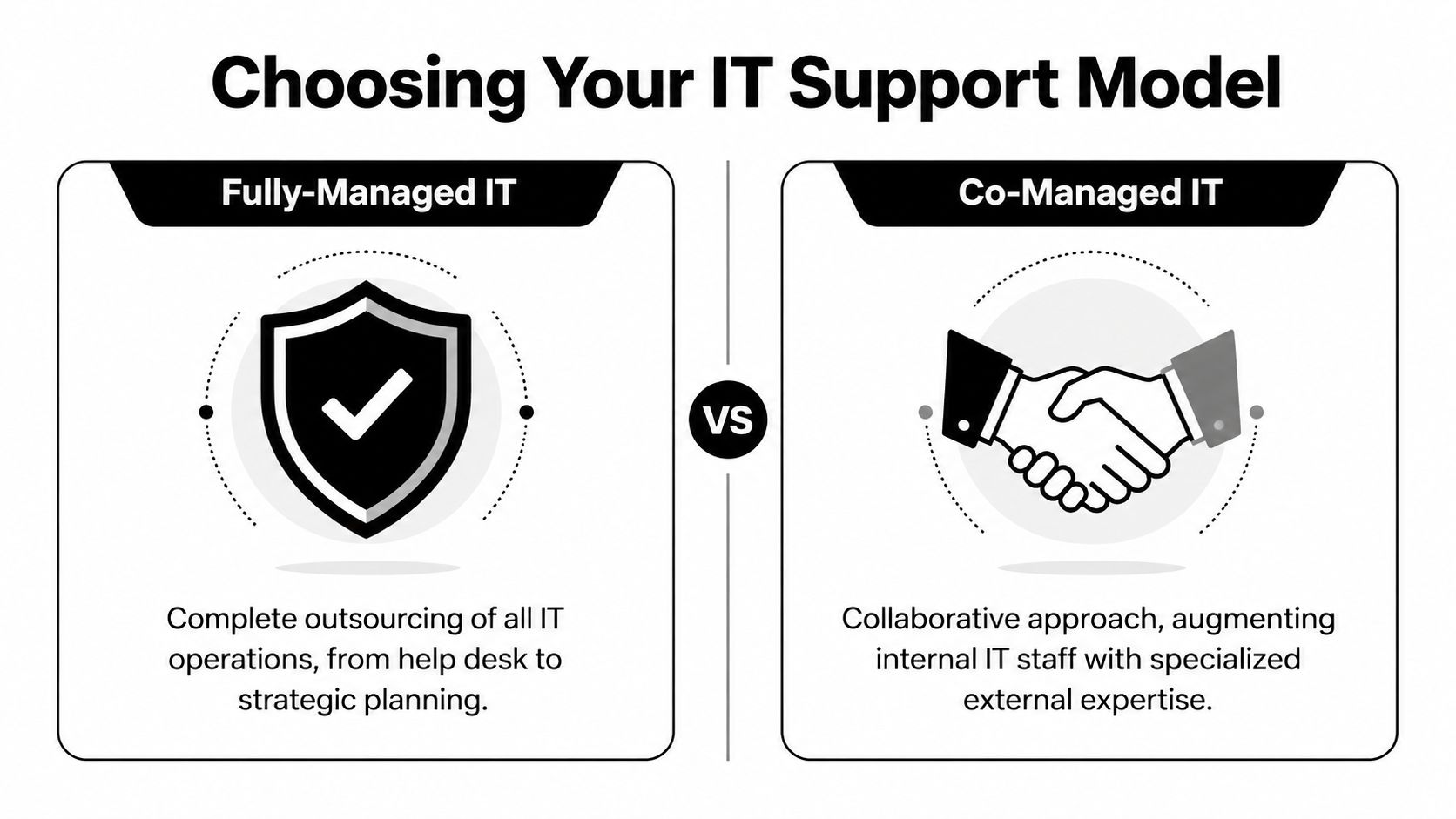
Not every law firm needs the same support model. Some firms need complete outsourcing because nobody inside the office should be chasing patch status, backup alerts, or vendor tickets. Others already have an internal IT person and need depth, coverage, and strategic backup.
The right choice depends on staffing, complexity, growth, and how much responsibility the firm wants to retain internally.
When fully-managed makes sense
Fully-managed IT fits firms that want one accountable partner handling support, security, monitoring, planning, and vendor coordination. It’s usually the cleaner model for smaller firms, fast-growing firms, or firms where office administrators have become the unofficial IT department.
This model works well when the firm wants to:
- Remove IT from attorney oversight: Lawyers shouldn’t be deciding which alerts matter.
- Standardize the environment: Devices, user permissions, backups, and security policies become consistent.
- Create predictable operations: Leadership gets one support structure instead of scattered vendors and ad hoc fixes.
- Move faster on projects: Office expansions, migrations, security upgrades, and cloud changes have a clear owner.
A fully-managed model also reduces the internal coordination burden. The firm isn’t spending partner time translating technical issues between vendors and staff.
When co-managed is the smarter move
Co-managed IT is the better option when a firm already has capable internal IT support but needs more bench strength, broader coverage, or legal-specific expertise. That’s especially useful in mid-sized firms where one internal resource handles too much and can’t realistically provide after-hours support, project delivery, security depth, and strategic planning at the same time.
According to this co-managed IT overview for growing firms, post-2024 there has been a 24% increase in firms seeking co-managed IT due to talent shortages. The same source notes that 37% of mid-sized firms use hybrid IT models, 51% cite frictionless handover as a top concern, and a well-structured co-managed partnership can reduce long-term costs by 25-35% when roles are clearly defined.
That last point matters most. Co-managed fails when ownership is fuzzy.
If internal IT thinks the outside provider owns security, and the outside provider thinks internal IT owns it, the firm owns the risk.
A strong co-managed arrangement should define:
- Named responsibility: Who owns endpoint security, user onboarding, backup review, vendor escalation, and documentation.
- Escalation flow: Which issues stay in-house and which go out immediately.
- Coverage windows: Who responds after hours, during vacations, and during trial-heavy periods.
- Decision authority: Who approves changes that affect legal applications or data handling.
For DFW firms that want flexibility, one local option can fit naturally. Technovation LLC provides fully-managed and co-managed support, along with 24/7 monitoring, compliance support, cloud backup, and strategic IT planning for regulated organizations in North Texas.
The decision shouldn’t be ideological. It should be operational. Firms should choose the model that creates the least confusion and the most accountability.
Your Vendor Evaluation Checklist for DFW Law Firms
Most IT proposals sound competent on paper. That’s the problem. The key difference shows up in the questions a provider can answer without hesitation.
A law firm shouldn’t ask only about price, ticketing, and “support.” It should ask how the provider handles legal workflows, compliance pressure, after-hours incidents, and office-level realities in Dallas-Fort Worth. A provider that understands law firms won’t dodge those questions.
Questions that reveal whether a provider understands legal work
A serious evaluation should press on the following areas:
- Legal workflow understanding: Can the provider support document-heavy practices, remote attorneys, and urgent filing windows without improvising?
- Security operations: Can the provider explain monitoring, backup validation, access control, and incident response in plain terms?
- Local support model: Can the provider support on-site needs in DFW when remote support isn’t enough?
- Leadership communication: Will firm leadership receive clear reporting, not just technical noise?
- Growth readiness: Can the provider support office expansion, hiring, and standardization without rebuilding everything later?
For firms building a short list, this guide to choosing a managed service provider is a useful reference point before vendor interviews start.
The best vendor interviews feel specific. If every answer sounds like it could apply to a dental office, a warehouse, and a law firm equally, the provider isn’t specialized enough.
Managed IT Vendor Evaluation Checklist for Law Firms
| Evaluation Category | Key Questions to Ask | What to Look For in an Answer |
|---|---|---|
| Legal industry expertise | How do they support law firms differently from other businesses? What legal workflows do they understand? | Clear familiarity with confidentiality, document-heavy environments, matter access, retention concerns, and deadline-driven operations |
| Security and compliance | How do they protect client data, document controls, and support compliance readiness? | A concrete explanation of endpoint security, monitoring, backup verification, access controls, and policy documentation |
| Remote and hybrid work | How do they secure attorneys and staff working from home, court, or client sites? | Practical controls for secure remote access, device management, and support for mobile work without risky shortcuts |
| Application support | How do they handle legal software, document management, billing systems, and integrations? | Comfort supporting legal-specific workflows and coordinating changes without disrupting active matters |
| Response and escalation | What happens when a critical issue hits during a filing deadline or outside business hours? | Defined escalation paths, realistic response expectations, and clear ownership for urgent incidents |
| DFW local presence | How do they support firms that need hands-on help in Dallas-Fort Worth? | A credible local support approach for office issues, onboarding, hardware coordination, and urgent onsite needs |
| Reporting and accountability | What will leadership actually see each month or quarter? | Business-level reporting tied to risk, uptime, recurring issues, and planning priorities |
| Strategy and planning | Do they only maintain systems, or do they help the firm make smarter technology decisions? | Evidence of roadmap planning, lifecycle guidance, budgeting help, and operational recommendations |
| Onboarding process | How do they transition a law firm without creating downtime or confusion? | A structured migration process, user communication plan, and documented handoff method |
| Contract clarity | Who owns what, and how are boundaries defined? | Straight answers on responsibilities, exclusions, escalation, and change approval |
A DFW law firm doesn’t need the longest checklist. It needs the one that exposes whether a provider can support actual legal operations under real pressure.
From Migration to Modernization Your IT Roadmap
The biggest hesitation most firms have isn’t whether change is needed. It’s whether the transition will disrupt work.
That concern is valid. A sloppy migration can frustrate attorneys, create file confusion, and damage confidence before the new environment is even stable. A disciplined rollout does the opposite. It reduces noise, clarifies ownership, and gives the firm a cleaner operating model.

A rollout that doesn’t derail billable work
A sound roadmap starts with a legal-specific assessment, not a generic network scan. The provider should review users, devices, permissions, backup status, remote access, document handling, and the firm’s current points of friction. That review should also identify where risk is hiding in daily habits, not just in hardware.
According to this legal IT implementation guide, a successful rollout includes an initial assessment of legal-specific needs, deployment of encryption and monitoring, and integration with legal software. The same source says firms can improve user uptake from less than 50% to over 85% by appointing product champions and tracking adoption metrics. It also warns that firms often make the mistake of choosing generic providers, which leads to long response times and compliance gaps.
A practical migration usually follows this sequence:
-
Assess the current environment
Inventory the firm’s devices, users, applications, access rights, backup state, and policy gaps. Identify what’s business-critical. -
Stabilize security first
Put encryption, monitoring, endpoint controls, and backup oversight in place before changing too many workflows at once. -
Clean up access and file structure
Remove stale accounts, tighten permissions, and standardize where documents live and who can reach them. -
Integrate line-of-business systems
Connect the legal applications, document systems, and support processes the firm relies on every day. -
Train by role, not in bulk
Attorneys, paralegals, intake staff, and administrators use systems differently. Training should reflect that reality. -
Assign internal champions
Each firm has a few users others trust. Use them to reinforce adoption and surface workflow friction early.
A migration succeeds when users know what changed, why it changed, and who to call when something feels off.
The firms that struggle are usually the ones that rush the handoff. They focus on moving systems and ignore communication. That creates resistance even when the technical work is fine.
Modernization now includes AI governance
Modernization used to mean cloud access, better backups, and stronger endpoint protection. That still matters. But law firms are now facing another layer of complexity. AI-enabled legal tools are entering drafting, review, search, and internal workflow processes. If those tools are introduced casually, they create new risk around confidentiality, permissions, and data movement.
The smart move isn’t to ban AI outright or adopt it blindly. It’s to govern it. A law firm should know which systems staff are using, what data can be entered, how outputs are reviewed, and whether AI workflows align with internal policy and client expectations.
That’s where a strategic IT partner becomes more valuable than a reactive support desk. The provider should help the firm answer questions like:
- Which AI-enabled workflows are acceptable for the firm’s practice areas
- How client data is protected when new tools are introduced
- Whether existing permissions and monitoring still make sense
- How staff should be trained to use new tools responsibly
- What should be documented before AI use expands
This is also where local context matters. DFW firms are dealing with growth pressure, hiring limits, hybrid work, and rising client expectations at the same time. Technology decisions need to support those realities, not complicate them.
The firms that will operate better over the next few years won’t be the ones with the most tools. They’ll be the ones with the clearest standards, the strongest controls, and a support model built around legal work instead of generic business IT.
A DFW law firm that wants tighter security, cleaner compliance, and fewer interruptions to billable work should start with a practical review of its current environment. Technovation LLC offers IT health checks and managed support for North Texas firms that need a clearer path from reactive support to structured, resilient operations.