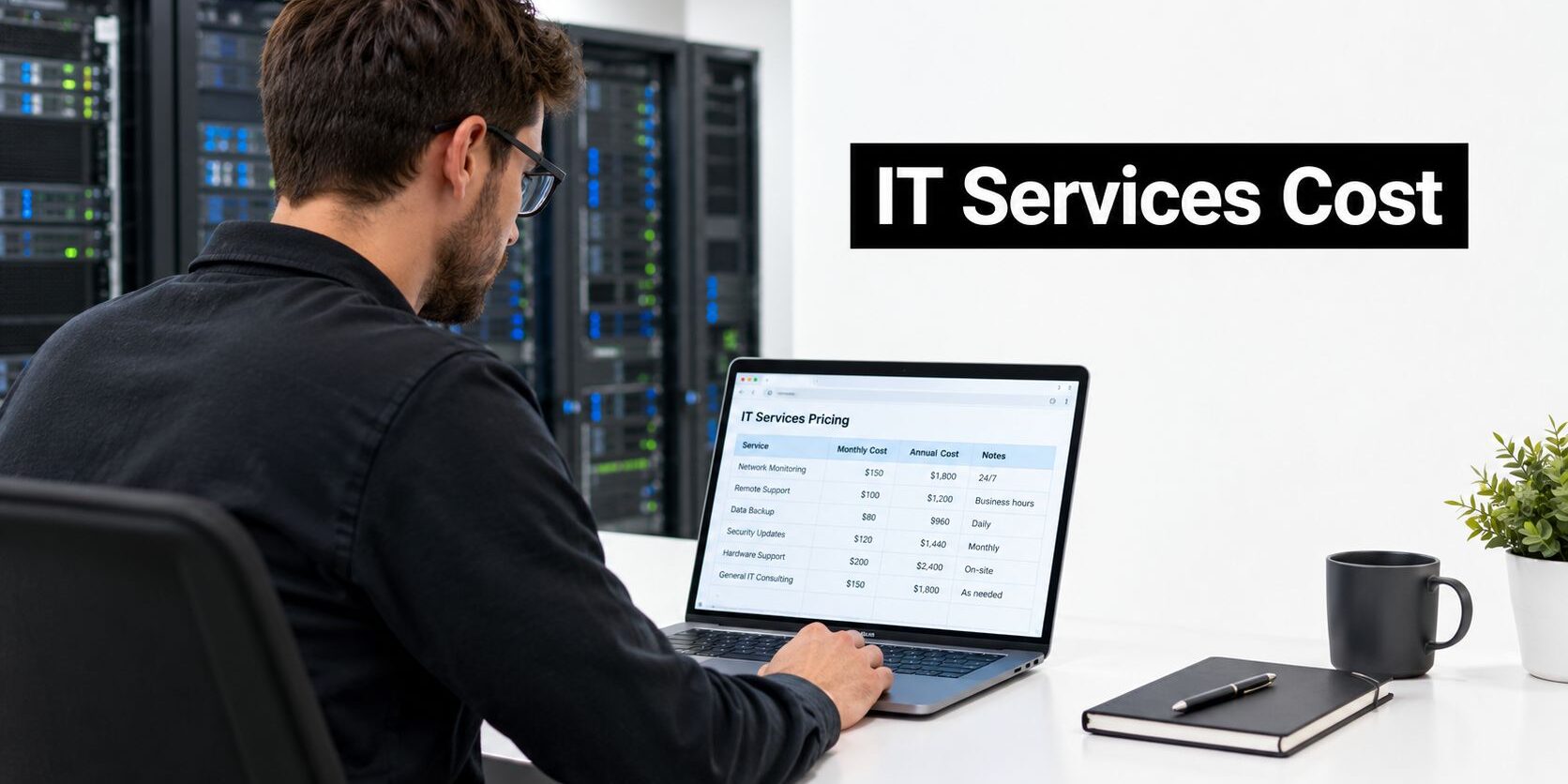
How can a business know whether a managed IT quote is affordable when the lowest price may exclude the security, backup, compliance, and response services the business needs?
Table of Contents
- Introduction – The Honest Answer to How Much Does Managed IT Services Cost
- How Managed IT Pricing Models Work
- Understanding Per-User and Per-Device Costs
- How Industry and Location Affect Your Bill
- Real-World Scenarios – What You Actually Pay
- Evaluating Quotes and Avoiding Hidden Fees
- Making the Right Choice with Technovation
Introduction – The Honest Answer to How Much Does Managed IT Services Cost
How much does managed IT services cost for your business? A credible answer starts with the operating risk behind the number. A cloud-first office, a medical practice handling sensitive records, and a law firm with strict confidentiality duties may have the same headcount but very different support obligations.
For small and mid-sized businesses, managed IT commonly falls between $100 and $200 per user per month. Broader 2026 market guidance places the range at $100 to $300 per user per month, based on scope and complexity. A 50-person business may spend around $5,000 to $10,000 per month at the lower-to-middle end, while fuller coverage can reach $7,500 to $12,500 monthly. These benchmarks appear in managed IT services cost guidance for SMBs.
The quoted rate is only the starting point. Security scope, compliance requirements, regional labor costs, after-hours coverage, and response expectations can multiply the final bill. A $100 quote can become a $400 monthly commitment when endpoint protection, monitoring, backup management, compliance support, or emergency response sits outside the base package.
Ask for the boundaries in writing: included users and devices, security controls, backup responsibilities, service-level commitments, exclusions, and rates for work beyond scope. A monthly figure without those details leaves too much risk with the client.
Businesses reviewing why managed IT services matter should judge the agreement by the responsibilities it assigns and the risks it addresses. Transparent billing connects the provider's duties to the organization's actual needs.
How Managed IT Pricing Models Work
Most providers use one of four structures. Each can work, but each creates different incentives and different opportunities for unexpected charges.
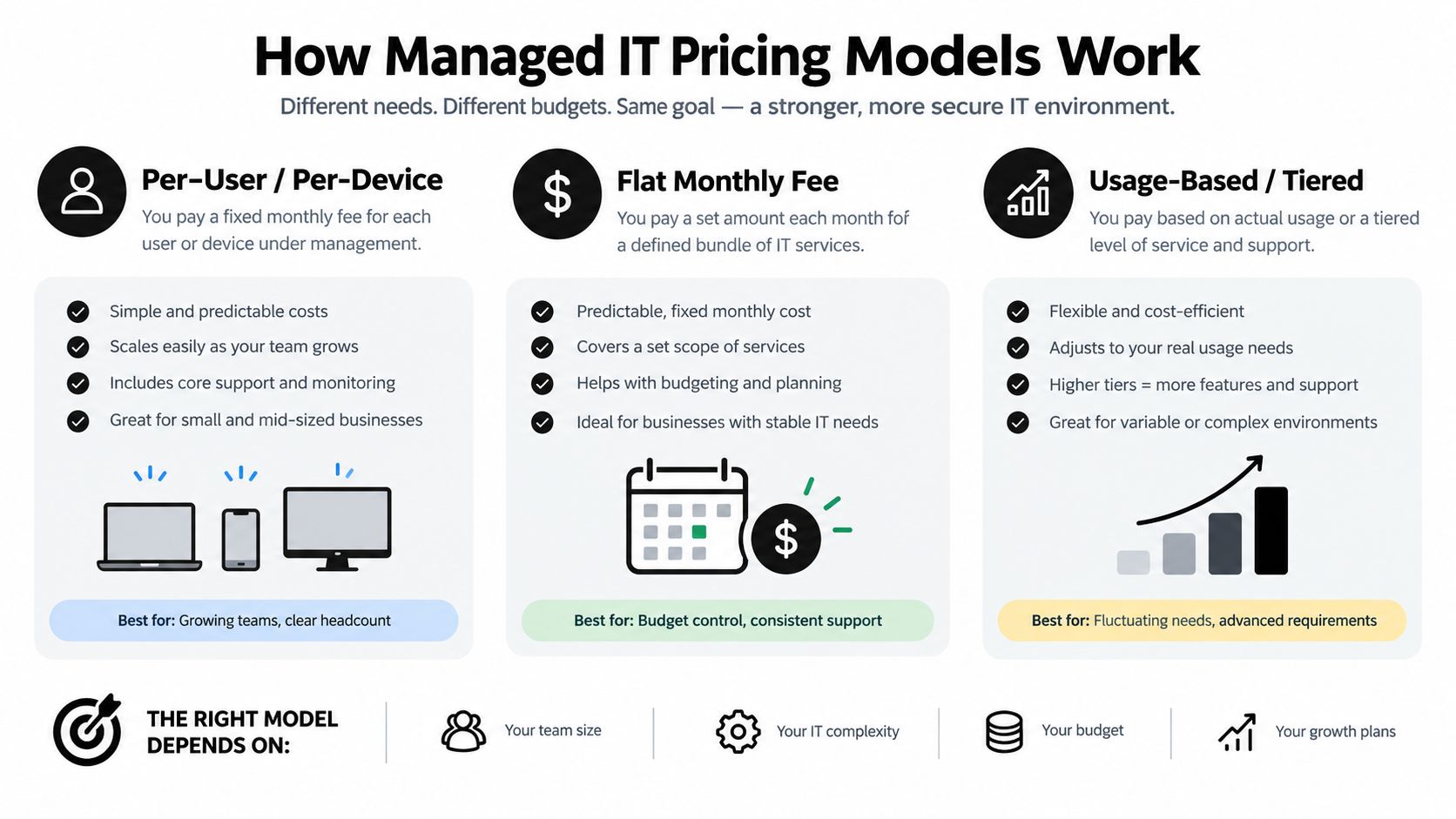
| Model | Best For | Pros |
|---|---|---|
| Per-user | Offices where each employee uses multiple devices | Predictable budgeting and simple scaling |
| Per-device | Operations with shared workstations or specialized equipment | Charges follow the equipment being managed |
| Tiered | Businesses that want several service levels | Makes feature differences easier to compare |
| Block-hours | Organizations with occasional, defined support needs | Provides a set amount of technical labor |
Per-user pricing charges for each covered employee, usually including that employee's workstation, account access, applications, and related support. It has become especially common because staffing changes are easy to model and buyers can compare service levels more directly. The drawback appears when a user has unusual requirements, several devices, or needs support beyond the standard scope.
Per-device pricing follows endpoints instead. Basic device support is often priced at $25 to $100 per device per month, while servers and network equipment can reach $150 to $200 per device per month, according to this small-business IT support pricing reference. It can suit shared terminals, but a company with many devices per employee may pay more than expected.
Tiered plans often look attractive because the entry package has a lower headline rate. The critical issue is whether backup, endpoint protection, cloud administration, compliance assistance, and after-hours response sit in the base tier or appear as add-ons.
Block-hours arrangements can work for limited project support, but they don't create the same incentive for proactive maintenance. Businesses comparing outsourced support with internal staffing can also review managed IT services versus staff augmentation before choosing a structure.
Practical rule: A pricing model is only predictable when the contract defines users, devices, covered services, response times, exclusions, and project work in plain language.
Understanding Per-User and Per-Device Costs
Per-user pricing is usually the easiest benchmark for a professional office. Standard managed support commonly falls between $100 and $200 per user per month, while industry-wide managed support can reach approximately $146 to $250 per user per month. Bare-bones monitoring may begin around $25 to $50 per workstation, whereas fully managed security-inclusive coverage can rise to $250 or more per device. The range reflects the difference between monitoring an endpoint and accepting responsibility for support, protection, recovery, and compliance controls, as explained in this managed IT service pricing analysis.
A 50-person organization using a conventional per-user plan might therefore budget $5,000 to $10,000 per month before selecting broader coverage. A broader benchmark places a 50-user managed services contract at about $9,250 per month, or $111,000 per year, when the agreement includes deeper support and service depth. That comparison appears in this managed services market pricing guide.
What the monthly fee should clarify
The price itself doesn't reveal the delivery effort. A proposal should state whether the monthly fee includes:
- Help desk coverage: Which channels are supported, during which hours, and for which types of requests?
- Endpoint management: Does the provider handle patching, device health, application issues, and replacement coordination?
- Security operations: Is protection limited to basic antivirus, or does it include stronger endpoint monitoring and incident response?
- Backup management: Who monitors backup jobs, tests restoration, and handles recovery decisions?
- Cloud administration: Are identity, collaboration, access, and cloud configuration included?
- On-site work: Are visits included, capped, or billed separately?
The scope explains why two quotes with similar user counts can differ materially. One may cover only remote monitoring and business-hours support. Another may include backup administration, security monitoring, cloud management, compliance documentation, and strategic oversight.
Per-device pricing needs an inventory
Per-device pricing isn't automatically cheaper. It requires a reliable inventory of laptops, desktops, shared terminals, servers, firewalls, and network equipment. A proposal that prices only employee workstations may leave infrastructure outside the agreement, creating a second stream of charges.
The buyer should ask whether inactive devices, temporary staff equipment, mobile devices, and shared systems count toward billing. Clear definitions prevent a low per-device rate from becoming an unpredictable total.
How Industry and Location Affect Your Bill
Why can two businesses with similar headcounts receive very different managed IT quotes? The answer usually lies in the work behind the user count. Providers price the effort required to keep systems reliable, secure, recoverable, and defensible under the client's obligations.
Healthcare, legal, and financial organizations often require more than routine help desk coverage. Healthcare environments may need stronger protection for patient information and operational continuity. Legal practices require controlled access to confidential documents and dependable systems for case work. Financial firms may need tighter monitoring, retention, and audit preparation. Compliance obligations such as HIPAA and PCI can materially increase the service burden.

Security is a scope decision
Security pricing rises when the provider must monitor continuously, investigate suspicious activity, maintain stronger endpoint controls, support audit readiness, and coordinate incident response. Regulated-sector programs commonly reach the $200 to $400 or more per user per month range when advanced security, compliance support, and strategic oversight are bundled. The distinctions between these pricing models are detailed in MSP pricing models for security-conscious organizations.
A regulated business may not need every premium feature. The proposal should connect each security and compliance line item to a specific business requirement. Buyers should be able to separate required controls from optional enhancements rather than accept a vague “compliance-ready” label.
Legal teams also need to separate staffing choices from technology controls. Firms considering distributed administrative support can review the best places to hire remote legal assistants while separately defining the access, device, and document protections required for confidential work.
Location affects delivery
Regional pricing reflects labor availability, travel expectations, on-site response, and the provider's operating model. A remote-only service may cost less while offering limited physical support. A local DFW provider may charge for broader delivery capabilities and direct response to North Texas offices.
Businesses evaluating IT services in Dallas should ask whether local support is included in the recurring fee, limited to certain events, or billed per visit. That distinction matters for offices with network equipment, on-premise systems, construction sites, or other conditions where remote access cannot resolve every problem.
Compliance-ready IT means defined controls, records, monitoring responsibilities, and response procedures written into the agreement.
Real-World Scenarios – What You Actually Pay
Consider a Dallas professional services firm with 50 employees, a mostly cloud-based environment, and a few shared office systems. Its practical choice is between paying for individual problems and hiring a provider to manage IT proactively.
With a break-fix arrangement, the firm may spend nothing during a quiet month, then receive a large invoice after an outage, failed update, access issue, or security event. The apparent savings come from irregular billing, not lower cost. Management time, delayed client work, emergency decisions, and lost staff productivity still affect the business, even when they do not appear on the technician's invoice.
A managed agreement adds a recurring fee and a defined operating relationship. The provider monitors systems, manages updates, handles routine support, and identifies weaknesses before they become urgent tickets. The firm pays during quiet periods, but it gains a more predictable budget and transfers day-to-day IT responsibility to an accountable service partner.
Three service levels, three risk positions
At the basic level, the firm may receive remote monitoring, routine maintenance, and limited help desk support. This can suit a low-complexity office with few compliance obligations. The agreement may still exclude advanced security, backup administration, on-site work, and after-hours response.
A standard managed plan usually adds broader endpoint management, backup oversight, cloud administration, and a stronger support commitment. The higher fee reflects more preventive and operational work. The provider is managing more of the environment instead of waiting for failures and billing for recovery.
A full plan may include continuous security monitoring, compliance assistance, tested recovery procedures, strategic reviews, and faster response. That scope fits a business where downtime, data exposure, or audit failure could cause serious consequences. It also creates more work to verify: ask which controls are monitored, how recovery procedures are tested, and which response activities remain outside the agreement.
The monthly invoice matters less than ownership. Who handles the work before, during, and after an incident determines true cost. A low monthly fee can become expensive if recovery, security investigation, emergency response, or after-hours support sits outside the scope.
A managed service should reduce uncertainty, not merely replace one unpredictable IT invoice with another recurring charge.
The Dallas firm should compare each service level with its risk profile and operating needs. A business handling confidential client records may reasonably choose deeper controls than a low-risk office, even when both have the same headcount. Regional labor costs and the provider's delivery model can widen the gap further, so a quote should state exactly what work the recurring fee covers.
Evaluating Quotes and Avoiding Hidden Fees
A credible proposal should allow a nontechnical owner to identify exactly what the monthly fee buys. If the document uses broad phrases such as “complete support” without defining response times, security tools, exclusions, or project rates, the buyer can't compare it fairly.
A practical quote review
Request an itemized scope. Separate the base user or device charge from backup, security monitoring, cloud administration, compliance work, and on-site support.
Read the exclusions first. Look for project work, hardware, software licensing, after-hours response, travel, onboarding, and support for equipment outside the managed inventory.
Test the SLA. A written service-level agreement for IT support should define priority levels, response targets, escalation, maintenance windows, and the remedy when responsibilities aren't met.
Ask how changes affect billing. The contract should explain what happens when staff join, devices multiply, locations open, or business needs change.
Separate prevention from emergency work. A provider should identify which activities are included to prevent incidents and which are billed as projects or special responses.
Businesses reviewing telecom and connectivity responsibilities should also distinguish IT support from onboarding a telecom provider. Network circuits, carrier coordination, and managed IT may interact, but they don't always belong to the same fee.
A quote is easier to trust when it shows the provider's assumptions. The buyer should know the supported user count, device inventory, operating hours, security requirements, backup expectations, and on-site assumptions before signing.
Making the Right Choice with Technovation
The right managed IT decision matches recurring coverage to the business's operational and regulatory exposure, and the smallest number on a quote is rarely the cheapest outcome.
A general office may need predictable help desk support, patching, endpoint protection, backup oversight, and cloud administration. Healthcare, legal, and financial organizations may also require compliance readiness, stronger monitoring, documented response procedures, and strategic guidance. A co-managed arrangement can suit a business with internal IT staff that needs additional coverage or specialized security capability.
What a transparent partner should provide
A practical provider should:
- Explain the price drivers: Show user count, device inventory, support hours, compliance scope, backup requirements, and on-site expectations as separate assumptions.
- Define responsibility: State who handles incidents, recovery, vendor coordination, projects, and escalation, including where the provider's responsibility ends.
- Connect controls to risk: Tie each security or compliance service to a specific business exposure, required process, or recovery objective.
- Support changing needs: Show the per-user cost when headcount grows from 50 to 60, and state whether a new location creates onboarding fees or adds a standard line item.
- Offer a realistic operating model: Evaluate fully managed and co-managed support against the client's internal capability, staffing, and response requirements.
A DFW business also benefits from a partner familiar with local offices, regulated workflows, remote access requirements, and the limits of remote-only support. Clear pricing does not require every client to receive the same package. It requires the provider to explain why each included service and fee applies.
Technovation provides managed cybersecurity, compliance support, cloud backup, remote access, proactive monitoring, technology consulting, and strategic IT planning for North Texas organizations. A security audit or IT health check can identify gaps before a proposal is prepared.
Ask which risks, responsibilities, and services the agreement covers, and which remain outside it. That answer matters more than a low starting figure.
Technovation LLC provides managed IT, cybersecurity, compliance, cloud backup, remote access, and strategic technology support for DFW businesses. Visit Technovation LLC to request a security audit or discuss a managed IT plan aligned with the organization's budget and risk profile.