If a business loses access to email, line-of-business apps, or files at 4:45 p.m. on a Friday, who owns the response? The internal IT lead? The outside support provider? The security consultant? If that answer isn't documented before an incident, the business doesn't have an IT strategy. It has a gamble.
That gap is where most co-managed IT conversations go wrong. Owners hear about flexibility, faster support, and stronger security. All true. But the core value of co-managed IT support isn't just extra hands. It's a better operating model. The right partnership gives a business more capacity, clearer accountability, and a way to scale without burning out internal staff or surrendering control.
For Dallas-Fort Worth companies, especially those in healthcare, legal, and financial services, that distinction matters. A hybrid IT model only works when responsibilities are explicit, escalation paths are tight, and leadership treats IT as part of business operations, not a background utility.
Table of Contents
- Is Your IT Team a Bottleneck or a Business Driver
- What Co-Managed IT Support Really Means
- The Responsibility Matrix Who Handles What
- Benefits for Regulated DFW Businesses
- Your Roadmap to Implementing Co-Managed IT
- Choosing Your DFW Co-Managed IT Partner
- Conclusion From IT Cost Center to Strategic Asset
Is Your IT Team a Bottleneck or a Business Driver
A lot of DFW businesses still judge IT by effort instead of outcomes. If the internal team is busy, leadership assumes the function is covered. Busy doesn't mean strategic. It often means the team is buried in tickets, interruptions, patching, password resets, and avoidable cleanup.
That creates a pattern owners already recognize. Projects move slowly. Security work gets postponed. Documentation stays incomplete. Vendor issues bounce around for days because nobody has enough time to own them from start to finish. The business keeps running, but it runs with drag.
The smarter question isn't whether the internal team works hard. It almost certainly does. The question is whether that team has enough capacity and specialized support to help the business grow, protect operations, and keep risk under control.
According to market adoption data on co-managed IT services, nearly 90% of SMBs are either using a Managed Service Provider for some IT needs or considering it. That matters because it shows where the market has already moved. Growth-minded companies aren't waiting for their internal team to hit a breaking point before adding support.
Common signs of an IT bottleneck
- Reactive work dominates the day: Internal staff spend most of their time fixing interruptions instead of planning improvements.
- Specialized work keeps slipping: Security hardening, compliance preparation, cloud cleanup, and documentation stay on the to-do list.
- Coverage has holes: Vacation, sick days, turnover, and after-hours issues expose how thin the bench really is.
- Leadership lacks visibility: Owners hear that "IT is handling it" but don't get clear reporting on risk, priorities, or accountability.
Practical rule: If the internal team can't support users, maintain systems, manage security, and drive business projects at the same time, the problem isn't effort. It's operating model.
A business driver looks different. IT supports employees quickly, keeps core systems stable, gives leadership clear choices, and protects the company without constant fire drills. That doesn't require replacing the internal team. It requires reinforcing it in the right places.
What Co-Managed IT Support Really Means
Co-managed IT support is a shared operating model. The internal team stays in control of business priorities, institutional knowledge, and day-to-day direction. The outside partner adds coverage, tools, specialized expertise, and process discipline where the internal team needs help.
The simplest way to think about it is this. The business still has a pilot. It adds a co-pilot who can handle instrumentation, navigation, monitoring, and high-pressure moments without taking over the aircraft.

That distinction matters because many owners confuse co-managed support with full outsourcing. They aren't the same decision. Full outsourcing shifts most responsibility to an outside provider. Pure in-house support keeps everything on internal shoulders. Co-managed support sits in the middle and usually fits companies that already have capable staff but need more depth, consistency, or coverage.
What stays internal
An internal team usually keeps ownership of business-facing work that depends on company context. That often includes user relationships, application priorities, departmental coordination, and technology decisions tied to growth plans.
Internal leaders also stay closest to executive priorities. They know which office move matters most, which workflow is broken, and which department creates the most support friction. That context is hard to outsource well.
What moves to the co-managed partner
The outside partner usually takes on work that benefits from scale and specialization. That may include monitoring, maintenance, after-hours coverage, escalated issues, security operations support, backup oversight, and compliance support.
In this scenario, co-managed IT support becomes practical instead of theoretical. The internal team doesn't have to become expert in every discipline. The outside partner fills those gaps while the business keeps decision-making authority.
A healthy co-managed relationship doesn't blur ownership. It sharpens it.
When this model is built correctly, the internal team stops acting like a help desk with impossible expectations. It becomes a business-facing technology function backed by deeper operational support. That's the point. Greater effectiveness, not more noise.
The Responsibility Matrix Who Handles What
The most important document in any co-managed relationship isn't the sales proposal. It's the responsibility matrix. If roles are vague, friction shows up fast. Tickets stall. Security events trigger finger-pointing. Vendors get mixed instructions. Compliance work becomes messy because no one can prove who was supposed to do what.
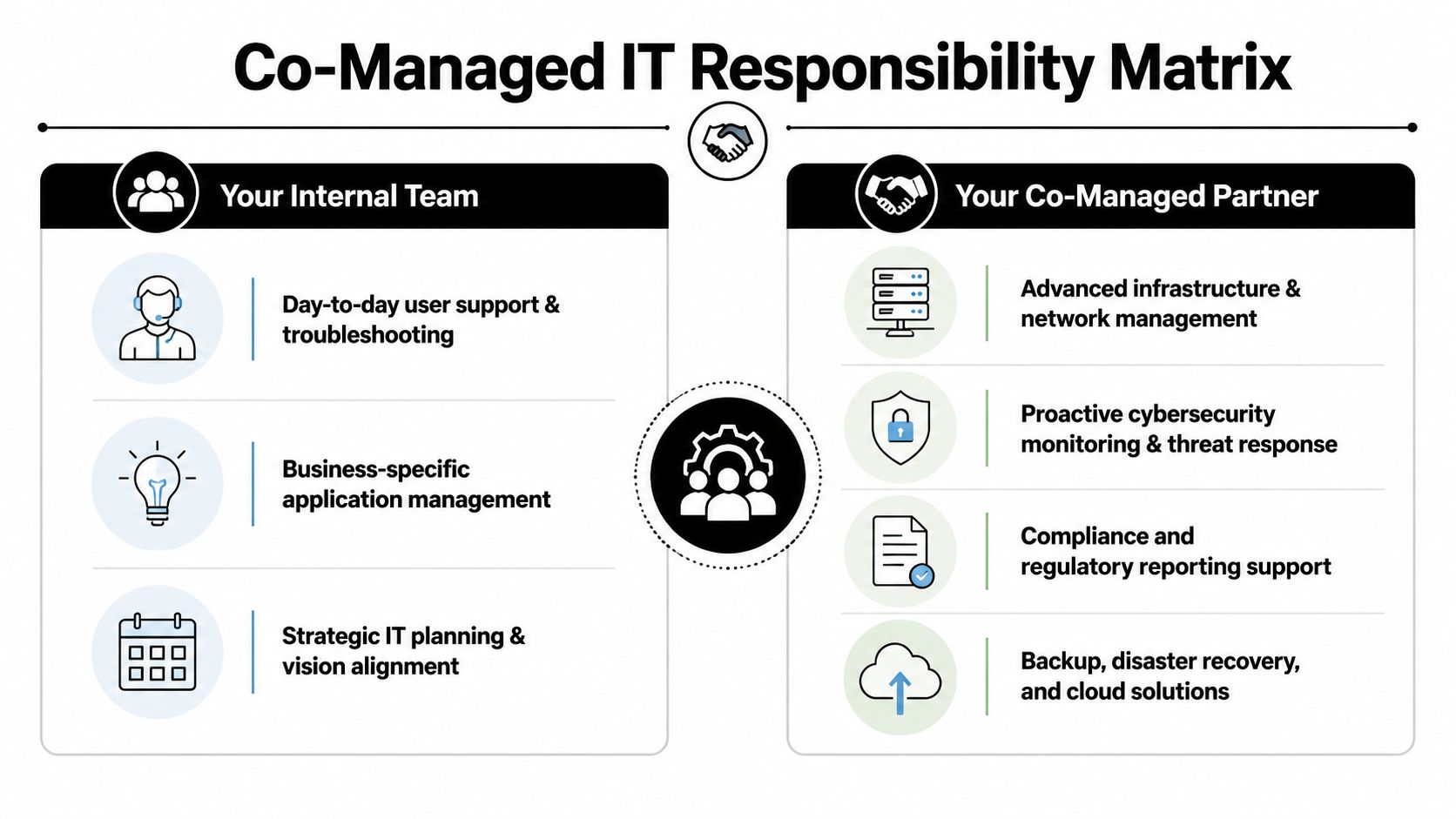
External support teams often improve operational efficiency because they use remote monitoring and management practices to reduce escalated issue resolution time. The reported reduction in MTTR is 40% to 60% compared with in-house teams alone. That gain only becomes real when responsibilities are assigned cleanly.
Why role clarity matters
A business doesn't need both teams doing the same work. It needs both teams covering different layers of the same environment without gaps.
That means leadership should stop asking, "Can the provider help with that?" and start asking, "Who is primary, who is backup, who approves, and who documents?" That is the difference between assistance and accountability.
A practical co-managed responsibility matrix
| IT Function | Your Internal Team's Role (Strategic Focus) | Technovation's Role (Expert Augmentation) |
|---|---|---|
| End-user support | Own user relationships, business context, and priority setting for staff issues | Handle overflow, escalations, and after-hours support based on agreed thresholds |
| Business applications | Manage workflows, permissions logic, and department-specific needs | Support integrations, troubleshooting, maintenance coordination, and performance review |
| Infrastructure | Approve business-impacting changes and set internal priorities | Monitor servers, network health, backups, patching, and maintenance execution |
| Cybersecurity operations | Set access expectations, policy direction, and employee accountability | Perform monitoring, alert review, incident support, and defensive control management |
| Compliance readiness | Define internal policies, records retention expectations, and audit ownership | Provide technical evidence, control support, reporting assistance, and remediation tracking |
| Vendor management | Decide business priorities and approve contracts or renewals | Coordinate technical issues, support cases, and implementation details |
| Strategic planning | Tie IT priorities to growth, budget, staffing, and risk tolerance | Provide technical guidance, roadmaps, and execution support for approved initiatives |
| Disaster recovery | Define recovery priorities by business function | Maintain backup operations, recovery procedures, and restoration support |
A good matrix also assigns trigger points. For example:
- Routine user issues: Internal team leads, partner assists when workload spikes.
- Escalated infrastructure incidents: Partner leads technical response, internal team manages business communication.
- Security incidents: Partner handles investigation support and containment actions within scope. Internal leadership owns business decisions, legal coordination, and employee response.
- Policy changes: Internal leadership approves. Partner advises and implements technical controls.
Operational advice: Every shared task needs a named owner, an escalation path, and a reporting method. If one of those is missing, confusion is already built into the agreement.
Many DFW businesses gain the most value. Not from buying more support, but from removing uncertainty.
Benefits for Regulated DFW Businesses
For regulated firms, co-managed IT support isn't mainly about convenience. It's about control under pressure. Healthcare practices, law firms, and financial companies all manage sensitive information, deadline-driven workflows, and audit exposure. They can't afford a support model built on informal handoffs and tribal knowledge.
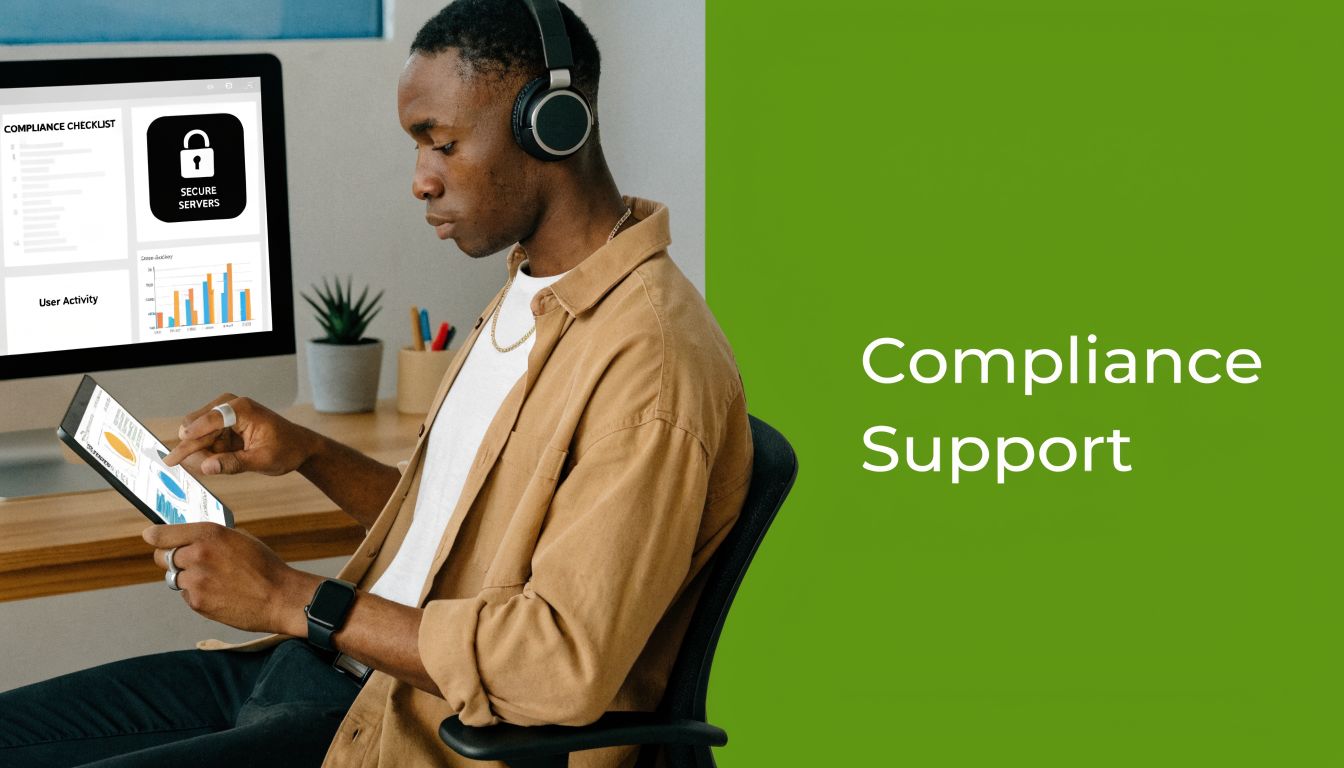
A strong co-managed model improves security because the external team brings more specialized monitoring and response capability. In cybersecurity, co-managed IT has been associated with a 35% improvement in security posture scores when MSP expertise is used for advanced endpoint protection and centralized security monitoring.
Healthcare needs consistency, not improvisation
A clinic doesn't just need systems online. It needs access controls reviewed, backups checked, devices managed, and staff support that doesn't interrupt patient care. Internal staff often understand the workflow best. They know which systems are critical at the front desk, in billing, and in clinical operations.
The outside partner strengthens the weak spots. That usually means continuous monitoring, technical security support, documentation discipline, and help preparing evidence for compliance reviews. The result is a more stable operating environment and fewer last-minute scrambles before an audit.
Legal and financial firms need defensible processes
Law firms and financial services firms deal with client trust as much as technology. Confidential data, document access, email security, retention expectations, and incident response all need a clean chain of responsibility.
That is where co-managed IT support delivers its best strategic value. The internal team protects the firm's workflow and culture. The outside team supports controls, monitoring, and technical execution. Together, they produce something regulators, insurers, and leadership all care about. A defensible process.
What regulated DFW firms should expect
- Clear separation of duties: Access approvals, technical changes, and policy ownership shouldn't live in one blurry bucket.
- Audit-ready evidence: The business should be able to show what was done, when it was done, and who owned it.
- Reliable response coverage: Problems don't wait for business hours, and regulated firms shouldn't rely on hope after hours.
- Security tied to operations: Controls must support how people operate, not just how a template says they should work.
Regulated companies don't need more generic IT support. They need disciplined execution tied to accountability.
That is why governance matters so much in this model. Compliance is easier when shared responsibility is documented instead of assumed.
Your Roadmap to Implementing Co-Managed IT
Most businesses make one mistake at the start. They treat co-managed IT like a service add-on. It isn't. It's an operating change. That means the rollout has to be planned like any other business transition, with ownership, milestones, and internal communication.
There is also a practical timing issue. Industry guidance suggests MSP integrations can take 60 to 90 days to stabilize. That window matters because knowledge transfer, process alignment, and tool integration don't happen in a kickoff meeting.
Start with operational truth
Before any partner touches the environment, leadership should get honest about what isn't working.
That assessment should answer a few hard questions:
- Which recurring issues consume the most internal time?
- Where does the team lack depth?
- What work gets deferred every quarter?
- Who handles after-hours problems now?
- Which compliance or security tasks are being treated as "when there's time"?
If leadership can't answer those questions clearly, it isn't ready to delegate well.
Treat onboarding like a business project
A disciplined rollout usually follows four phases.
Assessment. Document systems, access, dependencies, recurring pain points, and the internal team's true workload. Skip the polished version. The partner needs the actual version.
Role design. Build the responsibility matrix before go-live. Decide what stays internal, what gets offloaded, who approves changes, and how escalations work.
Workflow integration. Align ticket handling, reporting, documentation, and communication habits. Friction quickly emerges in these areas when expectations are unclear.
Optimization. Review what is and isn't working after the first wave of shared operations. Refine the handoffs, not just the tools.
A lot of businesses underestimate hidden costs during this phase. Time spent documenting systems, introducing the partner to internal workflows, updating runbooks, cleaning up permissions, and agreeing on response protocols is real work. It pays off, but it still requires planning.
A practical implementation checklist
- Name an internal owner: Someone on the business side must own the transition, even if multiple IT stakeholders are involved.
- Prioritize by risk: Start with systems where downtime, security issues, or compliance gaps would hurt most.
- Document exceptions: If one department needs a different support path, write it down before the first incident.
- Schedule leadership reviews: Executives should review service performance and open risks early, not months later.
For companies that need strategic oversight as part of the transition, a structured virtual CIO service can help align co-managed operations with budgeting, growth plans, and risk decisions. That matters because the handoff isn't only technical. It's organizational.
Choosing Your DFW Co-Managed IT Partner
A provider can be technically capable and still be the wrong fit. The deciding factor isn't just skill. It's governance. If a partner can't explain how shared responsibility works in plain language, the relationship will create confusion when clarity is most critical.

That issue is common enough that governance and accountability are identified as a critical gap in many co-managed agreements. For regulated businesses, that's not a contract detail. It's a risk issue.
Questions that expose weak partnerships
A serious provider should answer these questions directly:
- Who owns what during an incident? If the answer is broad or evasive, expect problems later.
- How are escalation thresholds defined? Shared support without trigger points creates delays.
- Who approves changes to critical systems? Technical execution and business authorization shouldn't be confused.
- How is compliance evidence handled? Regulated firms need records, not verbal assurances.
- What happens when the internal team and provider disagree? A mature partner has a decision path for that.
A business should also ask to see how communication works in practice. Not just a promise of responsiveness, but the actual rhythm of status updates, reporting, and issue ownership.
Why local accountability matters
DFW businesses benefit from a local partner for one simple reason. Business operations are local even when systems are cloud-based. Offices open here. Staff work here. Audits happen here. Leadership needs support from people who understand the regional business environment and can engage directly when needed.
That doesn't mean every issue requires an on-site visit. It means the relationship feels accountable, accessible, and tied to the business instead of distant and generic.
A short decision filter
| What to evaluate | What a strong answer sounds like |
|---|---|
| Governance model | Defined ownership, approvals, escalation paths, and reporting |
| Regulated industry fit | Familiarity with compliance expectations and documentation discipline |
| Communication style | Clear cadence, named contacts, and issue ownership |
| Support boundaries | Specific scope, not broad promises |
| Strategic capability | Ability to support long-term planning, not just tickets |
Businesses that are still comparing options should also review guidance on how to choose a managed service provider with an eye toward accountability, not just price or response language. Cheap support with vague ownership gets expensive fast.
The best co-managed partner doesn't just lighten workload. It makes responsibility visible.
Conclusion From IT Cost Center to Strategic Asset
A business that treats IT as a repair function stays reactive. A business that treats IT as an operating system makes better decisions. That shift is the foundation of co-managed IT support.
A DFW law firm with a documented response model can move through a security incident without chaos because legal leadership, internal IT, and outside support each know their role. A healthcare practice with shared accountability can approach a compliance review with evidence instead of last-minute cleanup. A financial firm can keep internal staff focused on business-critical workflows while outside specialists handle deeper operational support.
Those aren't technology upgrades. They're management upgrades.
The companies that benefit most from co-managed IT support usually aren't the ones with the worst IT. They're the ones that have outgrown an informal model. They need more structure, more coverage, and sharper ownership. They need IT to support growth, security, and efficiency at the same time.
For DFW business owners, the smart path forward isn't asking whether outside help is necessary. It's asking whether the current model gives the business enough capacity and accountability to scale without unnecessary risk.
Technovation LLC helps Dallas-Fort Worth businesses build co-managed IT partnerships that are structured for growth, security, and compliance. Companies that want a clearer responsibility model, stronger operational coverage, and a practical plan for shared IT ownership can connect with Technovation LLC for a direct conversation.