Is the main decision Remote Desktop vs VPN, or is that question already outdated for any business that handles sensitive data?
Most business owners still frame remote access as an either-or choice. One option gives staff a way into a work computer. The other gives staff a way into the office network. That sounds simple, but it leaves out the issue that matters most: risk.
A Remote Desktop connection gives a user control of a specific office machine or hosted desktop. A VPN gives a user's device a secure path into the business network. Those are not interchangeable outcomes. One is focused access. The other is broader network access. For firms in healthcare, finance, legal services, and other regulated environments, that distinction affects compliance, audit readiness, and the blast radius of a mistake.
Before making any remote access decision, businesses should review how internal information is protected after login, not just during login. A practical example is this enterprise knowledge base security guide, which highlights why access controls and identity discipline matter once users are inside. The same principle applies to remote work. Access should be limited, deliberate, and monitored.
Businesses reviewing their current setup should also look at their full remote access security strategy, because remote work convenience often hides exposure that no one notices until an incident forces the issue.
Table of Contents
- Choosing Between Convenience and Security
- How RDP and VPN Compare on Key Business Metrics
- The Hidden Security and Compliance Gaps
- Real-World Scenarios for DFW Businesses
- The Modern Hybrid Solution Regulators Expect
- Choosing Your Path Forward with Expert Guidance
Choosing Between Convenience and Security
Business owners rarely choose weak security on purpose. They choose speed, simplicity, and whatever keeps staff working. That's why remote access decisions often drift into bad territory. A quick fix becomes the permanent setup.
Central to the remote desktop vs vpn discussion is one question: what exactly should a remote worker be allowed to reach? If the employee only needs a specific accounting workstation, giving that person broad network access may be excessive. If the employee needs multiple internal systems, shared drives, and line-of-business resources, a single desktop session may be too narrow.
What each tool actually does
Remote Desktop lets a user log into a specific machine and work inside that environment. Applications stay on the business side. Data usually remains centralized. That makes it appealing for software that runs better on office infrastructure than on a home laptop.
VPN creates an encrypted connection between the user's device and the business network. The user then reaches internal resources from their own machine. That can be useful, but it also shifts more trust onto the endpoint being used at home, on the road, or in a hotel.
Here's the practical difference:
| Business need | Remote Desktop | VPN |
|---|---|---|
| Access to one dedicated work environment | Strong fit | Often broader than needed |
| Access to multiple internal resources | Limited unless paired with other controls | Strong fit |
| Keeping apps and data centralized | Strong fit | Weaker if users download or sync data locally |
| User device trust requirement | Lower | Higher |
| Compliance-friendly containment | Often better for sensitive apps | Depends heavily on endpoint controls |
Bottom line: Convenience isn't the right decision filter. Scope of access is.
Why this decision affects more than IT
Remote access choices shape how patient records, legal files, financial data, and internal documents move. They also shape who can copy, store, or mishandle that data from outside the office. That is not a technical footnote. It's an operational policy decision.
A company with a small office, a few remote staff, and sensitive records doesn't need the most fashionable setup. It needs the setup that limits exposure while still letting people work. In many cases, that means the original remote desktop vs vpn question is too narrow because the safest answer isn't one or the other.
How RDP and VPN Compare on Key Business Metrics
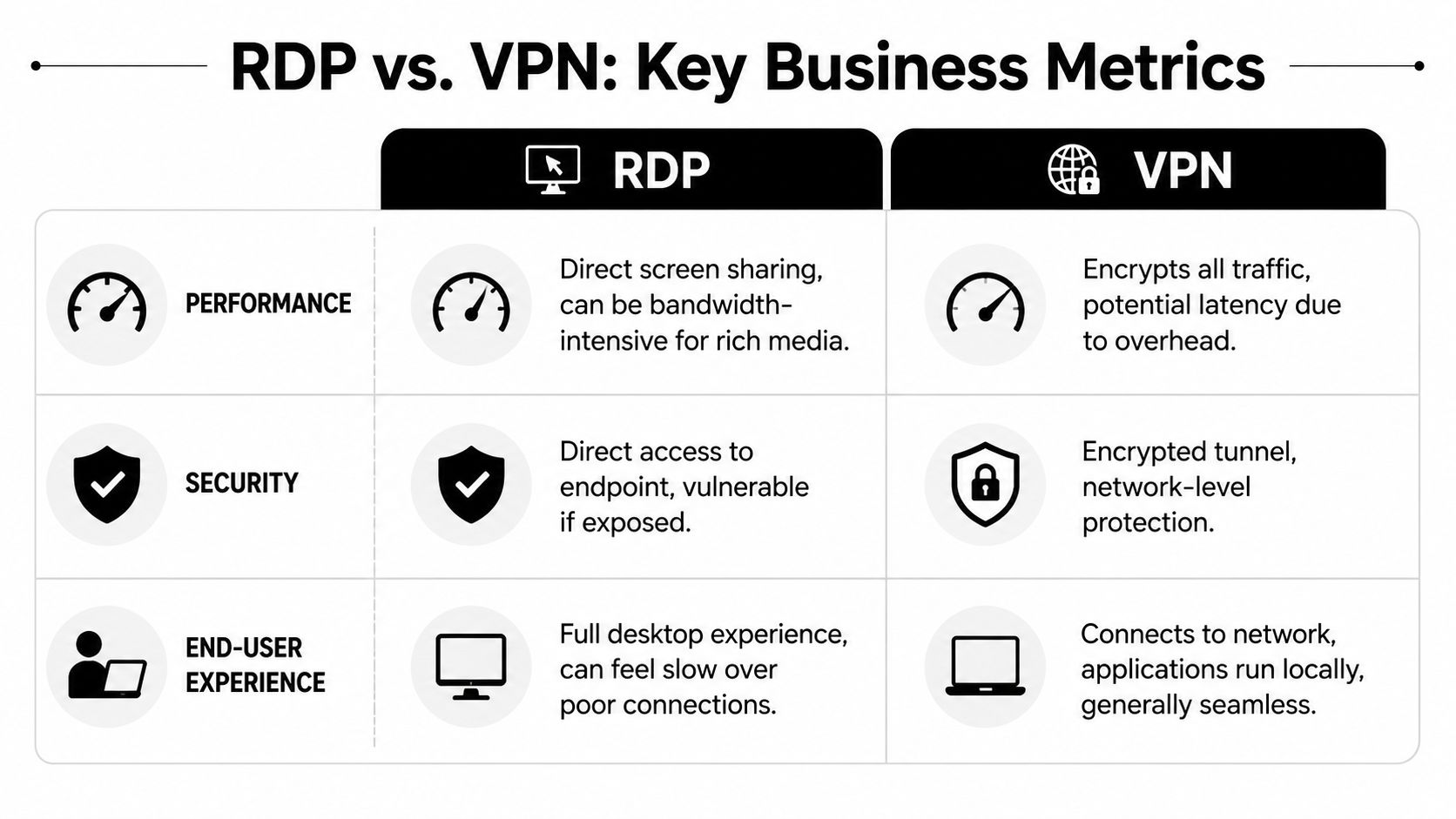
Some decisions should be based on user experience. Remote access is one of them. If a secure method is so slow or clumsy that employees avoid it, the business ends up with shadow IT, workarounds, and unmanaged risk.
A quick side-by-side view
| Metric | RDP | VPN |
|---|---|---|
| Performance | Typically faster for application-heavy work because it sends display data and user input | Often slower because it routes all network traffic through the tunnel |
| Bandwidth use | Lower in many business workflows | Higher because files and broader network traffic move to the user device |
| Security model | Access to a specific endpoint | Access path to the internal network |
| User experience | Familiar office desktop from anywhere | Local device experience with access to internal resources |
| Best fit | Specialized applications, centralized data, fixed workflows | Broad resource access, file shares, internal sites, distributed tasks |
The performance difference is not minor. Remote desktop connections generally offer faster performance and lower bandwidth usage compared to VPNs because they transmit only display data and input commands rather than routing all network traffic. In contrast, VPNs transfer entire files and all office network data to external devices, requiring significantly more bandwidth and introducing network latency (performance comparison details).
Where each option helps or hurts
A remote desktop session often feels better for users working inside accounting systems, tax software, document management platforms, or other application-heavy tools. The reason is simple. The processing happens on the office side. The remote user sees the screen and sends clicks and keystrokes.
A VPN can be the better fit when a user needs broader access to internal websites, shared resources, and multiple services from a local device. But that convenience has a cost. The business pushes more traffic across the connection, and the remote machine becomes part of the trust boundary.
A fast setup that expands access too far can create more risk than a slower setup that contains the work.
That trade-off matters in daily operations:
- For accounting and line-of-business apps: Remote desktop often gives staff a smoother experience with less bandwidth strain.
- For general office resource access: VPN can be more flexible when users need several internal systems.
- For home devices: VPN raises the importance of endpoint security because the user's machine is now a more direct participant in business access.
- For centralized control: Remote desktop often makes data governance easier because the work remains in one environment.
There's no universal winner in the remote desktop vs vpn debate. There is only a better fit for the workflow, the data sensitivity, and the level of control the business is willing to enforce.
Companies reviewing remote work tools should also assess whether their current stack supports secure access without creating operational drag. A focused review of remote access software and tools helps expose where performance problems are masking security design problems.
The Hidden Security and Compliance Gaps
Most remote access problems don't start with advanced hackers. They start with lazy architecture.
The biggest mistake is exposing a remote desktop service directly to the internet and assuming a password is enough. It isn't. Remote Desktop Protocol connections are directly accessible to the public internet via port 3389, making them a primary target for cyberattacks; without additional safeguards, RDP services are vulnerable to brute-force attacks and known exploits that allow attackers to gain unauthorized access (RDP exposure and risk analysis).
The exposure most companies miss
A business owner may hear, “Remote access is working fine,” and assume the setup is safe. That only means no one has noticed a failure yet. It says nothing about whether the system is exposed, whether access is limited properly, or whether a compromised credential would open too much of the environment.
That's why regulated businesses have less margin for error. A medical practice doesn't just risk downtime. It risks exposure of protected health information. A law firm doesn't just risk inconvenience. It risks client confidentiality. A financial office doesn't just risk a help desk ticket. It risks trust.
Useful high-level guidance for business owners can also be found in this overview of small business cyber protection, especially for organizations that haven't formally reviewed how remote access fits into broader cyber risk.
Why quiet systems still carry risk
The dangerous phrase in remote access is “set it and forget it.” Remote work systems need policy, review, logging, access control discipline, and clear boundaries around who gets access to what.
A weak remote access design usually shows up in one of these forms:
- Open exposure: A service is reachable from the public internet when it should be hidden.
- Excessive privilege: Staff can reach more systems than their role requires.
- Unmanaged endpoints: Home or travel devices connect without consistent control.
- No policy alignment: Technical access exists, but no one has matched it to compliance obligations.
Practical rule: If a business can't explain who can connect, what they can reach, and how that access is reviewed, the setup isn't mature enough for regulated work.
Access policy matters as much as technology. A company can tighten technical exposure and still fail if role-based permissions, identity checks, and administrative boundaries are poorly defined. Businesses that haven't reviewed access control policies usually discover that their remote access risk is larger than they assumed.
Real-World Scenarios for DFW Businesses
Abstract comparisons don't help much when the primary question is whether a physician, attorney, accountant, or project manager can work safely from outside the office. In Dallas-Fort Worth, the answer changes by workflow.
Healthcare and patient data access
A clinic in Plano has providers who need to review charts and work inside an electronic medical record platform from home. The safest design usually favors a controlled desktop session into a secured office or hosted environment, because the data stays centralized and the clinician uses the same application setup every time.
That approach also reduces the chance that patient information gets stored on a home device by accident. For healthcare, consistency matters. So does containment.
In healthcare, the best remote experience is often the one that keeps the least amount of data on the remote device.
Legal, finance, and file-heavy work
A law firm in Dallas may have attorneys who need pleadings, discovery documents, scanned exhibits, billing systems, and document repositories. A VPN can help with broad internal access, but it also creates more ways for sensitive data to travel outward if the endpoint isn't tightly controlled.
An accounting firm in Fort Worth may face a split situation. Staff preparing returns or working in bookkeeping systems often do better through remote desktop because application performance stays stable. Partners or administrators who need several internal resources may need secure network access as part of their workflow.
A financial office has similar tensions. Advisors and operations staff often need speed, consistency, and documented access boundaries. Broad access may be operationally useful, but it should never be granted just because it's easier.
A practical way to think about these local scenarios is to ask three questions:
- Does the employee need one secure workspace, or many internal resources?
- Should data remain inside the business environment, or will files move to the user device?
- Would an auditor be comfortable with how this access is limited and reviewed?
For many DFW businesses, the answer isn't a blanket preference. It's a role-based model that gives different teams different methods based on sensitivity and task type.
The Modern Hybrid Solution Regulators Expect
The remote desktop vs vpn debate misses the point for regulated businesses. The better model is often RDP over VPN. That means the user first connects through a secure VPN tunnel, then starts the remote desktop session inside that protected path.

Why the either-or debate falls short
This layered model closes the gap that simplistic comparisons ignore. The critical hybrid gap is that most content treats Remote Desktop and VPN as mutually exclusive, failing to explain that modern compliance such as HIPAA and SOC 2 now mandates RDP over VPN as a default layered security posture. Data shows that 68% of RDP breaches occurred from direct internet exposure without VPN tunneling (hybrid security perspective).
That number should force a hard review. Not panic. Review.
If a business exposes remote desktop directly, it increases the odds that a preventable design choice becomes a security event. If it layers VPN first, it removes that public visibility and narrows the attack surface before the desktop session even begins.
What a defensible setup looks like
A mature remote access design usually follows this order:
- First layer, secure entry: The user authenticates into a protected network path.
- Second layer, limited destination: The user reaches only the specific desktop or internal resource required.
- Third layer, control discipline: Access is paired with identity checks, patching, and monitoring.
That's a stronger business posture because it aligns productivity with containment. Users still get responsive access to business applications, but the company avoids treating every remote worker's device as a broadly trusted extension of the office.
A defensible remote access strategy doesn't just help staff work. It gives leadership something credible to show during a compliance review.
Identity is a major part of that credibility. If the business hasn't tied remote access decisions to user identity, role scope, and authentication standards, it hasn't finished the job. That's why identity management services belong in the same conversation as VPN and remote desktop design.
Choosing Your Path Forward with Expert Guidance
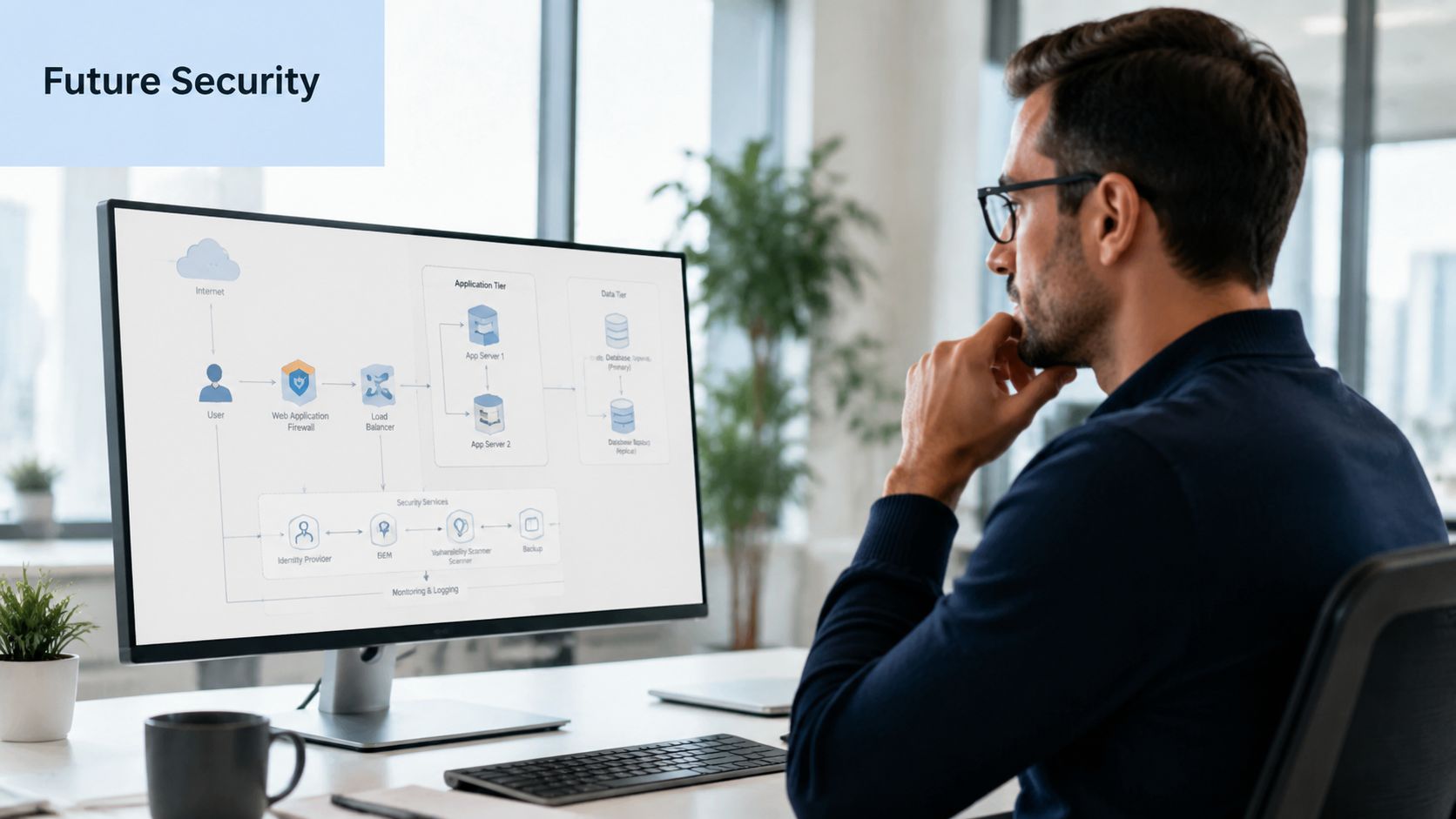
A company doesn't need the newest acronym to improve remote access security, but it does need a clear path. For some businesses, RDP over VPN is the right near-term answer. For others, the next phase may include Zero Trust Network Access or Secure Access Service Edge, especially when users, devices, and applications are spread across multiple locations.
What businesses should do next
The immediate priority is not buying more technology. It's getting an honest assessment of current exposure.
That review should answer practical questions:
- Exposure check: Is any remote desktop access reachable in ways it shouldn't be?
- Role alignment: Do users have only the access required for their work?
- Compliance fit: Would the current design hold up under client scrutiny or an audit?
- Endpoint trust: Are remote devices controlled well enough for the access they receive?
Businesses usually don't need more complexity. They need cleaner architecture, tighter identity control, and fewer assumptions. That's especially true in healthcare, legal, finance, and other sectors where remote access decisions carry business consequences far beyond IT.
A remote access review often uncovers one uncomfortable truth. The system in place was built for convenience first, then defended after the fact. That sequence needs to be reversed.
Technovation LLC helps Dallas-Fort Worth businesses evaluate remote access risk, tighten compliance posture, and build practical security roadmaps that don't slow down operations. Organizations that want a clear answer on whether they need VPN, remote desktop, or a layered model should contact Technovation LLC for a security review and a plan grounded in how the business operates.