USD 3.13 billion in 2025, USD 3.41 billion in 2026, and USD 5.23 billion by 2031. Those figures describe the projected growth of the global network monitoring market, but the business problem is simpler: most outages and threats stay invisible until users complain.
A DFW accounting firm can finish a tax-season deadline at 11 p.m. and still discover on Monday that the VPN failed over the weekend. Four hours of remote work never synchronized. Employees lose time reconstructing files, managers delay client work, and the owner is left asking why nobody knew sooner.
That question defines the value of 24/7 network monitoring. It shortens detection time, gives a business a chance to correct problems before users feel them, and protects revenue without forcing a small IT team to stare at dashboards all night. Monitoring isn't a dashboard purchase. It's an operating discipline built around useful signals, clear thresholds, automation, and accountable response.
Table of Contents
- The Late-Night Outage You Never See Coming
- What 24/7 Network Monitoring Really Means
- The Core Components of an Always-On Monitoring Stack
- Managed Monitoring vs In-House Monitoring
- Why SMBs and Regulated Industries Need Continuous Visibility
- KPIs ROI and How to Evaluate a Monitoring Service
- Your Next Steps and a Free IT Health Check
The Late-Night Outage You Never See Coming
The accounting firm in that scenario didn't experience a dramatic server-room failure. No alarm woke anyone. No employee called an emergency number. The VPN stopped moving data while the office was closed.
By Monday morning, the technical failure had become a business interruption. Staff couldn't trust which documents had synchronized. Partners had to determine what work was complete. Client commitments were reviewed one by one. The outage had already consumed hours before anyone identified its source.
Silence doesn't prove network health
A network can show early signs of trouble without producing an obvious outage. Backups may slow down. Remote sessions may drop intermittently. A link may experience unusual bandwidth spikes. A cloud connection may develop rising response times while most employees continue working normally.
Those signals matter because they often appear before a failure becomes visible to the business. Without continuous collection and review, a small warning can sit unnoticed for days or weeks. The absence of complaints only proves that nobody has reported a problem. It doesn't prove that the infrastructure is healthy.
The network monitoring market estimate from Mordor Intelligence projects growth from USD 3.13 billion in 2025 to USD 3.41 billion in 2026, reaching USD 5.23 billion by 2031, with an implied 8.89% CAGR over 2026–2031. A separate estimate places the market at USD 3.02 billion in 2025 and USD 5.19 billion by 2030, which points to the same operational shift. Continuous visibility is becoming a baseline capability as networks span offices, edge locations, remote workers, and cloud services.
Practical rule: If a business only learns about a network problem from an employee, customer, or failed deadline, detection is already too late.
The operational answer
A functioning monitoring program watches critical paths continuously, identifies abnormal behavior, and routes the issue to someone who can act. It might detect a failed VPN, a saturated link, a backup that didn't complete, or a configuration change that creates exposure.
The objective isn't to eliminate every technical event. That isn't realistic. The objective is to catch meaningful deterioration early, suppress irrelevant noise, and give the business a documented response before a quiet defect becomes a Monday-morning emergency.
What 24/7 Network Monitoring Really Means
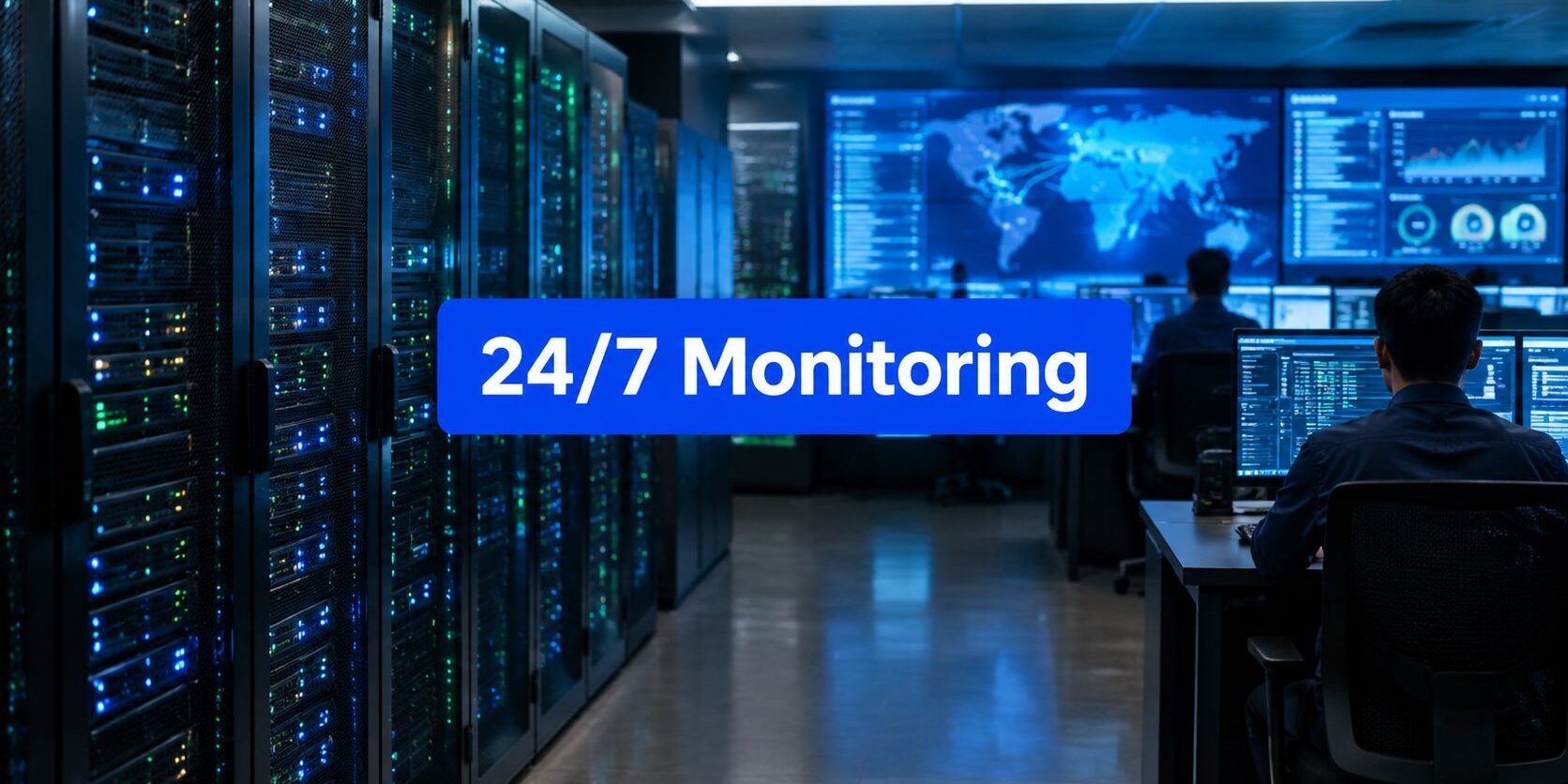
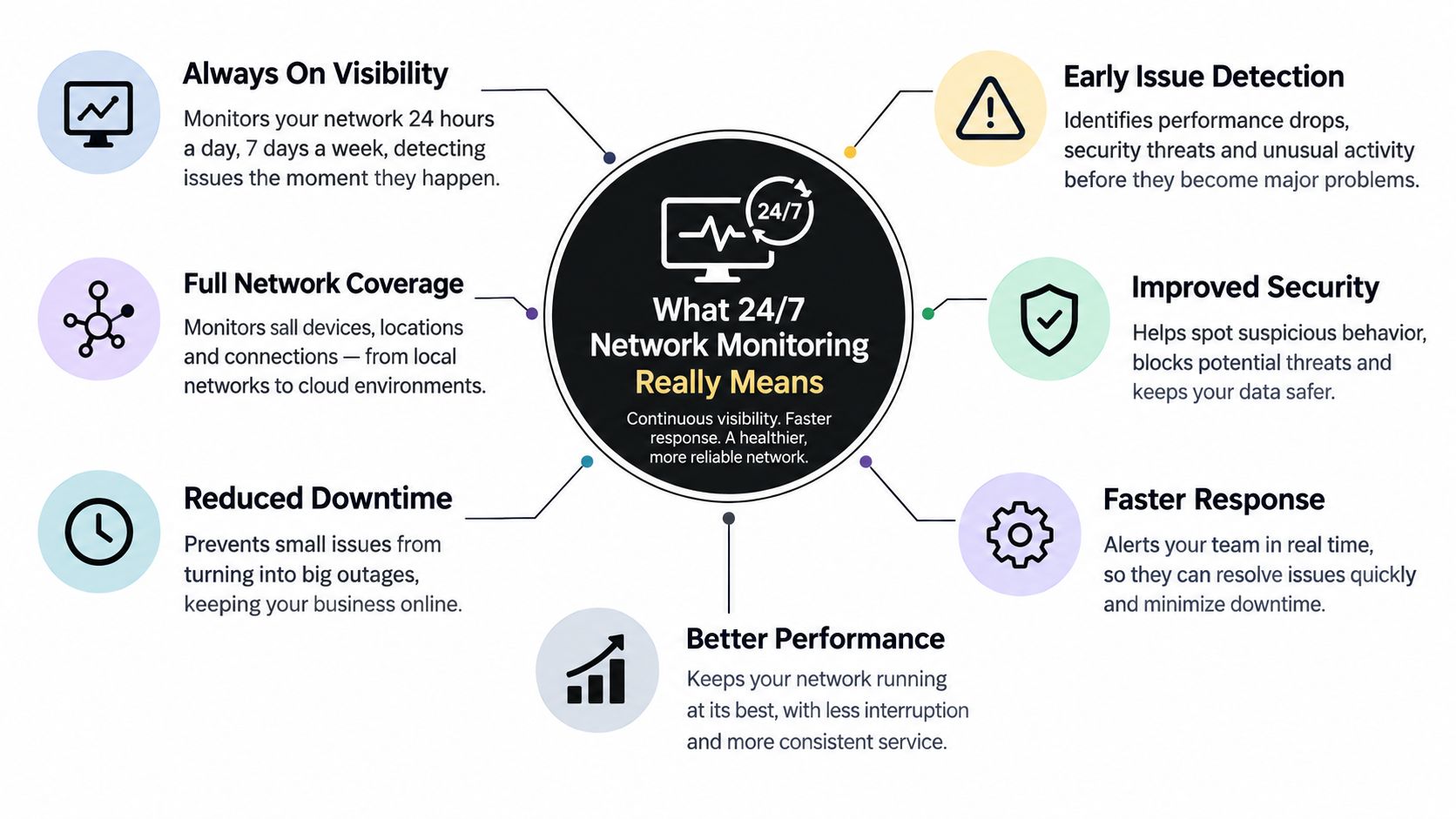
24/7 network monitoring means continuous visibility into the health, performance, and security of the devices, links, and applications that keep a company operating. The service should collect telemetry, interpret it against business-aware thresholds, and trigger an appropriate response at any hour.
A useful analogy is a security patrol for a building. Cameras alone record activity, but a patrol team follows procedures, investigates unusual conditions, contacts the right person, and takes action. Monitoring tools provide the sensors. People, thresholds, escalation rules, and service commitments turn those sensors into an operating capability.
Four parts must work together
A Network Operations Center: A NOC reviews infrastructure conditions, investigates incidents, follows runbooks, and escalates issues that require client decisions or specialized engineering.
Telemetry collection: Monitoring systems gather information from routers, switches, firewalls, servers, endpoints, VPN connections, cloud services, and important applications. The data must cover the paths the business depends on, not just the equipment that is easiest to enroll.
Alerting and escalation: A critical service failure shouldn't sit beside a low-priority informational event. Severity rules should determine who receives the alert, how quickly they must acknowledge it, and when the issue moves to another technical level.
Service-level agreements: An SLA should define response expectations, escalation paths, maintenance responsibilities, and the meaning of “24/7.” Continuous monitoring isn't automatically the same as round-the-clock live help-desk support.
NIST describes continuous monitoring as an operating control loop. Its guidance calls for a monitoring strategy, metrics, risk-aligned frequency, automation where practical, analysis, reporting, and updates to controls and response actions. The NIST continuous monitoring publication makes the central point clear: monitoring must produce information that supports risk decisions, not merely fill a screen with alerts.
Businesses evaluating the boundary between infrastructure monitoring and security operations can also review Technovation's explanation of what a security operations center does. For teams documenting application activity and traceability, an EHR integration trace page can provide useful context on how records and integration events may be tracked.
The Core Components of an Always-On Monitoring Stack
A monitoring stack succeeds or fails on coverage and judgment. A business can buy capable technology and still miss a serious issue if it doesn't know which assets exist, sets thresholds too loosely, or sends every event to an already overloaded technician.
| Component | What It Does | What to Look For | Common SMB Mistake |
|---|---|---|---|
| Asset discovery and inventory | Identifies devices, services, links, and dependencies | Current ownership, business criticality, and change visibility | Monitoring only known equipment |
| Performance and availability | Tracks uptime, latency, packet loss, capacity, and response behavior | Baselines, dependency awareness, and actionable thresholds | Waiting for complete saturation |
| Log collection and correlation | Centralizes records and connects related events | Consistent retention, correlation, and investigation workflows | Collecting logs without review |
| Alerting and escalation | Routes events according to severity and impact | Suppression, maintenance windows, runbooks, and human escalation | Treating every alert as urgent |
| Reporting and remediation | Shows trends and connects findings to tickets and fixes | Evidence of action, recurring issues, and ownership | Buying reports that don't change decisions |
Visibility starts with knowing the environment
Asset discovery is the foundation. If a forgotten firewall, cloud connection, backup destination, or remote access path isn't in inventory, the monitoring program creates false confidence. The inventory should identify what the asset supports, who owns it, and what happens if it fails.
Performance monitoring then measures the experience of critical services. It should include availability, latency, packet loss, capacity, and application response. Network teams often measure response time between a client request and the first server response packet. Cisco's network analysis monitoring guidance notes that rising response time can indicate pressure involving CPU, memory, disk, or I/O.
A sensible early-warning threshold matters. Industry guidance recommends alerting when CPU, memory, or link utilization reaches about 70-80%, rather than waiting for 95%, because the earlier signal leaves room to intervene. The proactive network monitoring threshold guidance supports that approach.
Logs need interpretation
NIST recommends centralized logging and network monitoring as part of a cybersecurity strategy. Its guidance describes network monitoring as reviewing alerts and logs and analyzing them for signs of possible incidents. That makes correlation and review core operating tasks, not optional add-ons.
SMBs commonly overspend on overlapping tools and unused feature licenses. They underinvest in maintenance windows, threshold tuning, ticket integration, and after-hours coverage. Teams responsible for cloud environments can use guidance on how to monitor cloud data platforms, while organizations reviewing network threat visibility can examine intrusion detection systems.
The decisive question is whether an alert produces a decision. If it doesn't, it probably needs a better threshold, suppression rule, dependency, or owner.
Managed Monitoring vs In-House Monitoring
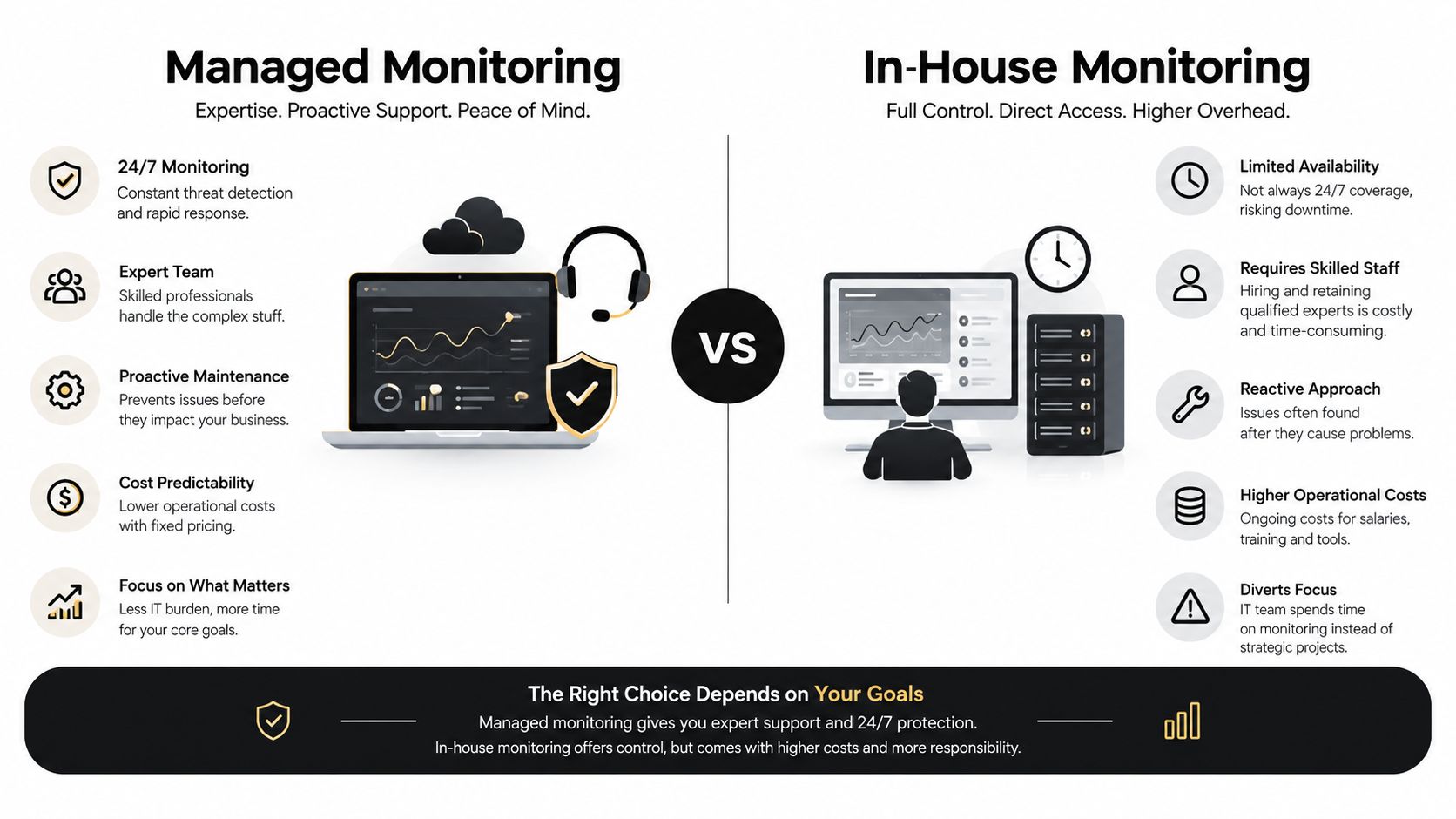
The managed-versus-in-house decision isn't primarily about technical preference. It comes down to whether the business can sustain continuous coverage, specialized expertise, documented procedures, and accountability without weakening other IT priorities.
| Decision criterion | Managed monitoring | In-house monitoring |
|---|---|---|
| Total cost of ownership | Shared tooling and staffing support a predictable service model | Payroll, coverage gaps, training, and redundant tooling remain internal |
| Coverage depth | A staffed external operation can provide after-hours eyes on critical systems | Coverage depends on internal schedules and availability |
| Expertise | Access to broader network, cloud, and security skills | Direct knowledge of the business environment |
| Time to value | Standardized onboarding and runbooks can accelerate deployment | Customization may take longer to build and maintain |
| Operational risk | Dependency on provider performance and contract terms | Dependency on a small number of employees |
When managed coverage makes sense
Managed monitoring is the practical choice when uptime, compliance evidence, or ransomware exposure is critical and the internal team is thin. A provider can supply a staffed NOC, established runbooks, monitoring infrastructure, and escalation processes without requiring the business to build every shift internally.
That arrangement does introduce tradeoffs. The business gives up some direct control, must protect privileged access, and needs an exit plan that addresses data, documentation, credentials, and tooling. A weak SLA can turn a monthly service into a vague promise, so response definitions must be specific.
When internal ownership is stronger
In-house monitoring can fit a simple network, a highly specialized environment, or a regulated operation that requires physical presence and direct internal control. The internal team understands business dependencies immediately and can customize workflows around local applications.
The cost isn't limited to a monitoring platform. The business also carries nights, weekends, holidays, absences, training, escalation expertise, and the need to maintain multiple technical disciplines. For many DFW SMBs, a hybrid approach works better. Internal IT owns strategy, applications, relationships, and projects, while an external partner provides continuous infrastructure visibility and escalates decisions to the internal team.
Businesses evaluating security coverage alongside network operations can review managed detection and response as a separate service question. “24/7” should always be unpacked into monitoring, human response, remediation, and escalation.
Why SMBs and Regulated Industries Need Continuous Visibility
Continuous visibility gives decision-makers a shorter path from an incident to a recovery action. That matters for every business, but it matters more for an SMB where a small IT team supports revenue-producing systems, customer commitments, compliance work, and daily operations at the same time.
The business case rests on three pillars. Uptime protects revenue by reducing the time employees and systems remain unavailable. Compliance protects the organization from weak evidence by recording ongoing control activity instead of reconstructing it after an incident. Early detection limits ransomware impact by giving responders more opportunity to contain abnormal activity before it spreads.
Revenue protection needs a local calculation
A generic monitoring quote can't tell an owner what one hour of downtime means. The business should calculate the effect across lost sales, idle employees, delayed work, missed appointments, service credits, overtime, and customer recovery. A clinic, law firm, construction company, and accounting practice will each have a different exposure profile.
The table below is intentionally a worksheet rather than a fabricated benchmark. The business owner should replace each blank with internal figures.
| Business Profile | Avg Hourly Downtime Cost | Annual Downtime Exposure | Typical Monitoring Cost |
|---|---|---|---|
| Healthcare clinic | Calculate from delayed appointments, staff time, and recovery work | Calculate from recorded downtime hours | Obtain provider proposal |
| Law firm | Calculate from billable work, deadlines, and client disruption | Calculate from recorded downtime hours | Obtain provider proposal |
| Financial or accounting firm | Calculate from delayed processing, staff time, and client commitments | Calculate from recorded downtime hours | Obtain provider proposal |
| Construction or engineering company | Calculate from project delays, field coordination, and rework | Calculate from recorded downtime hours | Obtain provider proposal |
| Nonprofit or general business | Calculate from interrupted services, transactions, and payroll time | Calculate from recorded downtime hours | Obtain provider proposal |
Compliance evidence should be continuous
NIST control CA-7 requires continuous monitoring, and NIST CA-7 guidance frames ongoing awareness of vulnerabilities and threats as support for risk-management decisions. NIST's SP 800-137 publication also describes a program that establishes metrics and frequency, automates collection and analysis where possible, responds to findings, and updates the program.
For regulated SMBs, that operating model supports audit readiness. Healthcare, financial, legal, and other security-conscious organizations need more than a claim that monitoring exists. They need records showing what was monitored, which findings mattered, who responded, and how controls changed.
The tone doesn't need to be alarmist. The practical question is simple: can the business prove that critical systems receive ongoing attention, or will someone be trying to recreate months of evidence after an auditor or incident demands it?
KPIs ROI and How to Evaluate a Monitoring Service
A monitoring service earns its place in the budget when it produces evidence of reduced exposure and faster action. A dashboard full of green icons isn't enough. The provider should show trends, exceptions, ownership, and the work completed in response.
Start with decision-grade KPIs
Mean Time to Detect, or MTTD, shows how quickly the service identifies a meaningful event. Mean Time to Respond, or MTTR, shows how quickly the right person begins handling it. These figures only help when the provider defines when the clock starts and stops.
Other useful measures include:
- Uptime and availability: Track business-critical services, not only network devices.
- Alert-to-noise ratio: Review how many alerts lead to investigation or action versus suppression or dismissal. One recent 2026 SOC report puts false positives at 46% of alerts, while other 2025-2026 industry surveys place false positives above 60% and alert fatigue among the top issues for 73% of organizations, as summarized in this alert fatigue analysis.
- Configuration and patch drift: Identify systems that move away from the approved state.
- Audit evidence: Confirm that logs, actions, approvals, and escalations remain available for review.
NIST's continuous monitoring model supports metrics, risk-aligned frequency, automation, analysis, response, and program updates. That sequence is more useful than the vague instruction to “watch everything.”
Calculate ROI without marketing fiction
A straightforward model is avoided downtime cost minus monitoring fees. The owner can test the model against a realistic incident scenario each quarter. For example, the business can ask what happens if a critical VPN, internet link, backup process, or cloud dependency fails outside office hours, then compare the likely delay with the provider's documented detection and escalation process.
A monitoring service should show what it prevented, what it escalated, and what the business changed afterward.
Questions that expose weak proposals
Providers should explain staffing depth, shift coverage, escalation runbooks, ticketing and security integration, SLA language, contract flexibility, and their own privileged-access controls. Reports should show trend lines rather than vanity metrics, and contractual commitments should include meaningful service credits rather than soft wording.
References should come from similarly sized organizations with comparable regulatory and operational requirements. A proposal that lists features but can't explain ownership, response timing, maintenance windows, or evidence production isn't ready for approval.
Your Next Steps and a Free IT Health Check
A business doesn't need to replace its entire IT environment to determine whether monitoring is working. It needs a clear baseline, a list of blind spots, and a provider conversation grounded in response evidence rather than feature counts.
Complete the first review within one week
- Gather outage records: Pull recent incidents, after-hours failures, backup exceptions, VPN complaints, slowdowns, and recurring service tickets.
- Inventory monitoring coverage: List each device, link, application, cloud dependency, backup process, and security control that receives monitoring.
- Calculate downtime exposure: Apply the business's own revenue, labor, recovery, and customer-impact figures to recorded outage hours.
- Identify priority gaps: Mark critical paths with no owner, no after-hours escalation, no useful threshold, or no documented response.
- Shortlist providers: Ask two or three qualified providers for proposals that include staffing, scope, SLAs, reporting, remediation boundaries, and escalation procedures.
The review should focus on detection-to-resolution speed, alert noise, and documented SLA performance. A provider that promises broad visibility but can't show how it suppresses duplicate alerts or handles maintenance windows may create more work than it removes.
Technovation's IT health check gives a business a practical starting point for reviewing uptime, alert response, network exposure, compliance gaps, and monitoring coverage. The assessment should result in prioritized actions, not a generic technology score.
A free health check is useful because it creates a low-risk diagnostic before the next incident forces a rushed decision. It can also clarify whether the organization needs fully managed coverage, co-managed support, stronger security monitoring, better asset inventory, or tighter thresholds and runbooks.
The right next move for a DFW business isn't another dashboard. It's an accountable operating model that detects important problems, suppresses noise, documents response, and shows whether the investment protects business continuity.
Technovation LLC provides managed IT, cybersecurity, compliance support, and proactive 24/7 network monitoring for organizations across North Texas. Visit Technovation LLC to schedule a free IT health check and evaluate whether the current environment is detecting problems early enough to protect the business.