
A DFW business owner checks the inbox before the first meeting. No urgent tickets. No outage notices. The phones work, staff can access shared files, and yesterday's systems seemed fine. It's easy to conclude that IT is under control.
That conclusion can be wrong. Unpatched endpoints, shadow applications, expired certificates, unmanaged devices, weak backup procedures, and silent compliance drift rarely announce themselves before causing trouble. Fully managed IT support matters because it turns those invisible conditions into monitored, documented, and governed responsibilities.
Table of Contents
- Why Your Current IT Setup Might Be Riskier Than You Think
- What Fully Managed IT Support Actually Includes
- Measurable Benefits for SMBs and Regulated Industries
- Fully Managed vs Co-Managed IT Support
- How to Choose the Right IT Partner in DFW
- Common Misconceptions About Outsourcing IT
- Next Steps to Secure and Scale Your Business IT
Why Your Current IT Setup Might Be Riskier Than You Think
Quiet systems can still carry serious exposure
A reactive IT arrangement usually responds to visible events. An employee reports a failed login. A server stops responding. A suspicious email reaches an executive. Someone then opens a ticket, investigates the issue, and begins remediation.
That process can keep a business moving, but it doesn't prove that the environment is healthy. A quiet helpdesk may mean employees haven't discovered the next problem yet. Without continuous monitoring, leadership may not know which devices missed patches, which accounts retain unnecessary access, or which software changes have created compliance exceptions.
This is IT governance debt, the accumulated risk created when monitoring, documentation, ownership, and planning fall behind daily operations. The debt grows when an employee installs an unapproved application, a departing contractor remains active in a system, or a backup job fails without review. Each event may look minor. Together, they weaken the organization's ability to prevent, detect, and explain an incident.
Practical rule: No urgent ticket doesn't mean no urgent risk. It means the business needs evidence from its systems, not reassurance from its inbox.
A passed audit doesn't guarantee ongoing compliance
Consider a healthcare clinic that completed its last review successfully. Since then, staff have added devices, changed workflows, installed new applications, and worked from locations outside the office. If no one verifies endpoint settings, access permissions, encryption status, backup coverage, and change records, the clinic can drift away from its approved posture without realizing it.
The next review may expose missing evidence rather than a single dramatic failure. Worse, an incident could force the clinic to reconstruct months of decisions from incomplete records. Compliance isn't an annual performance. It's a daily operating discipline.
The same issue appears in law firms, accounting practices, financial organizations, construction companies, and nonprofits. A business can have capable employees and still lack a consistent method for tracking assets, approving changes, testing recovery, and assigning responsibility.
Fully managed support adds governance to operations
A mature provider doesn't merely wait for tickets. It monitors endpoints and networks, governs patches, documents exceptions, reviews alerts, maintains response procedures, and reports unresolved risks to business leaders. The provider also clarifies what falls inside the agreement and who owns decisions outside that scope.
That distinction separates fully managed IT support from a basic remote monitoring package. The former creates accountability for an agreed environment. It makes invisible risks visible before they become outages, audit findings, or security incidents.
What Fully Managed IT Support Actually Includes
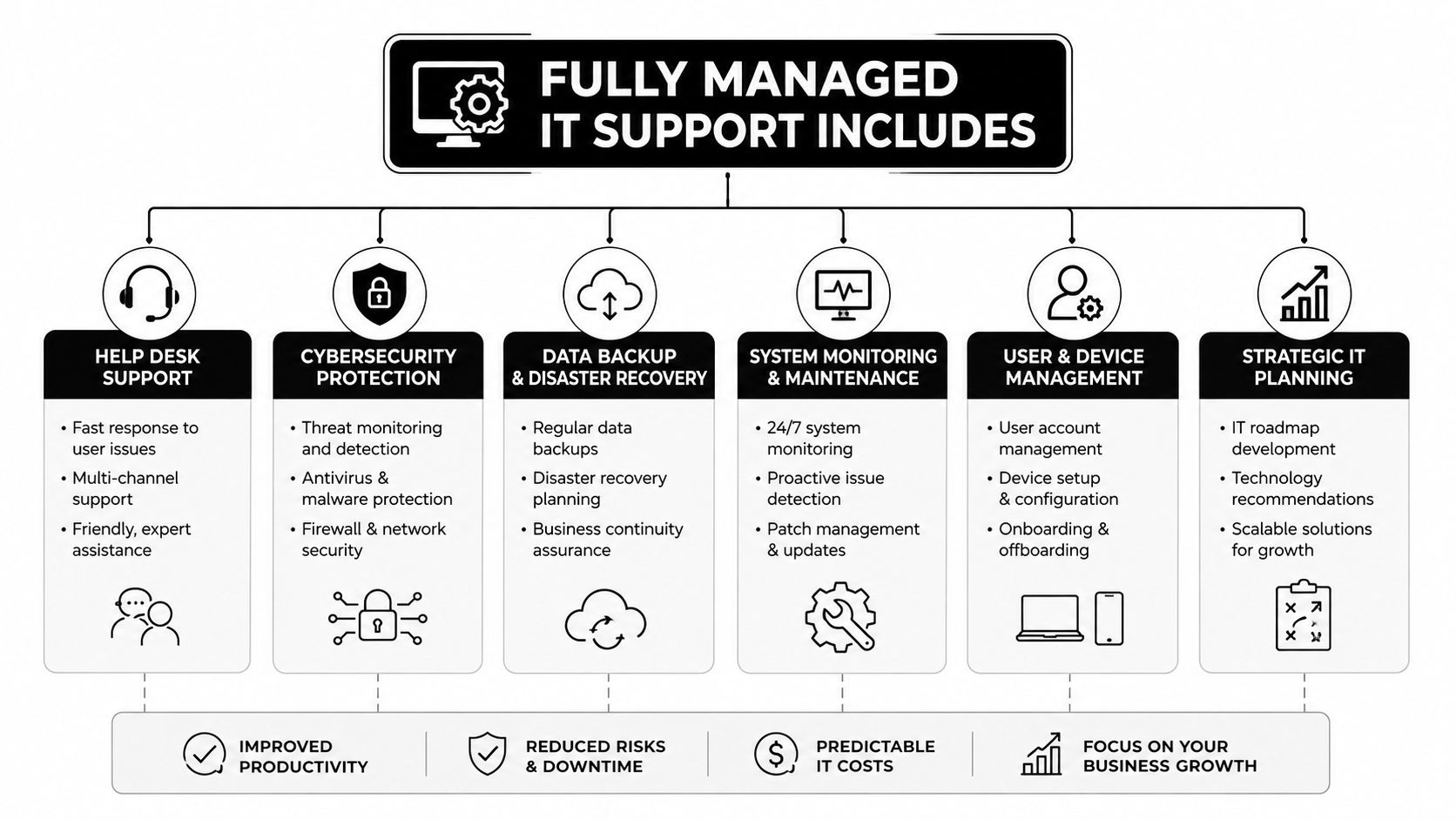
Fully managed IT support works best as a building rather than a single service. Monitoring forms the foundation, security and recovery create the structure, and governance gives the organization a way to make sound decisions as it grows.
The foundation keeps systems observable
The baseline should include continuous network and endpoint monitoring, automated patch governance, asset inventory, configuration review, and helpdesk support. A provider should know which systems exist, whether they report successfully, whether required updates installed, and whether a device has drifted from its approved configuration.
NIST guidance recommends monitoring endpoints for missing patches, malware, and unauthorized software, then directing unhealthy endpoints into remediation before access is authorized. NIST also describes patch management as a complete process involving notification, identification, deployment, installation, and verification, not just pushing an update and assuming success. Businesses can review the operational detail in NIST incident response guidance.
Helpdesk service should include defined service-level commitments. DFW businesses should expect clear priority definitions, documented escalation paths, status communication, and a stated critical-response target. A provider that advertises speed without defining severity, coverage hours, escalation ownership, and customer obligations hasn't provided a useful SLA.
For practical server upkeep, the Server Scheduler maintenance tips offer useful background for evaluating routine maintenance expectations.
Businesses evaluating support scope can also use this overview of what help desk support should cover before comparing proposals.
Security and recovery form the structure
Security should include threat monitoring, multifactor authentication enforcement, email protection, endpoint controls, vulnerability remediation, and documented incident handling. Backups need more than a successful-job notification. The provider should define recovery priorities, protect backup copies from tampering, and test restoration so the business knows whether critical systems can return to service.
NIST's small-business guidance recommends regular patching, automatic updates where appropriate, and provider monitoring for abnormal behavior. It also stresses incident response authority, reporting, communication, and assessment of deviations from expected behavior. A mature service therefore uses asset inventory, staged changes, emergency isolation, rollback planning, and recovery validation. See the NIST small-business cybersecurity quick-start guidance for the operational principles behind that approach.
Governance turns activity into accountability
The top layer includes compliance reporting, strategic roadmaps, vendor coordination, lifecycle planning, and executive technology reviews. For a regulated DFW organization, reporting should connect technical evidence to business obligations, such as access reviews, patch status, incident records, backup tests, and documented exceptions.
Fully managed means the provider accepts operational responsibility for the agreed scope. It doesn't mean the provider owns every business decision. Leadership still approves risk tolerance, budgets, priorities, and policy. The provider supplies visibility, execution, and recommendations that make those decisions defensible.
Measurable Benefits for SMBs and Regulated Industries
A DFW business can outsource daily IT work and still lose visibility into its own environment. That is the governance risk many owners miss. Fully managed IT support should give leadership clearer evidence, defined accountability, and measurable operating results, not just a faster helpdesk.
The adoption pattern supports this operating model. Among SMBs with 50 to 499 employees, 48% used a managed IT services provider as their primary IT support model in 2024, compared with 36% in 2022. The same research found that 64% used at least one external IT service provider, while 54% of small businesses outsourced IT services and support. Access to specialized skills led the drivers at 58%, followed by cost reduction at 49%, 24/7 coverage at 44%, and compliance requirements at 38%, according to the Datto SMB market report.
Cost becomes easier to plan
A managed model replaces many unpredictable support events with a defined operating expense. That does not guarantee lower IT spending. It gives leadership a clearer basis for comparing provider fees with staffing, security work, infrastructure maintenance, internal tools, and the management time consumed by recurring problems.
The comparison must include interruption and recovery exposure. SMB cyberattacks were reported as up 16% in 2025, and the average SMB breach cost reached $140,000, a 13% year-over-year increase, according to the 2025 SMB cybersecurity report. These figures support investment in monitoring, containment, backup protection, and recovery testing. They should not become a fear-based sales shortcut.
Risk reduction depends on evidence
A provider reduces operational risk only when it can demonstrate coverage. Require reports that identify monitored assets, patch exceptions, unresolved vulnerabilities, backup outcomes, response activity, and compliance evidence. Regulated organizations gain a stronger operating position when those records come from routine work instead of an audit-season scramble.
Organizations with fewer than 500 employees face a wide range of potential breach consequences. IBM-referenced reporting places average breach cost at $3.31 million, while another industry summary describes a realistic SMB incident range of $120,000 to $1.24 million in the small-business cybersecurity statistics summary. The range matters more than one average. It shows why incident preparation must reflect the organization's data, obligations, and recovery requirements.
| Metric | Reactive / Break-Fix IT | Fully Managed IT Support |
|---|---|---|
| Monitoring | Issues surface through tickets or outages | Continuous visibility with alert review |
| Patch control | Updates depend on manual follow-up | Governed deployment, verification, and exception handling |
| Recovery | Backups may exist without tested restoration | Recovery procedures are documented and validated |
| Compliance | Evidence gathered before reviews | Evidence generated through routine operations |
| Leadership visibility | Activity is often fragmented | Reports connect technical conditions to business risk |
Efficiency comes from removing coordination friction
Business leaders recover time when employees have a clear support channel, vendors have assigned owners, and recurring maintenance follows documented responsibility rather than one internal technician's memory. That matters when an owner, office manager, or finance leader has become the unofficial IT escalation point.
Recovery planning also requires direct scrutiny. A 2025 ransomware survey reported average recovery costs of $1.53 million across all victims and $638,536 for SMBs with 100 to 250 employees, excluding ransom payments, as summarized by ransomware recovery cost research. A separate summary reported 26% lower average data-breach costs for organizations using hybrid cloud storage, supporting a managed strategy that combines cloud backup, remote access, and resilient recovery design, as described in hybrid cloud backup research.
DFW organizations evaluating data security and compliance services should require evidence of ownership, review cadence, exceptions, and recovery results. A product list cannot show whether the outsourced operation is controlled, auditable, or ready to support business decisions.
Fully Managed vs Co-Managed IT Support
The decision between fully managed and co-managed IT support comes down to who owns daily execution. In a fully managed arrangement, the provider operates the monitoring stack, manages patch cadence, handles defined support responsibilities, and carries the SLA burden for the agreed scope. In a co-managed arrangement, an internal technology employee remains involved in daily support while the provider supplies additional capacity, specialist expertise, or escalation support.
Neither model is automatically superior. The wrong division of responsibility creates gaps, duplicated work, and arguments about who should have acted.
Where each model fits
Fully managed support suits a business that lacks internal depth, needs consistent coverage, or operates under compliance obligations that require documented controls. The internal team may still approve priorities and participate in planning, but the provider owns the operational rhythm.
Co-managed support works when an internal IT lead has strong business knowledge and can manage users, applications, and internal relationships, while the provider handles specialized security, infrastructure, compliance, or strategic work. The arrangement requires a precise responsibility matrix. “The internal team handles it” is not a control.
| Factor | Fully Managed IT | Co-Managed IT |
|---|---|---|
| Daily support | Provider owns agreed user and system operations | Internal team handles defined daily functions |
| Tool ownership | Provider manages the monitoring and management stack | Tools and responsibilities are shared by agreement |
| Escalation | Provider follows documented escalation paths | Internal lead coordinates escalation with the provider |
| Compliance readiness | Provider maintains evidence within the contracted scope | Internal team remains responsible for more coordination |
| Best fit | Limited internal depth or high governance demands | Capable internal staff needing capacity or expertise |
Recognize the inflection points
A co-managed model becomes harder to control when the internal IT lead becomes the only person who understands critical systems. It also becomes less predictable when the company grows beyond the team's practical capacity, begins formal regulatory audits, or needs specialized security work that internal staff can't deliver consistently.
Business leaders should ask three questions. Who receives the alert at night? Who approves and verifies emergency changes? Who produces evidence when an auditor or insurer asks for it? If answers depend on one employee's memory or availability, the organization has a governance problem rather than a simple staffing problem.
The co-managed IT support framework can help DFW owners define that boundary before selecting a contract. A responsibility matrix, escalation map, access policy, and review cadence should accompany the agreement.
How to Choose the Right IT Partner in DFW
A DFW business shouldn't select an IT partner from a generic service catalog. The provider needs to understand local operating realities, the organization's industry, its risk tolerance, and the response expectations attached to critical systems.
Start with non-negotiable evidence
Ask for verified security and compliance credentials that match the business's obligations. If the organization requires a particular framework, the provider should explain how its own controls, staff practices, reporting, and subcontractor relationships support that requirement.
Request documented incident-response playbooks. The documents should identify authority, escalation, communication, evidence preservation, containment, and recovery responsibilities. A provider should also explain how it handles a device that cannot be patched immediately, a compromised account, or a failed backup.
Local coverage matters for businesses that need hands-on support. A DFW buyer should confirm whether the provider operates a local network operations center and can commit to a sub-15-minute Tier 1 response during business hours when that is a stated requirement. The contract must define the response clock, severity categories, service hours, and exclusions.
Test transparency before signing
A credible partner should provide meaningful reporting and, where appropriate, read-only dashboard access. The business shouldn't have to accept “the portal shows everything” without seeing asset status, alert disposition, patch exceptions, backup results, and open risk items.
The proposal should answer practical questions:
- Scope clarity: Which users, endpoints, locations, applications, cloud services, and vendors are included?
- Contract flexibility: Is there a 90-day termination clause, and what happens during transition?
- Data return: How will documentation, credentials, configurations, logs, and asset records be returned?
- Regulatory fit: Does the provider actively support healthcare, finance, legal, or another relevant vertical?
- Insurance readiness: Does the provider carry appropriate cyber-liability insurance and explain its responsibility boundaries?
Treat discovery as a paid professional service
A paid discovery assessment is usually more valuable than a polished sales presentation. It should examine assets, identity, network design, backups, endpoint health, security controls, vendor dependencies, documentation, and compliance gaps.
Red flags include refusal to provide reference calls, pressure to bundle unnecessary seat licenses, vague ownership of tools, missing cyber-liability coverage, and resistance to a phased transition. DFW owners should compare the assessment findings with the proposed scope, then use a virtual CIO service to connect technology decisions to business priorities where strategic guidance is needed.
Common Misconceptions About Outsourcing IT
Outsourcing means losing control
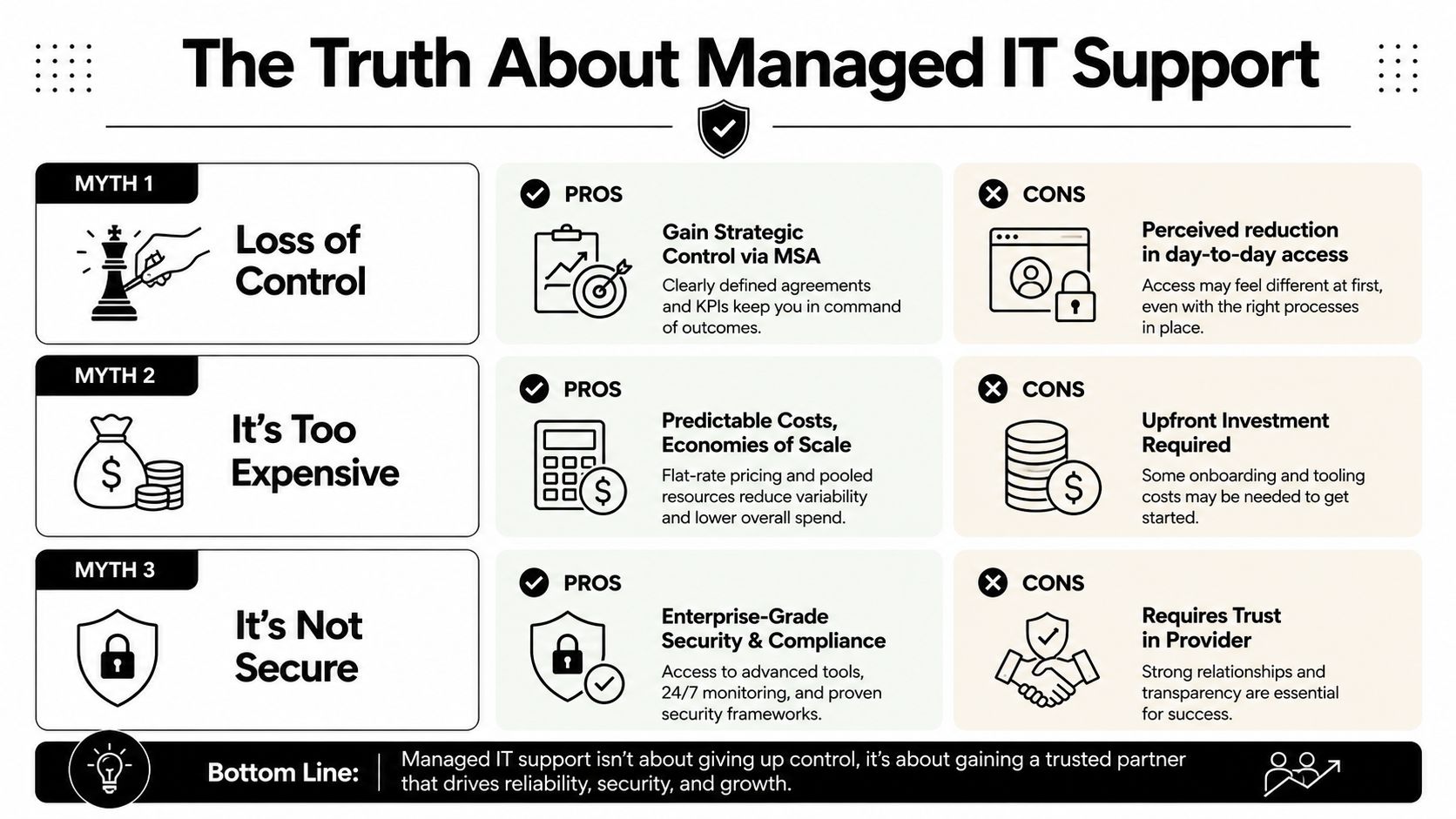
A business owner can lose visibility after outsourcing, but the agreement determines whether that loss becomes a governance problem. Require clear reporting, approval rules, escalation paths, and records of exceptions. The master services agreement should specify who can change systems, which risks require leadership approval, and what appears in regular governance reports.
A DFW professional-services firm can keep authority over budgets, access policies, and business priorities while assigning daily monitoring and remediation to a provider. Leadership receives dashboards, review meetings, and documented decisions instead of depending on informal updates from one overextended employee.
The trade-off deserves attention. Executives may have less direct access to individual troubleshooting work, so the provider must show what it did, what remains unresolved, and who owns each decision. Outsourcing is safe only when transparency, accountability, and data access are built into the operating model.
Fully managed support is only for large enterprises
Smaller organizations can use managed support to establish operating discipline without building a large internal IT department. The SMB market research cited earlier supports the broader point that specialized skills and structured support matter to growing businesses.
A small medical practice does not need a large internal department to manage monitoring, patch governance, backup testing, and compliance evidence. It does need a provider that defines scope, protects patient information, responds consistently, and explains unresolved risks in business terms.
Every MSP delivers the same service
The label “managed” says little about the actual operating model. A commodity helpdesk may close tickets efficiently while asset records, patch exceptions, backup tests, and compliance evidence remain scattered. A governance-focused provider treats those records as part of the service outcome and assigns responsibility for keeping them accurate.
A legal firm may see the difference during an audit or client questionnaire that requests evidence no helpdesk ticket was designed to capture. A construction company may face it when field devices connect from changing locations and nobody owns their configuration state. Evaluate the contract, reporting, escalation process, documentation, and technical accountability before comparing monthly fees.
The practical rule is straightforward: outsource specialized operating work, not executive judgment. Leadership should retain control of risk acceptance, priorities, access authority, and business outcomes, with enough evidence to verify how the provider is performing.
Next Steps to Secure and Scale Your Business IT
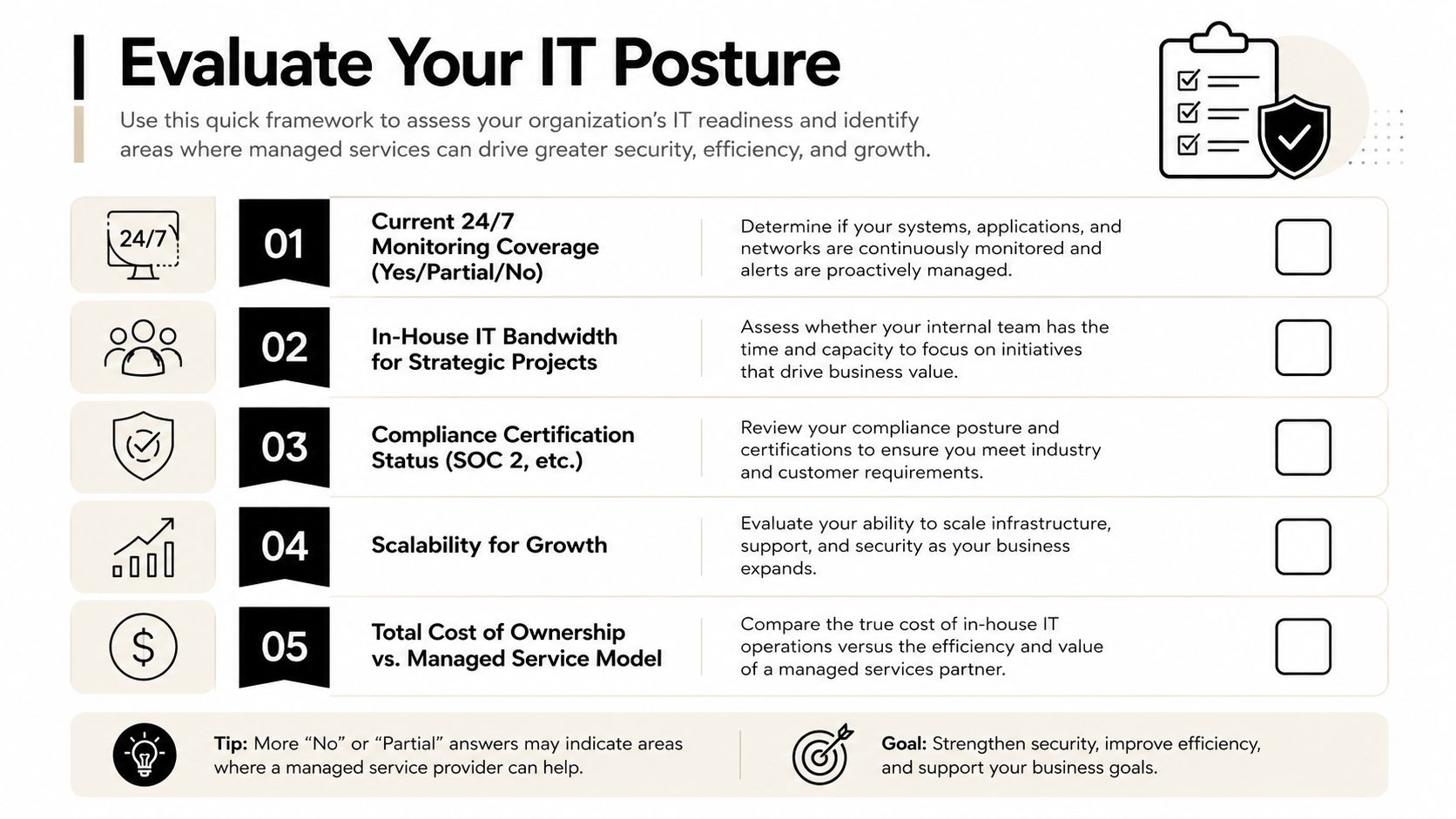
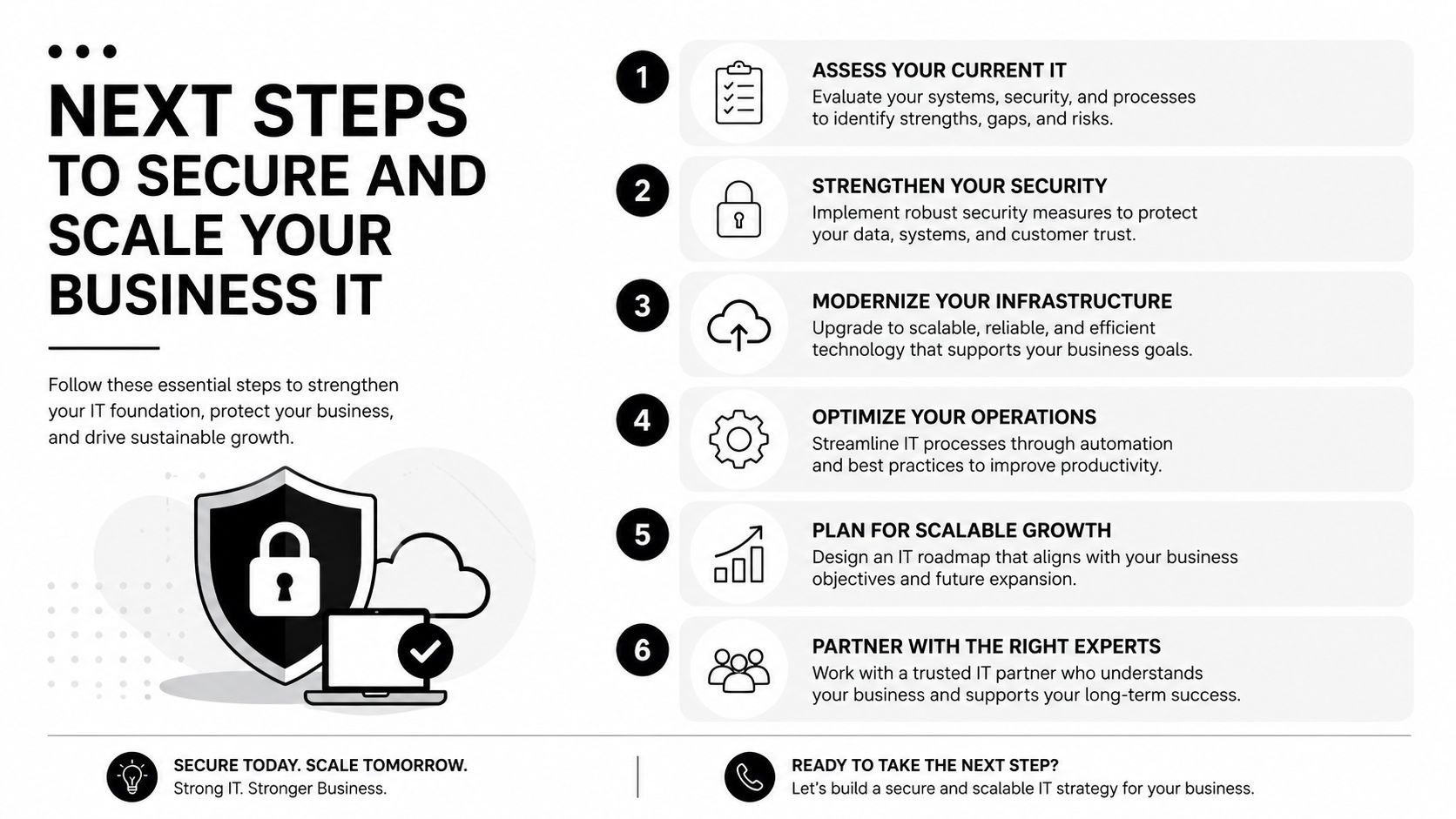
DFW business owners can evaluate readiness without starting with a sales conversation. The first question is whether the current environment has three operating pillars: proactive monitoring, compliance readiness, and strategic governance. If any pillar depends on one person's memory, occasional manual checks, or an annual scramble, the business has an exposure worth measuring.
Build an evidence-based decision
An internal review should identify:
- Visibility gaps: Which endpoints, accounts, applications, vendors, and locations aren't included in continuous monitoring?
- Control gaps: Which systems lack verified patch status, multifactor authentication, backup protection, or documented ownership?
- Recovery gaps: When was the last restoration test, and can the business identify the people responsible for containment and recovery?
- Governance gaps: Which technology decisions lack approval records, risk owners, lifecycle plans, or executive review?
The next step is a cost benchmark. Compare current spending on internal labor, emergency support, licenses, security work, backup administration, vendor coordination, downtime, and compliance preparation with proposals that clearly define fully managed scope. A lower monthly price isn't a better outcome if it excludes the work needed to keep the environment reliable.
Transition methodically
A qualified local provider should begin with discovery, establish an asset and dependency baseline, prioritize risks, and create a transition plan. The plan should protect business continuity, document access, stage changes, validate backups, and identify exceptions before responsibility changes hands.
Technovation can support DFW organizations with managed IT services, proactive monitoring, cybersecurity, compliance support, cloud backup, remote access, and strategic planning. Its role should be evaluated against the business's actual scope, regulatory requirements, budget, and desired governance model, whether the organization needs fully managed or co-managed support.
A no-obligation infrastructure assessment gives leadership a low-risk starting point. It can reveal whether the current model provides real evidence of control or creates the appearance of stability.
Technovation LLC provides fully managed IT support, cybersecurity, compliance assistance, cloud backup, remote access, and strategic IT planning for DFW businesses. Business owners can visit Technovation LLC to request a personalized infrastructure assessment and identify practical steps toward a resilient, compliance-ready operation.





