Most cloud storage decisions start with the wrong question. Business owners ask which platform is easier to use, cheaper, or bundled with other software. That’s not the core issue.
The core question is this: if a DFW medical practice, law firm, or financial office gets hit with ransomware tomorrow, will its cloud storage help contain the damage, or will it sync the damage everywhere?
That’s where most generic dropbox versus onedrive articles fall short. They talk about folders, sharing links, and office productivity. They don’t deal seriously with compliance evidence, recovery risk, or the practical difference between cloud sync and actual business protection. For regulated businesses, that gap matters.
A clinic has to think about HIPAA exposure. A law firm has to think about client confidentiality and retention. A finance team has to think about access control, auditability, and what happens when one compromised device starts spreading encrypted files into shared data. The storage platform still matters, but the decision has to be made in the context of policy, security controls, and recovery planning.
A simple answer works for most DFW firms. If the business runs heavily inside a Microsoft environment, OneDrive is usually the more natural fit. If the business moves very large files, works across mixed apps, or collaborates outside one software stack, Dropbox is often the better operational tool. Neither one should be mistaken for a complete ransomware recovery strategy.
Table of Contents
- Is Your Cloud Storage Truly Protecting Your Business?
- Dropbox vs OneDrive A Quick Comparison for DFW Businesses
- Evaluating Security Compliance and Ransomware Protection
- Comparing Collaboration and Microsoft 365 Integration
- Administration Storage and Performance Benchmarks
- Which Is Right for Your DFW Healthcare Legal or Finance Firm
- Planning Your Secure Cloud Migration
Is Your Cloud Storage Truly Protecting Your Business?
A lot of business owners assume encrypted cloud storage equals safe storage. That assumption causes problems.
Both platforms offer strong baseline protections, and both can support business operations well. But a regulated business doesn’t just need encryption. It needs controlled access, predictable recovery, retention discipline, and a clear answer when an auditor asks who had access to what and when. It also needs to know what happens when a local device is compromised and synced files start changing fast.
The gap most buyers miss
Cloud sync is built for convenience. Compliance and ransomware resilience require more than convenience.
A busy office sees the upside first. Staff can work remotely, share folders, co-author documents, and keep everyone in step. What gets missed is that fast synchronization can also spread bad changes just as efficiently as good ones. That’s why the dropbox versus onedrive question shouldn’t be framed as a consumer feature debate. It’s an operational risk decision.
Regulated businesses shouldn’t ask only, “Can staff access files anywhere?” They should ask, “Can the business prove control and recover cleanly?”
What matters more than the logo
For most DFW firms, the practical decision comes down to four issues:
- Workflow fit: Does the team live inside one office suite, or does it work across many apps and external partners?
- Risk tolerance: Is version history enough, or does the business need a stronger recovery posture?
- File profile: Are users mostly handling standard office files, or large design, media, and project files?
- Compliance pressure: Does the firm need tighter controls around sharing, retention, access review, and audit readiness?
That’s why there isn’t one universal winner. There is, however, a wrong way to buy. Choosing a platform based only on price or familiarity usually leads to cleanup work later.
Dropbox vs OneDrive A Quick Comparison for DFW Businesses
Busy owners don’t need a long preamble. They need the short version first.
One platform is stronger when the business is built around a Microsoft-centered workflow and wants native office integration. The other is stronger when teams share huge files, work across mixed systems, and need faster handling of large file changes. That’s the split.
Dropbox vs. OneDrive Key Differences for SMBs
| Feature | Dropbox | OneDrive for Business |
|---|---|---|
| Best fit | Mixed-app environments, large-file workflows, external collaboration | Microsoft-centered businesses, office-heavy teams, structured internal collaboration |
| Core strength | Fast sync and strong handling of large files | Deep integration with Microsoft 365 workflows |
| Security model | Strong encryption and advanced sharing controls | Per-file encryption with unique keys and Azure-based key management |
| Compliance readiness | Useful controls for secure sharing and regulated environments | Strong fit for organizations that already manage compliance through Microsoft-centered controls |
| Typical DFW use case | Construction, design, video, and firms exchanging large files with outside parties | Healthcare, legal, finance, and administrative teams standardized on Microsoft 365 |
The real philosophical difference
Dropbox is built like a high-performance file workspace. It shines when teams need speed, simple sharing, and flexibility across different apps and user types. That makes it appealing for businesses that deal with outside consultants, subcontractors, clients, or creative assets.
OneDrive is built like an extension of the Microsoft environment. It works best when the business wants documents, identity, user management, and collaboration to stay under one umbrella. That matters for firms that already depend on Microsoft tools every day and want fewer moving parts.
Bottom line: OneDrive is the better default for Microsoft-first businesses. Dropbox is the better operational choice for large-file and cross-platform work.
The quick recommendation
- Choose OneDrive first when the firm already runs on Microsoft 365 and wants the cleanest user adoption path.
- Choose Dropbox first when file size, sync behavior, and third-party collaboration drive daily work.
- Choose neither as the only protection layer if the business has serious ransomware or compliance exposure.
That last point deserves more attention than it usually gets.
Evaluating Security Compliance and Ransomware Protection
What happens if a receptionist, paralegal, or billing manager clicks the wrong file and encrypted data starts syncing before anyone notices?
That is the question DFW healthcare, legal, and finance firms should ask first. Security features on a pricing page do not tell you whether your business can contain a ransomware event, satisfy an auditor, or recover client records without chaos.

Encryption helps, but governance matters more
Both platforms protect data in transit and at rest. That is expected. The bigger difference for regulated businesses is how well the storage system fits into the controls you already need for identity, auditability, retention, and incident response.
For firms already standardized on Microsoft 365, OneDrive usually gives you tighter policy control because it sits inside the same administrative and security stack your IT team is already using. Microsoft explains that OneDrive for Business uses per-file encryption with unique content keys and separate key management layers, which is the kind of design regulated firms want when they are reducing blast radius and documenting data handling practices for audits.
Dropbox still does some things well from a risk standpoint. Password-protected links, expiration dates, and controlled file sharing can reduce careless exposure, especially for firms that exchange files with outside clients, experts, or contractors. That matters in law and finance, where oversharing is often a bigger daily risk than a Hollywood-style breach.
Ransomware is where generic comparisons fail
Cloud sync is not ransomware recovery.
If an infected endpoint starts encrypting local files, both platforms can faithfully sync that damage into cloud storage. Version history helps, but it does not create an immutable recovery point. Analysts at Backblaze found that ransomware attacks on SMBs rose 37% year over year, according to Backblaze’s review of cloud sync weaknesses.
That distinction gets ignored far too often. A synced copy is still a synced copy. It can be altered, overwritten, or deleted as the attack spreads through normal user access and sync behavior.
For a medical practice, that can mean scrambled patient documents and a reporting problem under HIPAA. For a law office, it can mean lost matter files, discovery delays, and privilege headaches. For a finance firm, it can mean corrupted client records during tax season or quarter-end close.
What I recommend for regulated DFW firms
Do not treat either platform as your only line of defense. Use cloud storage for productivity. Use a separate recovery layer for business survival.
Your minimum standard should include:
- Separate backup copies outside normal sync behavior: Recovery data should not depend on the same user session or endpoint activity that caused the problem.
- Tight external sharing rules: Limit anonymous links, require expiration dates where possible, and review who can send files outside the business.
- Role-based access controls: Staff should only reach the folders and records they need to do their jobs.
- Tested restore procedures: Recovery is only real if someone has restored files, validated them, and timed the process.
- Retention and audit documentation: Healthcare, legal, and finance firms need records that support policy enforcement and post-incident review.
Practical rule: If a platform can sync a clean file quickly, it can sync an encrypted file just as quickly.
If your firm has compliance exposure, pair file storage with managed cloud backup planning for small business continuity. That is how you protect operations, not just store documents.
Comparing Collaboration and Microsoft 365 Integration
Daily user experience decides whether a platform feels natural or frustrating. Security matters. If the workflow fights the team, users will work around it.
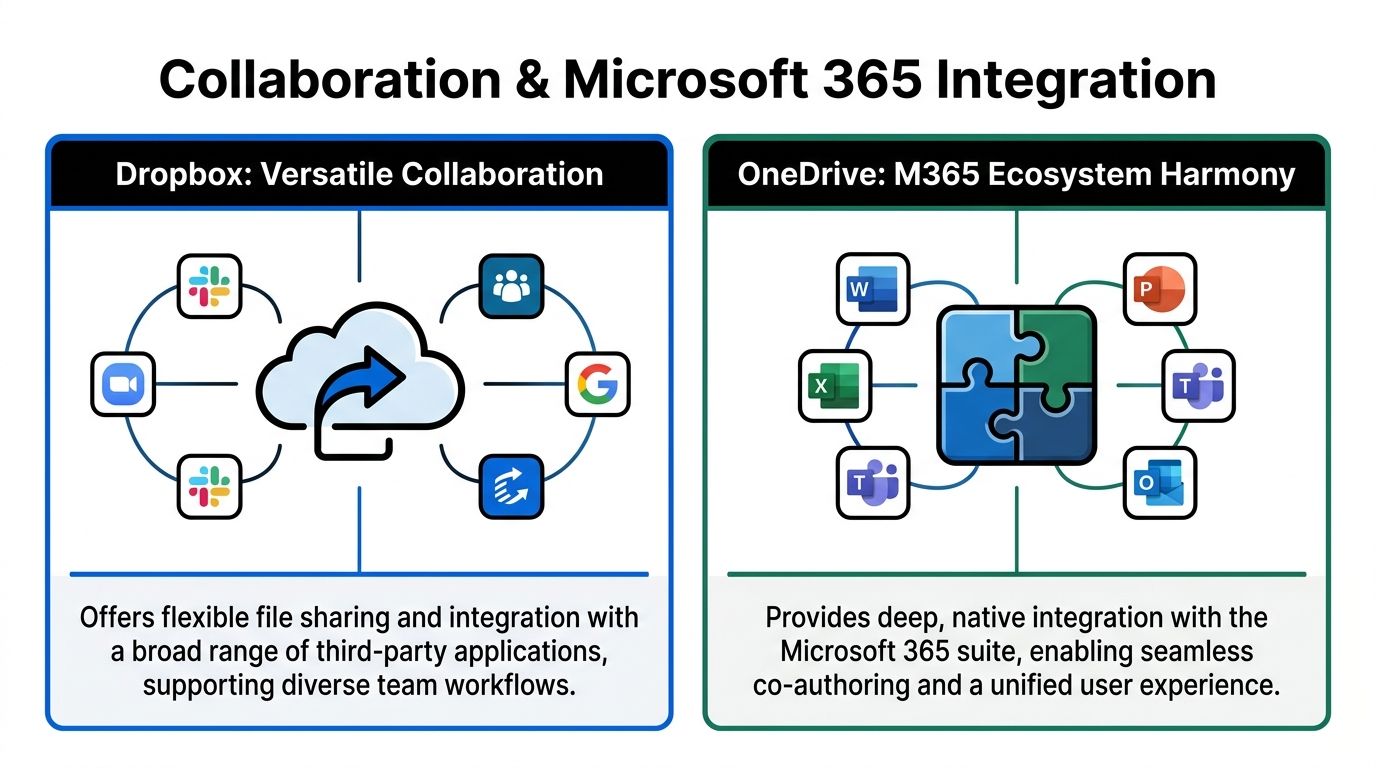
OneDrive is the stronger choice for businesses that already think in terms of shared office documents, internal collaboration, and a single productivity ecosystem. Dropbox is better when the business needs one place to connect files across different apps, different teams, and different types of work.
Where OneDrive wins
OneDrive’s biggest advantage is ecosystem cohesion. In a Microsoft-centered office, users don’t want to jump between disconnected systems. They want documents, permissions, meetings, and collaboration to feel like one environment.
That’s why its AI tools matter. Zapier’s feature review of the two platforms notes that OneDrive’s Copilot can summarize documents, compare differences, and generate insights without opening files. For legal review, compliance prep, or administrative reporting, that’s not a gimmick. It reduces friction in document-heavy workflows.
A DFW legal office with standardized templates, shared matter folders, and heavy internal document drafting will usually move faster with OneDrive because users stay inside the systems they already know.
Where Dropbox wins
Dropbox works better when collaboration extends outside one software family. Its value is flexibility.
That same feature comparison notes that Dropbox counters with Dash AI for universal search across apps such as email and other cloud repositories, plus Replay for multimedia collaboration with timestamped comments. For businesses reviewing visual assets, project deliverables, or mixed-format files, that’s a much better fit than a narrow office-document model.
The team should choose the platform that matches how work already moves, not the platform that looks cleaner in a product demo.
A construction company is a good example. Project files move between field staff, estimators, outside designers, and clients. Not everyone uses the same tools. Dropbox handles that style of work more naturally because it behaves like a neutral file hub instead of a suite extension.
The practical dividing line
A simple way to decide is to look at where staff spend most of their day:
- Inside office documents and internal collaboration spaces. OneDrive usually wins.
- Across mixed apps, external users, and file-heavy projects. Dropbox usually wins.
- In both worlds. The business may need one primary platform and a tighter governance policy around exceptions.
Firms trying to improve adoption inside a Microsoft-centered environment usually benefit from practical Microsoft 365 usage guidance for business teams, because the software often underperforms because no one set standards for how to use it.
Administration Storage and Performance Benchmarks
Administration is where a cloud storage decision starts costing real money. If your IT team spends hours fixing permissions, recovering overwritten files, or cleaning up former employee access, the cheaper-looking option stops being cheap fast.
For regulated DFW businesses, storage design matters as much as storage size. Healthcare groups, law firms, and financial offices do not just need room for files. They need predictable control over where files live, who owns them, how access gets removed, and how quickly operations recover after a bad click or ransomware event.

Performance matters more for some firms than others
If your staff mainly handles Word files, spreadsheets, PDFs, and email attachments, either platform is usually fast enough. Performance stops being a tie when your business works with scanned case files, diagnostic exports, CAD drawings, video evidence, or large project folders that sync all day.
Dropbox supports much larger individual uploads than OneDrive, based on vendor documentation from each provider's business plan materials. That gives file-heavy firms more breathing room. It is useful for construction, media, and design work. It also matters for legal matters with evidence files and healthcare organizations moving bulky imaging exports.
OneDrive can still perform well in document-heavy Microsoft environments. But if your team repeatedly edits large files, sync behavior becomes an IT issue, not a user preference issue. Slow or unreliable sync creates duplicate copies, version confusion, and local workarounds. Those workarounds become a security problem when staff start storing regulated files outside approved locations.
Storage design affects governance
OneDrive generally fits businesses that assign work and storage by user. That model lines up well with Microsoft 365 administration and gives each employee a defined home for documents. It is a practical fit for firms that want tighter identity control, cleaner offboarding, and fewer exceptions.
Dropbox is often easier for teams that work from shared repositories and pass large files across departments or outside parties. That setup can reduce friction for project-based operations, but it also demands tighter sharing rules. If no one owns external access reviews, old links and stale permissions pile up.
That trade-off matters in regulated industries. A law firm may like the speed of a shared-file model until a former client folder stays exposed longer than it should. A clinic may like the convenience of broad team access until an audit asks who could open sensitive records six months ago.
What to test before you commit
Do not buy based on storage headlines alone. Test the admin workload.
- Offboarding: Remove one employee in a pilot group and see how easily IT can transfer files, revoke access, and preserve records.
- Ransomware recovery: Confirm how file versioning, rollback, and admin recovery work for shared folders, not just personal files.
- External sharing controls: Check expiration settings, link restrictions, guest access review, and reporting.
- Large-file handling: Use your real files, not sample documents. Upload, sync, edit, and restore them under normal office conditions.
- Retention and ownership: Make sure records stay under business control instead of disappearing into personal workspaces.
A storage platform should reduce exceptions. If it creates side channels, unmanaged copies, or vague ownership, it raises your compliance risk.
My advice is simple. Pick the platform that your IT team can govern cleanly under pressure. In healthcare, legal, and finance, that matters more than a polished interface or a marketing benchmark.
Which Is Right for Your DFW Healthcare Legal or Finance Firm
A clear recommendation is more useful than another feature roundup. Different industries need different answers.
Healthcare
Healthcare groups should usually lean toward OneDrive if the organization already runs heavily on Microsoft 365 and wants tighter alignment between identity, permissions, and office productivity. That fit matters because clinical and administrative staff often need consistency more than novelty. A familiar environment also lowers training friction.
That said, healthcare organizations with large imaging exports, external specialists, or hybrid operational workflows may find Dropbox easier for moving bulky files and coordinating outside parties. The mistake would be treating that convenience as sufficient protection on its own. A clinic still needs a separate recovery plan, strict sharing governance, and documentation that supports compliance reviews.
Legal
Law firms should usually start with OneDrive when internal drafting, matter collaboration, and controlled document handling happen mostly inside a Microsoft-centered environment. Legal work rewards consistency. Lawyers and staff need predictable access, version discipline, and less tool-switching.
Dropbox becomes the stronger option when the firm exchanges large case files, media evidence, design exhibits, or outside counsel materials across a wider mix of systems. For litigation-heavy or evidence-heavy practices, that flexibility can matter more than suite loyalty.
For legal firms, the best platform is the one that supports control without slowing attorneys down.
Finance and accounting
Finance firms should generally prefer OneDrive for the same reason many legal firms do. Tight alignment with enterprise identity, document workflows, and structured internal collaboration usually outweighs broader flexibility. Where security scrutiny is high, the platform’s enterprise security posture is easier to fit into a standardized operating model.
Dropbox can still make sense for advisory teams, outsourced finance groups, or firms working with large client file exchanges across mixed systems. But for most accounting and finance offices, OneDrive is the cleaner default.
Construction engineering and architecture
In this area, Dropbox often wins outright.
Large plan sets, media, revisions, and cross-company collaboration are normal in these firms. Speed matters. File size limits matter. Sync behavior matters. If project managers, field teams, designers, and outside stakeholders all need fast access to changing files, Dropbox is usually the better operational tool.
OneDrive can still work for internal administrative documents, contract records, and office-heavy teams. It’s just not the first platform to choose when giant project files dominate the day.
Nonprofits and general business
For nonprofits, the answer depends on staff habits more than mission. A nonprofit standardized on Microsoft tools should choose OneDrive for simplicity and cost alignment. A nonprofit with outside agencies, media work, donor content, or mixed volunteer collaboration may get more value from Dropbox.
For general business, the rule is simple:
| Business profile | Better starting point |
|---|---|
| Standardized on Microsoft 365 | OneDrive |
| Large files and mixed external collaboration | Dropbox |
| Regulated and ransomware-sensitive | Either platform plus separate immutable backup strategy |
The blunt recommendation
If a DFW business owner wants one sentence: choose OneDrive for Microsoft-centered compliance-heavy operations, choose Dropbox for large-file and cross-platform collaboration, and don’t rely on either one alone for ransomware recovery.
That’s the practical answer most firms need.
Planning Your Secure Cloud Migration
A cloud migration shouldn’t be treated like a file move. It’s a control change.
When a business shifts storage platforms, it also changes permissions, sharing behavior, retention habits, and user routines. If those pieces aren’t planned together, the migration creates fresh risk instead of reducing it.
What a sound migration includes
The best migrations start with a data inventory. Leadership needs to know which information is regulated, which folders are active, which users need external sharing, and which stale data should be archived instead of migrated. Moving everything by default is lazy and expensive.
The next step is permission design. Access should be based on job role, not convenience. Shared folders, executive records, HR data, financial files, and client documents shouldn’t all follow the same rule set.
Adoption matters as much as the platform
Training is where many projects break down. Users need a clear rule set for where files belong, when links can be shared, how external access is approved, and what not to sync to personal devices. If staff make up their own process, governance disappears fast.
A strong rollout also includes recovery validation. The business should test access, restore workflows, and sharing controls before declaring the migration done.
- Clean up first: Remove dead folders, duplicate shares, and outdated permissions before moving data.
- Set standards early: Define naming, ownership, sharing rules, and retention expectations.
- Train by role: Executives, admins, and frontline staff shouldn’t all get the same instructions.
- Verify recovery: Don’t assume migrated data is protected until restore procedures are tested.
A smooth migration isn’t just one with low downtime. It’s one that leaves the business more controlled than before.
Technovation LLC helps DFW businesses make this decision the right way. That means matching the platform to the company’s workflow, compliance obligations, and recovery requirements instead of chasing whatever looks convenient in a demo. Organizations that need stronger security posture, better cloud backup design, Microsoft 365 alignment, or a practical migration roadmap can contact Technovation LLC for guidance suited for healthcare, legal, finance, construction, nonprofit, and other security-conscious environments.